
| Split CD Images To Individual Tracks | Viewing Page 3 of 4 -- Go To |
File Mask
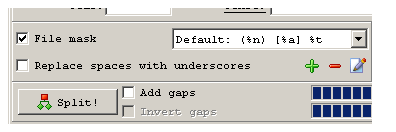
The file mask determines how Medieval Cue Splitter will name the newly created files. Like the playlist name, these will be based on the information stored in the CUE file. Click the green + sign to add a new name format.
| Learn How To Play Audio Files | |||||
| How to play MP4 files | How to play FLAC files | How to play APE files | |||
| How to play MP3 files on Xbox 360 | Find what video and audio codecs you need by using GSpot | ||||
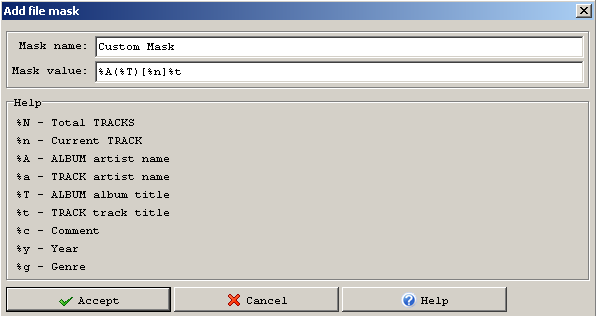
The Add File Mask window tells you what each code will add to the file names. You can also add other characters, like () or [] to the mask.
Using Multiple File Masks
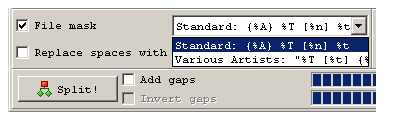
If you have more than one file mask you want to use they'll show up in the dropdown list in the lower right corner of Medieval Cue Splitter.
Continued On Page 4You're finished with the settings. Now it's time to split a CD image Next: Split CD Image | |
| Split CD Images To Individual Tracks | Viewing Page 3 of 4 -- Go To |
Written by: Andre Yoskowitz


