
| Stream TVUPlayer video to Xbox 360 | Viewing Page 1 -- Go To |
Stream TVUPlayer video to Xbox 360
 In this article we will cover streaming video content from the P2P-based TV sharing program TVUPlayer to the Xbox 360 console, using TVersity as a media sharing server and VLC to prepare the stream.
Introduction & Requirements
 | Software you must download and install |
 | TVUPlayer |
| Required: Download and install TVUPlayer on your computer. Download! | |
 | VLC Media Player |
| Required: Download and install VLC Media Player on your computer. Download! | |
 | TVersity |
| Required: Download and install TVersity Media Server on your computer. Download! |
Obviously you will need an Xbox 360 console for this article. You will need the console to be connected to a wireless, or wired network (with a proper wifi router, not just an access point). This guide also uses TVersity Media Server but it does not cover fully installing or configuring it, however it still should work just fine if you just follow these instructions. Install all of the software.
What does this article do?
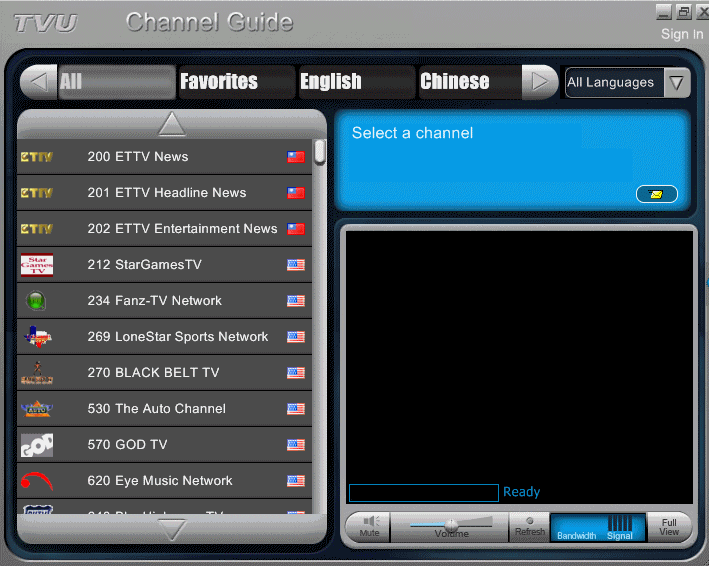
You are most likely familiar with what exactly TVUPlayer is already, but in case you arent, it is a P2P-based TV sharing application. Television channels are shared by a source and spread using P2P technology among viewers, so like P2P networks, when you are downloading and viewing you are also uploading simultaneously to others. The quality can range from very poor to excellent depending on the feed that you get. There are many websites setup where people share channels with TVUPlayer and the quality is rated by viewers.
Run the TVUPlayer installer. It is very straight-forward. Once it is done, run the application and login anonymously. Double-click any channel to play it or find a channel on a TV sharing site like myp2p.eu. Once you have done that, we are already finished with the TVUPlayer part. On the next page we will setup VLC Media Player to create a feed for TVersity, which will then feed it directly to the Xbox 360 through your network
What Next?
We have completed all the necessary setup processes, move to the next page.
Page 2 - Setup stream with VLC--> Move to the next page where we will setup a stream with VLC Media Player that can be fed to TVersity.
| Stream TVUPlayer video to Xbox 360 | Viewing Page 1 -- Go To |
Written by: James Delahunty


