
Finish Authoring
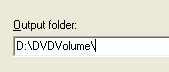 Click the Output button. All you need to do here is choose where you want your DVD files to be saved to. As you can see I chose D:\DVDVolume, but it's completely up to you on where to save the DVD files to. Make sure once again that you have enough free HDD space for this action. After choosing your folder, click the Begin Output button.
Write DVD
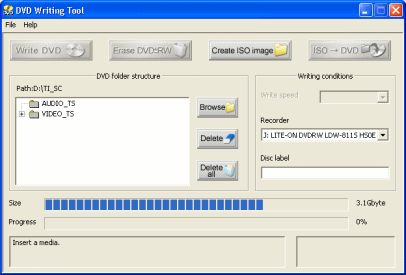 You can now burn your DVD with TMPGEnc DVD Author. Click the Start button and click the Write DVD folder to DVD R /RW button. First thing you have to do is click the Browse button and locate the folder that you chose for TMPGEnc to Author your DVD. When this is done you can now put in your DVDR media into your drive. Select your write speed and click the Write DVD button. The time this will take depends on the write speed.
Finally
So you've just learned the very basics you need to know to use TMPGEnc DVD Author to author a DVD for you. I am currently working on more advanced guides for TMPGEnc DVD Author, so check back very soon for them. If you experience any problems, please visit our Discussion Forums, or send me a PM.
Version History
v1.0 -- 22nd November, 2004, First version online (Dela)
previousSettings and Project Preparation
Written by: James Delahunty


