
mp3DirectCut v2.28
Freeware
Win10 / Win2k / Win7 / Win8 / Win95 / Win98 / WinME / WinNT / WinXP
Win10 / Win2k / Win7 / Win8 / Win95 / Win98 / WinME / WinNT / WinXP
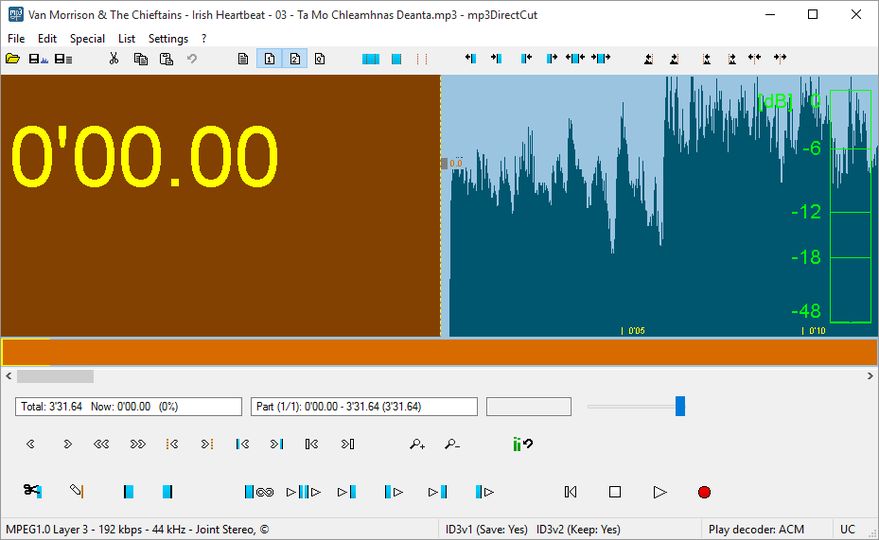
mp3DirectCut is a small tool for editing MP3 files directly, without any quality loss to the original file. You can remove parts, change the volume, split files or copy regions to several new files. All without the need to decompress your MP3 into a PCM format. This saves work, encoding time and disk space. And there is no quality loss through any re-compressions!
Trim your CD grabbings or directly to MP3 recorded vinyls or tapes. Cut favourit songs from long MP3 radio or live recordings. Make multiple cuts and fades. mp3DirectCut is very fast and gives you extensive control over your MP3s.
- Several prelisten functions
- MP3 visualisation and VU meter
- Easy navigation
- Fading, volume setting and normalizing
- Records MP3 direct to disk (ACM and Lame encoder supported)
- Layer 2 support
- ID3 Tag support (only v1 editable)
- Supports Cue Sheets
Trim your CD grabbings or directly to MP3 recorded vinyls or tapes. Cut favourit songs from long MP3 radio or live recordings. Make multiple cuts and fades. mp3DirectCut is very fast and gives you extensive control over your MP3s.
- Several prelisten functions
- MP3 visualisation and VU meter
- Easy navigation
- Fading, volume setting and normalizing
- Records MP3 direct to disk (ACM and Lame encoder supported)
- Layer 2 support
- ID3 Tag support (only v1 editable)
- Supports Cue Sheets
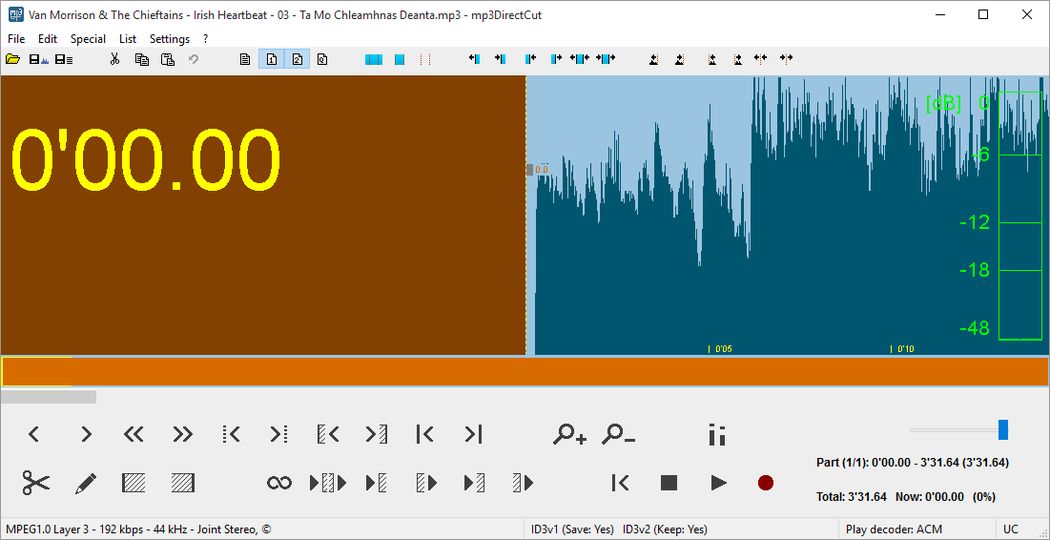
Screenshots:
Other editions:
HTML code for linking to this page:
Keywords:
cut
fade
normalize
mp3
edit
trim
.cue
License type
Freeware1
Author's homepage
Visit the author's site
Date added
25 Jan 2020
Downloads
1,222,256
File size
25.51 kB
(<1min @ 1Mbps)
Supported languages
English
Operating systems
Win10 / Win2k / Win7 / Win8 / Win95 / Win98 / WinME / WinNT / WinXP1
1License and operating system information is based on latest version of the software.
mp3DirectCut v2.28(Latest stable version) 25 Jan 2020
mp3DirectCut v2.25 23 Nov 2018
mp3DirectCut v2.24 19 Feb 2018
mp3DirectCut v2.23 08 Mar 2017
mp3DirectCut v2.22 18 Feb 2016
mp3DirectCut v2.21 30 Sep 2015
mp3DirectCut v2.20 05 Apr 2014
mp3DirectCut v2.19 04 May 2013
mp3DirectCut v2.18 15 Jan 2013
mp3DirectCut v2.17 01 Jan 2013
mp3DirectCut v2.16 07 Mar 2012
mp3DirectCut v2.15 05 Jan 2012
mp3DirectCut v2.14 15 Dec 2011
mp3DirectCut v2.13 03 Jan 2011
mp3DirectCut v2.12 22 May 2010
mp3DirectCut v2.11 11 Apr 2009
mp3DirectCut v2.10 10 Jan 2009
mp3DirectCut v2.09 01 Jun 2008
mp3DirectCut v2.08 04 May 2008
mp3DirectCut v2.07 09 Nov 2007
mp3DirectCut v2.06 17 Aug 2007
mp3DirectCut v2.05 29 Mar 2007
mp3DirectCut v2.04 24 Oct 2006



-No uninstaller
Go with Audacity instead, even if you lose audio quality by re-encoding, at lease you will work with a software that has real editing capacity.