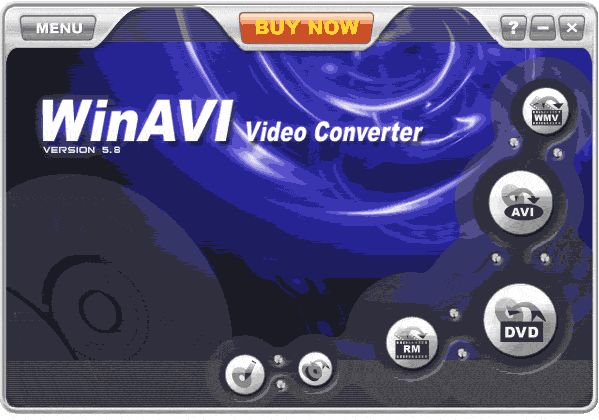
WinAVI Video Converter v10.0
Win2k / Win95 / Win98 / WinME / WinNT / WinXP
Features include:
AVI to DVD
AVI to MPEG
AVI to VCD
AVI to MPG
Flash SWF conversion
It can convert all formats to MPEG1/2, VCD, SVCD, and DVD and burn to VCD, SVCD, or DVD disc.
It can convert all video formats to AVI/WMV/RM/ASF/Divx/Xvid
QuickTime MOV conversion.
Real DVD Navigator encoder included.
DirectAC3 technology supports AC3 5.1, which is state of the art technology. It is up to 20 percent faster with AVI files including AC3 audio.
Real Dolby AC3 audio encoder included.
Burning VCD/SVCD/DVD.
Stunning video and audio quality.
User-friendly interface that is easy to use.
Has the option to preview the video in real-time.
Has the option to automatically shutdown your computer when the conversion has been completed.
Share this
HTML code for linking to this page:
Keywords:
winavi
video
converter
convert
avi
mpeg
mpg
1License and operating system information is based on latest version of the software.
winavi problems (2 posts)
Latest post: 01/23/2010
Forum room: Digital video discussion / DivX / XviDWinAVI help needed (3 posts)
Latest post: 10/08/2009
Forum room: Digital video discussion / MPEG-1 and MPEG-2 encoding (AVI to DVD)WinAVI not outputting 8500MB (3 posts)
Latest post: 09/14/2009
Forum room: Digital video discussion / MPEG-1 and MPEG-2 encoding (AVI to DVD)WinAvi Won't Burn (4 posts)
Latest post: 09/05/2009
Forum room: DVD±R discussion / DVD±R for newbiesavs (avi to avi) ends up out of sync .. winavi output file too big (3 posts)
Latest post: 08/21/2009
Forum room: Digital video discussion / MPEG-1 and MPEG-2 encoding (AVI to DVD)WinAvi not finding .flv files (3 posts)
Latest post: 08/10/2009
Forum room: Software, operating systems and more / Windows - Software discussionwinavi won't change fps to 29.97 (8 posts)
Latest post: 08/05/2009
Forum room: Digital video discussion / MPEG-1 and MPEG-2 encoding (AVI to DVD)WinAVI is ignoring my subtitle options set by other programs =/... (2 posts)
Latest post: 04/25/2009
Forum room: Digital video discussion / Subtitle helpweird winavi problem (17 posts)
Latest post: 04/17/2009
Forum room: DVD±R discussion / DVD±R for newbiesWinAvi won't launch Nero to burn DVD (4 posts)
Latest post: 03/15/2009
Forum room: DVD±R discussion / DVD-Video authoring


I first installed this program on my laptop running Vista Home Premium... It was very buggy and crashed often... (like many programs running on vista) Then I downgraded my laptop to XP Pro and haven't had a single problem with it... It seems the buggyness is issuses with Vista... <br/> <br/>The HelixSDK for converting to RealMedia files: <br/><a rel="nofollow" href="http://www.winavi.com/download/HelixSDK.zip" target="_blank">http://www.winavi.com/download/HelixSDK.zip</a>
I had similar trouble re stability of winavi 8 - I thought - but found the cause! <br/>I used it to convert mpeg2 digital tv recordings (DVBT)to AVI highly compressed. The first few times worked great and fast (5x real time), but then it would hang on checking advanced options, or part way through a conversion? <br/>This was caused by defects in the source file created when I cut and trimmed out commercials using mpg2cut2. By preprocessing these files using PVAStrumento, the mpeg2 file integrity was restored, and winavi had no more problems!! Would be nice if winavi include a preprocess to do this or incorporate as part of the conversion process. <br/>cheers, <br/>Pigs.
Got this to convert rm to avi (XviD + mp3), but for some reason it won't work. Apparantly it only wants to use it's own codec (something I never heard of, ZJnet ot something). It can't be my codecs, cause I never had any problem with those with any other conversions (ffdshow, XviD, RealAlternative installed). <br/> <br/>So this was a total waste of time. Time to look for another converter which claims to be able to do what I want...
Hi guys, <br/>Winavi version 8 still not stable yet. It still got a lot of bugs in it. Do not install...I repeat do not install. I have tried several time to convert my rmvb files to dvd but it wont allow me to complete the process. I have all the necessary processing files real media files AC3 quicktime etc.... <br/>I have sent in the error log file to winavi support desk and they told me their engineers are looking into in.
I just tried this and it actually worked! I had so much trouble with the newer ones (7.0-7.7) but a lot of bugs have been fixed. One dvd no multiple folders, no little codec icons poppinG up in the system tray no hanging when going to the advanced options. No errors at all I like it so far I converted 6 videos to one perfectly.
Only really works well with its own codecs,dosent seem to like many other codecs.
In some ways this is the best of the more simple converters. It is quick and the quality is good. (Not as good as a multipass encoder of course, but better than VSO convertX).
The problem comes when you try to convert two or more video files, keeping them as separate titles on the DVD. The option to do this exists (I'm using 7.7), but the software cannot do it.
All but the first title will be flawed and probably render the burned disc unplayable. You'll notice WinAVI misjudges the length of the files somehow.
This is a serious problem that WinAVI need to look at in an otherwise solid little app.
Do NOT buy this product if you want to merge files. If you can get yourself a copy of Ver 6.3 then that is a better product than the later versions.
All versions from Ver 7.0 to version 7.7 have been a croc of .. and cannot merge 2 or more files into one, eg 2 avi's into one DVD.
In contrast, Ver 6.3 does a merge perfectly, so its hard to understand why they broke it.
If you are happy just converting one avi to one dvd then this product is ok, but there are better and cheaper products that merge also eg VSO.
Dymin
Great speed, as usual, but any attempt to make a vcd, svcd, or kvcd, results in no sound other than noise. Anybody figure this out yet?
The size of the mpg2 file is huge after converted from rmvb format. I didn't know what I did wrong in "Advance". I'm now back on Version 7.1
I have problems with this version of winavi 7.7 for some reason when i encode the picture quality is good but the sound is whitenoise.So im going to stick with earlier versions...
does anyone have any clues on why I may be having this problem ??
If you are having problems converting a .wmv or .avi to DVD with Nero, this is the product to buy. This product was able to successfully convert my file of home video to dvd. Nero was still used for the burn.
Also about 3 times faster. An hour of video took about 30-40 minutes!!!!!
Very Simple to use.
I tried VSO and even the freebie on this site. I found it the easiest to use and fastest. Well worth the 30 bucks. Plus the free lifetime upgrades make it worth it.
I have used this software to convert several downloaded movies from avi to dvd format. I would give this 5 stars as the quality of the dvd is great. It surpasses VSO DivxtoDVD because of their inability to fix the lag in the audio with the picture. WinAvi has my vote for superiority. Best purchase you can make for converting different format types. Easy to use interface as well. Invest in Nero Express so you can get the full feature of the burning engine with this sotware.
Very happy with this app.
It had no problems converting an avi to dvd that had failed with video vault,avi2dvd and VSO Divxtodvd.
The trial version leaves a watermark so just get the full program its worth it.
Wonderful little app!, This is the simplest way that I have found to convert Divx to DVD.
All of my conversions have been flawless, but I have found the aspect ratio (widescreen or fullscreen) needs to be set manually as automatic
sometimes selects the wrong ratio.
The Program costs $30 but it's worth every penny.