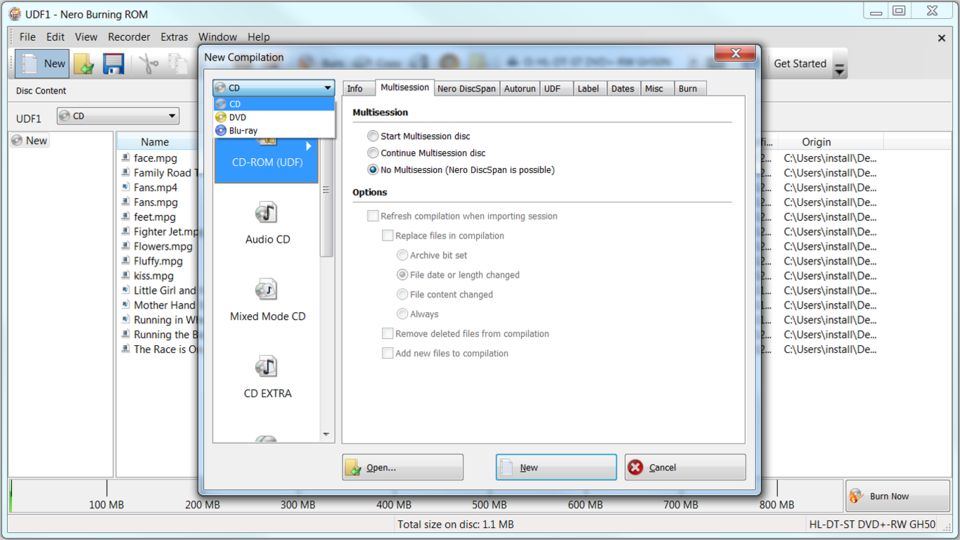
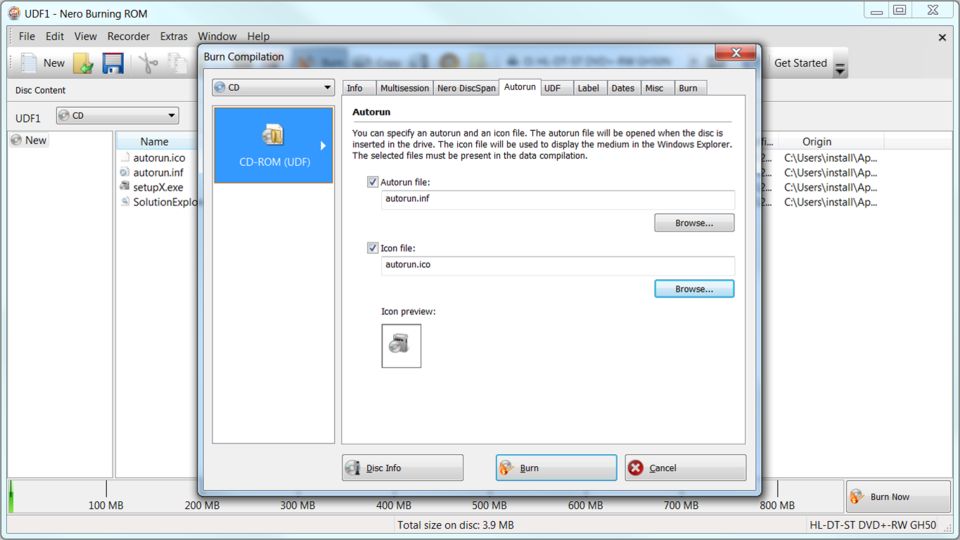
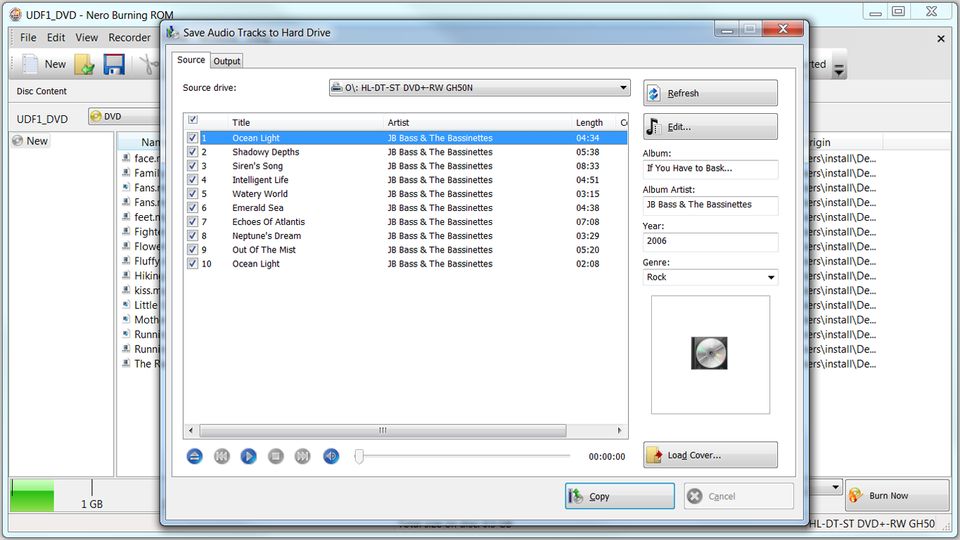
Nero Burning ROM v9.4.26.0
Vista / Win2k / WinNT / WinXP
Nero combines huge amounts of features in a compact and easy to use package. It handles disc duplicating and pre-mastering with ease, supported by a cover designer and even an audio file editor. The excellent GUI desing keeps all the functions handy and guarantees that simple tasks can be done quickly.
If you have to settle with just one CDR / DVDR / Blu-ray burning software, then Nero would be it.
Download plugins for Nero from Neroplugins.
In case you're not interested to download the full version of Nero, but just want to have some parts of the software, such as the burning part, you can download one of the unofficial Nero "mini builds":
Nero Micro
Nero Lite
If you have questions related to Nero, please visit our unofficial Nero support forums!
To support our site, buy Nero from here! (10% discount for AfterDawn.com users)
The trial version of Nero requires a serial number to run. Click here to request a serial number.
Other editions:
Share this
HTML code for linking to this page:
Keywords:
ahead
software
nero
cd-r
encode
copy
cdr
1License and operating system information is based on latest version of the software.
Nero 9.4.26.0 transcoding failed with windows 7 64 version (4 posts)
Latest post: 03/18/2010
Forum room: Software specific discussion / Nero discussionI need to upgrade my Nero because I have Windows 7 now. =( (2 posts)
Latest post: 03/17/2010
Forum room: Software, operating systems and more / Windows - General discussionNero 8 Burn Process Failed (2 posts)
Latest post: 03/15/2010
Forum room: Software specific discussion / Nero discussionNero 9 Encoding Error (7 posts)
Latest post: 03/14/2010
Forum room: Software specific discussion / Nero discussionNero 9 Trail (2 posts)
Latest post: 03/14/2010
Forum room: Software specific discussion / Nero discussionhow to burn dvd in nero with subtitles plz help (2 posts)
Latest post: 03/14/2010
Forum room: Digital video discussion / Subtitle helphow to burn dvd in nero with subtitles plz help (2 posts)
Latest post: 03/14/2010
Forum room: Software specific discussion / Nero discussionNero Free Alternatives? (2 posts)
Latest post: 03/13/2010
Forum room: Software specific discussion / Nero discussionhow to burn nero with subtitles plz help (3 posts)
Latest post: 03/13/2010
Forum room: Software specific discussion / Nero discussionNero 9 - Encoding Error (4 posts)
Latest post: 03/12/2010
Forum room: Software specific discussion / Nero discussion


Lost it all after version 7. I even tried this version, same stuff, a few improvements (especially speed). <br/> <br/>One of the problems I have is that it adds too much to your system. The last version of 6 used up very little space and was very fast. It is not even ancient-looking or anything. It has everything everyone could need nowadays except for burning Blu-Ray discs. <br/> <br/>Why you don't need it: ImgBurn can burn ISOs, burn Blu-Rays, it has an easy-to-use interface now including a file manager to drag and drop and 'build' an image (Build mode), and of course it will dump discs of any type to your HDD (not encrypted DVDs). <br/> <br/>Xbox Backup Creator can use the Nero API or the ImgBurn API. ImgBurn is free. <br/> <br/>That being said, I have Nero 6 installed because foobar2000 has a Write Audio CD function (that is awesome) but it relies upon the Nero API to do the writing. I've tried minimise the installation to just the DLLs with the exports but have not gotten it right just yet. <br/> <br/>Will an uninstall clean the WHOLE thing? Something tells me the answer is no, but that's how Windows is anyway.
En suosittele kenellekään. Vie järjettömästi tilaa ja käyttää paljon resusseja ollakseen vaan polttosofta. Kaikkia turhia kilkkejä täynnä nykyään joilla ei kuitenkaan mitään virkaa. Sopii hyvin kaikille all in one peeloille.
its the bedst
I'm still using Nero 6.6 Reloaded on my Windows XP operating system. I tried Nero 7 and it sucks. Not planning to test drive Nero 8 or 9 because they are junk so full of junk programs that I will never use and waste hard drive space...
very sad v8 worked very well this version is the biggest heap of shit for burning ever in history and the media player cant play anything at all it just has a still image woo what a fun video right...few things it wont do <br/>1. burn while playing any music or video's in any player <br/>2. burn while you have minefield (firefox Alpha version) open sometimes <br/>3. burn when u need it most <br/>4. play any media files with its media player <br/>5. it has a true set against burning a cd will burn dvd's a bit better <br/>6. Uninstall easily without the uninstaller crashing <br/> <br/>things it will do <br/>1. print covers for your dvd covers etc <br/>2. make other burning software fail <br/>3. take loads of pointless HD space <br/>4. be a general pain in the ass <br/>5. integrate its self into context menu <br/>6. use more HD speed as in MB/Sec than it should do while burning <br/>7. stop burning in the middle of a burn <br/>8. on rare occasions where u have its media player open and its cd cover print and nero burning rom and u open winamp it sometimes crashs the pc <br/> <br/>im extremely upset with this a monkey that cant peel a banana could program better never seen so many easy to trigger bugs that they are not fixing in the updates of nero extremely unhappy on so many levels suggest going back to v6 it was really the last good version
anybody having problem with nero get burn aware it is totaly free on this site and i have vista and dont have any problem with it as long as you are burning video ts filles it works great so try it and nero suck i dont like it at all
Nero 8 and Nero 9 both lock up my vista computer when you play an avi in showtime I emailed them about this and it is not the computer. It is this lousy software that is the problem. I wasted my money on nero 8, then like a fool I bought nero 9, it was just as bad. These jerks ought to refund my money but they don't answer emails. Don't buy it.
There is nothing FUN about creating movies with Nero 9 you dork. You obviously havne't ever done it. <br/> <br/>From what you said it looks like you work for Ahead. Nuff said. <br/> <br/>I use Nero 7 and after updating it burns blue ray fine with either Burning ROM or Nero Vision. <br/> <br/>Why upgrade?
i use to run both nero 7 and 8 and i gave then both the boot,has far has iam concernedthey where both just a piece of junk
I have to agree. I have Nero 8 Ultra Edition and at first it worked well when burning data, movies and CD's, but then as soon as my computer started acting wierd and I did a cleantool delete with Nero and reinstalled it the dam thing won't do anything. Can't say it's my DVD burner because it works with other programs but not with NERO. All I keep getting is Data burn failed or Burn process failed and It's getting on my nerves. Everytime this happen I end up wondering "Why did I upgrade or why didn't I just look for a better product."
The last version of Nero 7 was the best. It wasn't full of bugs like 8 and 9. Most of the features with Nero 9 I can still do with Nero 7. I am one of those customers that will stick with Nero 7 until a better release comes around or I switch software packages all together.
Nero have lost the plot BIG TIME. Like Symantec they need to listen to their users complaints and then go back to basics and re-design the package from scratch. It is too big (380MB for a burning package, FFS); too intrusive and too bug-ridden. Please vote with your feet and ignore this release. Only if hardly anybody upgrades/buys Nero 9.0 will they be forced to change direction.
Nero 9 brings the digital world to your PC with features that make it fun and easy to create high quality multimedia projects with professional results. Create, rip, copy, burn, edit, share, and upload online. Whatever you want music, video, photo, and data enjoy and share with family and friends anytime, anywhere. Mix MP3's, edit vacation videos, author photo slideshows, record live TV, burn CD/DVDs, Blu-ray disc with just one click, and stream them in any room in your house. <br/><a rel="nofollow" href="http://www.globalshareware.com/Audio/All-in-One-Jukeboxes/Nero-9.html" target="_blank">http://www.globalshareware.com/Audio/All...xes/Nero-9.html</a>
Nothing but a bloated malware installing pile of shit. Used to be a great program but the devs got greedy. Like VLC player, its time is done. Plenty of FREE alternatives that work better. And subscriptions to upgrade??! Um..no? <br/> <br/>Cue Violins..
don't use Nero 9 at the moment - woefully inept and underdeveloped and untested ( as usual ) - more bugs than a suitcase full of cockroaches.
I’ve been using Nero 7 & 8 with no problems just fine, Nero 7 on my XP machines and Nero 8 on my Vista. I personally don’t like installing stuff I don’t need or want like Nero Home or Scout so these versions work well for me as I have the choice to not install those components. You also can choose what file associations to make or not which is essential to me. <br/> <br/>With Nero 9 these key things have gone away and not only that but once this proggy is installed, at least on Vista, it screws up your file association so bad that you can’t reset to defaults. Even when you uninstall the program completely the file associations remain screwed up. I’m going to have to reinstall my Vista and start over unfortunately. It looks like they have added some nice features, most I really don’t need but I’m sure others might like so it is too bad that this program has gotten sooo bad. I’ve been a Nero lover for over a decade now but they have now lost me I will not upgrade to this garbage at $50US or $80US for new users. <br/> <br/>Also it was only about a year ago when version 8 came out and now they are on version 9 it seems that Nero is getting greedy and working on a annual upgrade push, I’m not paying $50 a year to burn disc’s. <br/> <br/>Good thing ImgBurn is getting so nice and it is free I think I’ll us it more down the road. <br/> <br/>Good bye Nero!
Im not impressed, I bought Nero 8 3 months ago, and the new super price to me is 69.99euros to upgrade, wow, where is the super reduction they are shouting about. <br/>Also my nero has also got a fault, it wont burn disks, it says there is a software error, I will wait at east a week before I get a responce, so whle some this is great, I class the program and support poor.
I think Nero 8 has still a bug. When used right after WinAVI video converter finished its job, i always got a BSOD with my Vista Ultimate. But to be fair, Nero 8 still delivers that superb burning capabilities together with its video and audio editing, movie making and a lot of stuff.
I find nero 8 to be very capable , and very useful in more ways than one <br/>It has eye candy GUI but for those used to Nero 6/& you can still use it almost totally manually <br/>I do find its 3rd party activation very annoying though . Activation is not limited to Nero but it seems their implementation is very annoying given how windows update, thier own updates and anyhting in fact can need you to reactivate <br/>It is defeatable but it really is a pain to need to do that for paid for software <br/>Also , the last time I tried to update online . it messed up the system and I needd to completely reinstall it <br/>I like it even though it has its own gremlins
I have used nero 8 which i thought it said it was compatible with Vista and low and behold, the imagedrive option is incompatible and locked up my windows beyond deactivation and i couldn't uninstall it which i don't understand why. The interface is too verbose. I like to choose my options. Also I found that adding the programs I like the most in Nero was very hard to do, not like in Nero 6 where you click, point and add. I wanted to use the "classic view" like windows has. i guess that didn't exist. Creating an audio CD was more trouble in 8 than in version 6. 2 clicks and I am in. Burning Rom - No workie with Vista. A screen popped up and said I couldn't use it. What is that crap at the bottom of the screen on nero 8? Chat, news and other crap. Ew! I am going back to Nero 6. It gave me no problems. Only issue is that I can't use it with Vista. So I am flattening my machine and I am going back to XP and my life will be happy with Nero 6.
there is a problem i don't know how to get a serial number of nero 6.6.0.16 plz post me a serial number thank you and have a nice day bye
Great software but the interface is better on Nero 6 even Nero 7 has it's quirks.
I've used all versions of Nero from it'a beginning, and I personally believe my Version 8.1.4 is the best yet.It corrected a lot of problems I had with burning data files to cd-rw discs.I've made Audio discs, and was satisfied with the result- You cannot copy copyrighted/encrypted movies with Nero, (as that's illegal)... you need to get a program Like "1click dvd copy" to do that; using DVD43 as a decrypter, (your solution to Netflix/Blockbuster). I hope I've covered points previously mentioned in earlier reviews here- It's an excellent program.
I will never use Nero 8. It's a big hassle with too many useless bloatware extras. It's no fun dealing with all those installation bugs and "no audio" CD burns. The music skips like a scratched vinyl LP according to other people on the forums. <br/> <br/>Tried Nero 7 and didn't like it either. <br/> <br/>I'll continue to use my reliable Nero 6 Reloaded package as long as I can on Windows XP. It still working even under SP-3. <br/> <br/>Nero software will not copy DVDs rented from NetFlix or the stores...
This particular update is a pain in the ass - I have a legitimate copy and first it says another software program has requested a reboot ( nothing had been updated but I rebooted anyway ) I got the same message again so deduced it was a Nero installation bug, then when it runs through the installation it says I have to uninstall the old version first and then install the new version - that is such a pain. I hope there are no program bugs introduced in the program update itself if I ever manage to get it installed.
Not bad for burning. <br/>Mediaserver is a resourse hogger. <br/>CD ripper and encoder is bad.
it bad ass
I have nero 7 and have been told I can make backup copies of my dvd movies but I wasnt able to do it with nero 7 does nero 8 allow this?
I downloaded the trial version of Nero8(b) and it only has Mpeg-4 decoding which will play fine on my PC but not my DVD player. So I uninstalled it.
I used Winmpg video conversion, the adoption of Nero burn my CDs, I kept to collect video and movie files. In my spare time, can be watched at any time, the effect was very good to watch video.
No suprise here at all. All I can say is Nero has gone downhill since Version 7 and it still seems the came with 8. Prove me wrong on this one <img src="http://subscribe.smileygenerator.us/all/albums/0riginals/LSHIC.gif" border=0><br clear="all"/>
will a nero 7 keycode work with nero 8 ??
Why doesn't Nero 8 have some of the major codecs bundled into it? <br/> <br/>It will not recognize flac files and none of the flac codecs for Nero will work for version 8.x. <br/> <br/>Anyone with ideas / solutions out there...?
i know a lot of people out there who don't like nero 7. i didn't too at first. i found it severely unstable, crashed my computer every time and had a headache removing.however using it on a new pc(much more powerful than my ageing pentium 3) with vista worked well and has grown on me.i still prefer nero 6.but for vista compatibility nero 7 does a satisfactory but nothin out of the ordinary considering the high standards set by previous versions...
I have never had any major problems with any versions of Nero. I had a dedicated system just for Nero so that might have been an issue for many users with different types of burning software on the same machines causing conflicts and errors. I learned that with early releases of Roxio and Nero on the same machine seems Roxio had files that were conflicting with Nero at times, did a clean install of Nero and for the past 3 years no problems.
Nero 7.10.10 worked well for me in Vista,but did not like vista so changed back 2 XP.In XP I've used 6.14,with very good results.So if it ain't broke don't fix it
i rate 5 stars for nero version 8 and version 6 <br/> <br/>nero version 7 i would like rate it 1/2 star.. <br/> <br/>stay with nero 6 or get nero 8 and see different.. <br/>as i see on nero website (buy nero 7 and free upgrade to nero 8)....NERO IS GETTING BACK....
Personally, I can't understand why a company with such a good rep would turn out such a bad product? To say NERO ver 7 is disappointing would be an underststement! I have had the same problems as everyone else so I'm sticking with ver 6.6 <br/>NERO, SHAME ON YOU!
I had same problem. <br/> <br/>I tested on Plextor and Aopen DVD Drive, Both have error problem with using Nero. Ver.6 is a much better choice. <br/> <br/>It took me haft a day to clean out the trash from Ver7 to re-install Ver.6 <br/> <br/>This is the problem with big software company. The bigger they are, the more crappy product it will churn out.
as NERO ads ""IT'S NEW,IT'S BETTER"" <br/>the BEST of all in one cd and dvd solution? <br/>it's getting worse and worser...nero 6.6.0.18 is the best they've ever design..when come up with NERO 7 they make it compatible with windows VISTA and also HD DVD or Blue-ray,,they screw up everything..i try to find any good about this version,i come up with nothing and waste a lot time to download previous version 6.6.0.18..i'm now stay with nero 6..as i see nero 7.9.6.0 is not too bad however it's much slower than any version 6...so if you want fast reliable stay with nero 6..
Switced to Nero 7 Ultra edion and now everything I burn comes out grainy and has poor quality to it. Only switched because I could not update the 6th edition--it definaitly is crap i am going to back and reinstall Nero 6th they had it right and went and screwed everything up with the 7th crap.
"Nero is the best and most complete CD-R all-in-one software " <br/> <br/>hahahahah what a laugh we shoudl start a class action to sue for damages and prevent them from using that in thier advertising.. <br/> <br/>Ok here's the scoop, I am a sys engineer for over 30 yrs now, i have built more system and loaded nero on them than i care to remember , but NERO 7 is absolute rubbish, it does horrible things to your computer let alone your bank balance, why dont they admit they have got it wrong, that they cant fix it! and that they have got too big for their boots and no longer care about their customers !!! it dies it errors out it has massive amounts of illegal disk errors. <br/> <br/>Ahead software (nero)are going the way nortons did, and look at the reputation nortons has got now. <br/> <br/>so if you value your computer and your bank balance then dont install nero 7 it is just trouble with a capital T... <br/> <br/>anyone want to join me in a class action ? I'm serious !! <br/> <br/>Syb
Hi Guy's, I totally agree with all the negative responce's, Nero 7 is the worst burning sofware on the market. I upgraded from version 6 and the computer crashed each time I tried to burn. When I tried to uninstall I could'nt remove all the files so I could not revert to version 6. I eventually had to do a reinstall of windows to get rid of it. My advice don't go even contemplate version 7 ever, stick with 6
NERO is crapware <br/>I've wasted cd after cd- dvd after dvd on this crapware and you know what? I thought my burner was doing bad -on the way out... NERO burning rom sux buttcakes... <br/>I used some freware cdburnerXPpro off here and it worked on first second thrid... fourth.. try.. like a charm and nero keeps wasting my money by making my burnable media in to coasters! Screw NERO and the horse it rode in on... <br/>Heres a tip: <br/>Dump nero crapware- your burners fine! try any other software and I bet your burn comes out clean like when nero wasn't crapware (or sold out to the media companies...)I used some newbware cdburnerxppro and it worked like nero "used to"!
It gets a good only because it's still pretty much the standard all others are measured by, but what a pain in the $^@# to deal with. What's with the long-running excuse for not including manuals? If M$ can include them in their bloatware, why can't Nero? The setup engine's a little warped too. Choosing "modify" means you can only remove; you have to run the original setup to add stuff. <br/> <br/>FYI: the Imagedrive feature will not appear in setup under Vista. It is currently incompatible and there are currently no plans to upgrade it. This is not posted on their site though, one has to fight through their tech support to find this out.
Absolute bloatware. "Features" most people don't want. Even if you do the "custom" installation to avoid the extraneous stuff you can't avoid it putting stuff like a search engine ("Nero Scout") that's just a nuisance. Installation insists on removing any old versions so you're stuck with all this junk. And getting a refund? Impossible- even if you conform to all the refund requirements their automated response system just keeps referring you to their rules and technical help sites. <br/>A real pity - this company used to make good software.
When I first tried Nero 7 I thought Ahead must be under new management as they had released a piece of software with rampant bugs and that was more style than substance. Eg. 5.1 channel support on Nero Wave Editor might seem cool but when the program is resource heavy and the formerly efficient interface is cluttered with "gee wiz" features, and it crashes a lot, this isn't made by the same people that made the previous versions. <br/> <br/>I'm disappointed to hear that the bugs still haven't been fixed in Nero 7 and that there isn't a Nero Recode 3 yet. Nero 6.6 is still a great piece of software, a lack of updates doesn't change that. <br/>It still does everything I want to at the present time and I don't expect to be mucking around with HD-DVD or Blu-Ray for a while yet. <br/> <br/>2 out of 5 for Nero 7 <br/>5 out of 5 for Nero 6.6
downside too large to install appro. 489mb for full install, require more ram than previous version 6 very disadvantage for older computer system.. version 7.10.1.0 have more bugs than ever...could not do job well with this version,,reinstall version 6 is better choice for older system....
this version nothing seem to work fine! with nero-express alsway reading fail,try with dvdfad platium and anydvd nothing wrong without problem (not copy protected dvd)..reinstall version 6.6.18.0 lucky i still have a back up version 6..they try to make it compatible with window vista (require a lot of speed)i think this is main reason why xp sp2 with older computer system have a lot of problem! won't be bother to upgrade again...shshsh
Since having the latest version (v7.10.1.0) it has never served me a coaster on my Lite-On burner. It needs to loose some weight (180MB is a bit big) but other than that a average piece of burning software for all the simple jobs.
i have had lots of problems when i update nero so i don't do it anymore i got 7.8.5.0 and I'm sticking with it. nero is just to bloated nowadays
Starzzzzz <br/> <br/>i use CloneCD for cds, CloneDVD2 for DVD dups. <br/>I use Roxio 8 for data discs and iso's <br/>I also use anydvd. <br/> <br/>I've used many many programs. I've stabilized with these. <br/>I also never burn any faster than 8x even though i have a 16x Plextor. I find depending on the discs....that 16x is just too fast. I'd rather be safer. <br/> <br/>I've had great success in all burning for years. <br/> <br/>These programs are not free, but anydvd and cloneDVD2 are well worth the cash. If u burn alot, its not really worth searching for upgrades for anydvd since its so cheap. <br/> <br/>If u have a fast DVD burner, u might notice alot of noise when playing a dvd. u can lower the playback speed with anydvd - has many features. <br/> <br/>After burning an iso or ccd, i generally mount the image with Daemon Tools 4.1. Why waste the disc...LOL <br/> <br/>I'm an IT Guru...and not silly about all this. I was a Nero fan...still have it installed, but don't use it anymore. I too have had my share of problems with it, however, that was when 7 first came out. 6 Was great...but i don't need Nero. Too many options can be overwhelming. DVD Crypter was my favorite until...u know....
it got 4 votes, just not 5 becose of the huge size (~180MB) other than that it burns well, if you have problems burning with nero you should sirulsly check you hardware first as i havnt had any problems with nero what so ever, it burns well, easy to use, back to good old times as the interface havnt change for years on "Nero Burning ROM" part of the software suite, the rest of neroes programs works well to, but i still like other softwares to play my media files or make dvds, nero's cover designer is one of the BEST dvd/cd cover creators <br/> <br/>yes ImgBurn is good but i prefer good old nero interface
Bought Nero 7 Ultra on CD's and what a disaster. Nothing worked. Could not sucessfully burn CD's or DVD's. Could not go backwards to previous versions either. Although I have happily used many different earlier versions of Nero, I can't say anything positive about the V7. software I bought.
In their defense I did manage to download a huge (197MB) update (V7.5.9.0) and fix most of the problems I had. Those of you with major problems should consider doing the same, but my point is I should not have had to completely download a whole new version.
Nero AG you need to listen to your customers and fix your software problems, more importantly don't mass produce garbage software and 'stick it' to your customers. Try reading your users comments.
Nero serves up more coasters then a bartender, I went with ImgBurn, no coaster in 3 months so far!
hehe,,,it's look like too many people have problem with nero 7.8.5.0..you should check for minimum system require for this version..or beter go back with nero 6.6.x.x version and then you never have any problem again..for me nero is just average backing up software..it's no point for keep upgrade with it..just choose one version that work fine with your system and stay still...i still keep my nero 6 and downdload this version for testing...i come with conclusion that new nero 7.8.5.0 not to good with old system...if you use latest processor like duo core system and new nero version do very good job...i won't be bother to upgade new system, they just release new version every now and then also with pc hardware..
I used to use nero until it played havoc with my pc.. and difficulty uninstalling it through add/and or remove. Message I received. ((Shellbase Manager is missing or corrupt)).I had to continue to go to run and do an regedit several times before it completely unsinstalled. Then downloaded it again and repated the same steps until i got fed up with Nero. I am tyring to burn my downloaded movies onto dvd.. Im a newbie at this and Original insallatiion Of Nero I had no problems until recently..I want to save them so as not to use up all my download as I an going to re-install xp..I since downloaded a few other programmes but so difficult to use. I did how ever found Nero to be easy to use..>> when it worked lol.. Any help on another free programme?... Thanks.
Nero WAS the best burning software. Technical support is $1.29 per minute. After four hours they could not solve my problem. <br/>Problem: Replaced hard drive, reinstalled XP operating system, downloaded all XP updates. Installed Nero from website and entered my serial number. When importing a homemade DVD, Nero does not import in a Nero recognized format. Thus Nero freezes the computer if any edit is attempted. Program can only be closed with Task Manager. CPU is running at 100%. Nero's solution, sorry they have read everything on the web and have never heard of this problem. (Neither has the Geek Squad, nor can they fix the problem.)
Nero was at one time, the best. With this release and their business practices it is now "buyer beware". <br/> <br/>If you do decide to buy this program be aware that Ahead Software is a fairly shady business. When you purchase the program online, the program seems to embed the serial number and install. If you back up the program and then have to reinstall it later the serial number is gone. Nero wont give you any support whatsoever. I had to reinstall after a crash just three weeks after purchasing this program. Nero's response when I asked them what happened to my serial number? "Woops, looks like it backed up with the trial serial number, sorry, there is nothing we can do". <br/> <br/>Geee, I guess looking up the records was too big a stretch for them.
is there a free nero out there? if there is can someone please tell me. iv been looking for a while and cant find one, but im not giving up hope.
pls send me nero free varsion pls <br/>pls
Nero "used to be" great now it just sucks. I get coasters out of nearly every disc I try to burn with nero- screw nero... IMGBURN is what I switched to as well. I don't know what the problem is- but I havent time to be fooling with what doesn't work. New nero show sucks too- it hangs more than it plays vids. i'm over NERO.
everything perfect on vista ultimate except nero express.....
Using Nero 7 with Vista, having a issue trying to receive the current upgrades, in receipt of " Download Connection Problem " error. I have tried to contact Nero Support, 3 times, no responce, VERY POOR TECH SUPPORT ! I am considering asking for a refund.
I have been evaluating Nero for the past month and I have decided to switch to ImgBurn. I had so many problems from "illegal disc error" to "calibration error" that I have completely given up on this software. Discs that I normally use for DVD shrink and DVD decryptor does not seem to work under Nero. After switching to Imgburn, I have not had any problems =). I suggest everyone give ImgBurn a try.
I have a new Vista system, and have used Nero appropriately in the past and been satisfied. I design software packages for OEM customers, and have often recommended it. However, for Vista, it will NOT burn CD's. I have requested a refund (fortunately used Pay Pal). I will NEVER recommend it for any Vista user.
This is the only software I found that will totally run with the LiteOn SATA DVD drives I am installing on new computer builds. The original Nero 7 Essentials will not allow the audio portion of the movies to be heard, but this version allows the unit to operate at normal parameters. I did not however, test the speeds of copying or burning DVD's. This site was recommended to LiteOn, by me, as a link from their FAQ page as a repair for future problems with their units.
I went back to Nero v 66018 because it was the only version that would work seamlessly with DVD Shrink
Nero was great, until the installer started reaching 200 MB.
I still like and prefer using Nero for burning discs, but I'm now using the Micro version - only 12.6 MB.
Before you go and say "it's perfect in every which way and if you have a problem, sucks for you cuz i never had a problem" think about it for a sec. There are and will be glitches. I have had almost flawless performance from Nero, but it has compatibility issues with Windows VISTA. I bet Nero is working on working on compatibility with it, but for now, it's not working with it.
I have been having one problem after the other with Nero 7. I am not new to Nero, I have been using it for several years now. Nero is unable to burn a 352x480 NTSC DVD correctly. It often fails to exit from memory properly for no reason. Nero Vision fails to save your default settings. There is a bad bussing sound in the audio when adding a transition between video clips in Nero Vision. The size meter in Nero Vision disappears (Goes To Zero) when adding a new video file to the DVD Creation Menu. And the list goes on... I thought that Nero 7.7.5.1 would solve some of these problems but, not only did it not solve them it created new ones. I had to back off on it to Nero 7.5.9.0a, which does not work but at least I can use it to edit my videos. But, when you report these problems to Nero technical support they act like they are not problems at all. They act like it is something that you the user is doing wrong, even though you explain to them that you are not new to Nero and you know how it should be working! And when you finally get them to admit that there is a problem they have no idea how to fix it, when it will be fixed, if it will ever be fixed. They seem to offer almost no support in resolving your problems what so ever. I have had to resort to using third party free software to create DVD's because I can not get these issues resolved through Nero. This is wrong and I should NOT have to be doing this! I paid for my Nero and I should be getting answers to questions. I should be getting help resolving my problems. I'm not using some DEMO version of Nero but, I feel like I am. And I feel like Nero seems to think that I am.
P.S.
These problems have not been going on for days, weeks, months, but over a year now!!!!! If you are new to Nero or thinking about buying Nero, "WOE UNTO YOU". You had better be a technical guru. But, there in lays the problem, Nero is designed for the None-Technical person.
This new version of Nero is horrible. (7751) It was a rushed product that fails to meet basic requirments, nor does it work on Windows Vista properly. I have big problems with it. Transcoding alone takes 4.5 hours instead of 1.5 hours it did before. I am using Vista Ultimate. My friend has Vista Home Pro and he has GUI errors and some of the features are not working. Highly disappointed with this product. Dont say you are VISTA COMPATIABLE if your not fully.
Nero is the flagship media editing suite available in the market today, period. Their product is by far the best media management suite you can buy. Ive used it for years and any problems i have had have always been attributed to the hardware, not the software. The fact that you can update for free and that Nero constantly improves their product mean that the product stays current and as glitch free as possible.
Nero is excellent burning software. All other burning softwares are not as good as Nero and I have not had one problem with them and this version.
I have been using Nero for years and never had one problem with it, none of the errors you people are reporting. Guess I just got a hardware config it likes. In fact I never have no problems, ever.
I forgot to point out, even though I unchecked everything, ever since I installed this virus, ohh sorry I mean software, I have had to reinstall Windows media player three times. WMP is removed from my quickstart, and nero is there.
DONT BUY NERO
I bought the software because the box said that I could creat slide shows, but when I tried to use it I get a message that I have to buy another version to use more than 30 slides. OK So I am out 90 bucks. But this crap is not done with me yet...When I use Windows Explorer to search for files Explorer crashes, closes all of my windows and I get a message that NERO is causing the crash. NERO isn't even open! I get a link to an update, but the update is a TRAIL version!!! I would rather buy VISTA than another copy of this crap. DONT BUY NERO, unless you image your PC first. You will need it.
Nero used to be essential, but now it's just bloatware. If I have to use it, I'd be downloading the Lite or Micro versions without all the useless stuff.
sorry people, the last time I gave 3 stars; I've should've give one (1) star.
Ver. 7.xxx SUCKS.... it crashes a lot and it's performance is not better than the priors versions. if you have any version of 6.xxx get all the updates possible and be satisfied with it. If you need to do something that NERO don't offer search for an alternative software.
I have been a computer geek for more than 20 years, with vast knowledge of almost all aspects of computing, dont let Nero agents kid you into believing that Nero's problems are somehow hardware related or something else not to do with Nero
I have been trying to get Nero vision to work for several weeks now, on various types of PC's....and havent managed to burn 1 DVD project...and I wasnt even trying to burn to DVD disk...only to save the project to the HardDrive in a format that could be burned later...always various types of errors, re-code problems, freezing, crashing and corruption of source media...the errors arent even consistant
I have been a computer geek for more than 20 years, with vast knowledge of almost all aspects of computing, dont let Nero agents kid you into believing that Nero's problems are somehow hardware related or something else not to do with Nero
I have been trying to get Nero vision to work for several weeks now, on various types of PC's....and havent managed to burn 1 DVD project...and I wasnt even trying to burn to DVD disk...only to save the project to the HardDrive in a format that could be burned later...always various types of errors, re-code problems, freezing, crashing and corruption of source media...the errors arent even consistant
I have advocated Nero for many years but have removed new versions and returned to 6.5. They have reached beyond their grasp and what was reliable burning software has now been loaded with so much junk that it is no longer usable for it's primary task, burning CD's and DVD's.
i had ver 6.5 when they offered 7 of course i got it but then i was so confusing that i could not get good product for what i paid for . I now use shampoo ver.6 the easiest and quickest product out there ever one should try this and see they have a 30 day use and it is really a product that will blow your socks off easy and it does it to perfection.
Agree - Nero used to be great(Ver6 and prior) but they have added so much junk that it sucks now.
Need Proof - Nero Scout, Nero Mobile(for Smartphones, which pops up everytime I connect my Smartpohne to my computert even though I tell it to ignore it), and Nero Home
They need to refocus what people buy Nero for - to burn Cds and DVD, and quit trying to be all things to all people.
I say this as I uninstall the latest install of Ver 7 which keeps crashing on install and read elsewhere that the new version has issues(which is something you think they could have working correctly).
Nero Burning Rom is excellent, I use it a lot and after vigorously testing others always come back to Nero. If your having problems with it I'd say slow down Oppy and read the instructions because ya got user errors, and don;t take offense to that just retry, it works great!
very good software.easy to use and very fast burning.
I take it you work for nero!!
I have trialed and reviewed a lot of burning software over the years , rangeing in price from £15.00 to over
£1000.00 , and i stand by what i said.
A lot of people only use nero because it comes bundled
with the majority of cd/dvd writers.
You only have to look on all the nero forums , official
and unofficial , to see the large number of people who
have problems with nero.
The advice given , by some outlets , to purchasers of PCs with nero pre-installed is to un-install.
The main trouble with nero is that it try's to do everything and ends up a mish-mash of programs.
This is the best burning software on the market. Who ever says otherwise doesn't know what they're talking about or has installed it incorrectly or doesn't even know how to use it! The updated Nero Showtime now also beats Power DVD in my opinion. I've never had any problems - burns every CD and DVD flawlessly. Remember you shouldn't have 2 burning roms on your PC or you risk conflict.
The last version of nero that i tried was 7.0.1.2 and that was a load of rubbish.
Out of curiosity i tried 7.5.9.0A and i see that nothing has changed-still rubbish.
Why people use nero , when there is a wealth of good software out there , is beyond me.
Installed and worked fine for a few days. Then it killed my ability to access my sound card and kept giving me errors on my SP2. I have a new Sony vaio and it got to the point that the only way I could use the computer was to uninstall the program. Still has a few bugs in it. But, it worked well for about a week and a half.
Nero blows Sonic My Dvd 2004 or Roxio Easy Media Creator 8 away when it comes to Recoding Dvd files. Although creating dvds from recorded mpegs is a bit easier with Roxio. Nero 7 Premier's Nero burning rom program never installed correctly although the rest of the suite worked. After a while, sometimes a very short while, Nero 7 files corrupted on this Wins2K machine. 6.6 performs the needed tasks and no trouble. Just my experiences!
I have Nero 7.5.9.0A to be good under Windows XP SP2.
I have encountered just a few Nero ShowTime problems which I have described on the Nero Unofficial Forum on this site.
However this URL/page says:
"Operating Systems: Win2k/ Win95/ Win98/ WinME/ WinNT/ WinXP"
However Nero Burning ROM v7.0.1.2 through to Nero Burning ROM v7.5.9.0A do NOT run on Win95/Win98/WinME, as far as I'm aware?
Anyhow I just tried Nero Burning ROM v7.0.1.2 on Windows ME and the install hung.
I just tried Nero Burning ROM v7.5.9.0A on Windows ME and the Nero installer said
"Nero Product Setup: This version doesn't support Windows 95/98/ME"
Admins please fix this URL/page to detail correctly what versions of Nero run on what operating systems.
Thank you in advance.
I had a question I have a dvd+r cd from sony genuine and it burns fine with my burner but once i go to play my backed up games (in iso) it says unknown. Can someone tell me the seettings im suppose to burn the iso on or what media the xbox can play?
Since installing Nero 7 - latest version - it has been extremely problematic and unpredictable. I've managed to create 5 dvd's when I first installed - but since then - I have had no success in any Nero Vision burns (I write to disk first). I have since given up on Nero 7 and gone back to earlier version 6.6
There's something wrong with the "filesize" on the info box.... ".00 kB" dosen't seem realistic.
As far as the software goes, I've always used it and it works great. No problems here.
This is the best copying software on the market at the moment. Roxio is no where near the standard of this so if ya gonna get cd or dvd copying software get nero.
with out a doubt the best.
Just burning rom and showtime are working.
I cannot understand how Nero have made such a mess up of their software from 6.6 to 7...I must admit that this 7.5.7.0 is a little better than the very poor previous versions of 7 but to be honest I still took it off and put 6.6 back on....now that they are starting to get their act together maybe in a few versions time we will see the reliability we have come to expect start to resurface
this is the best version of NERO...all bugs has been fix,,nero recode and nero visonexpress work perfect just like version 6.6.0.18,,,wonderfull and much more faster than version 6......highly recommended MUST HAVE,,don't waste your time to use dvd shrink ,this version beat dvd shrink 100%...well done nero
This software release worked well, except it isn't compatible with my ATTI All in wonder 9600 card but IS compatible with ATI's Radeon 9200 128 mb card.
Also it should be noted that this release should be compatible with Windows Vista.
I have Vista installed and have not encountered any problems with it as it seems to be compatble. I am using Windows Vista RC2 Build 5744 Beta 2, on a AMD Athlon 2400, MSI mobo, 1 gb ramm and 2 western digital drives.
That's all for now folks!
Mattmin
If this mornings review didn't post, here's what happened. Nero 7 Recode does work. Just not on the one dvd. Beats anything else I've tried. I.e. Roxio, Sonic, Dvd x copy-dead now. Only used Dvd Shrink 3 times, and not recently. Word of advice-don't spend a lot on burning software. Sure, it works now, what about next month?
Yesterday Nero 7 Recode gave me a rough time trying to burns dvd movies. As stated, it would not allow usage due to errors and reinstalls of the program and C partition did nothing. Scouted the Net last night and found few leads on Ebay, Amazon, and retailers. Best deal was a retailer for $34. plus shipping? or Amazon for open box, $20-35. That's for retail Nero 7. Not 7.5.1.1. Why would I want to go back and purchase another? Roxio 8 and Sonic 7 which are also on my computers force you to use templates and other methods to burn dvds instead of burning directly. DVD X copy is dead. Also wasn't flexible.
Anyway, tried burning 2 other dvds this morning and Recode works fine! It's just the one dvd. Computing drives me nuts. Anyone know how to network and secure connections?
Like someone else mentioned, do a custom install, not everything is needed. Recode takes anywhere from 80-130 minutes to encode a dvd file for burning. My Recode quit today. Error-it needs to close. Will uninstall and reinstall Nero 66.
Nero 7 is by far the most complete and best value for the buck.
The backbone of it is where it has the experience for being the best media burner/reader/ripper for over a decade. Nero Burning Rom and Nero Express are and have been that standard of excellence fo compare all other products of their kind.
They also have improved and tightened Nero recode II and Nero Vision that they are now the top for equivelent video products. All of these keep being upgraded, debugged and passed on free to all Nero 7 Ultra Edition users. Even the latest upgrade to Nero 7 Ultra Edition Enhanced is a free upgrade to verson 7 users.
No one come close to packing all of their useful software, which continually improves and adds functionality.
With Nero, it is always true that they are commited to continuous improvement. The never products of their incredibly large suite keep being enhanced and becoming more and more stable and useful.
Working with Multimedia keeps requiring more expertise. Especially with the poison that Sony/BMG, Apple and Microsoft has added to increase complexity and lower quality.
Unfortunately there are many that don't understand the fact that "they don't understand" and fly off the handle with posting complaints before they don't have the expertise, experience and patience to properly diagose problems.
It is amnazing that someone complains that Nero has grown with the industry and offers so much functionality in their suite that it bothers them. If you don't want to learn or use some part of the suite, THEN DON'T. To complain publically really makes one look so foolish.
It is NOT too complex for anyone. Just don't use what you don't want to use. For example, most of the time when ripping/burning, I choose the incredibly simple Nero Express interface. When I need some come complexity, I then will go to Nero Rom, which can do everything that anyone can dream of.
Nero Recod II, someone can bring in a file, make a couple of clicks and off it goes. No complexity unless one needs it or wants it.
Backitup, use the Wizards if you want.
It is the user's choice on complexity. everyone doesn't need to be a high end user.
The most amazing comment is bluemoon. I would bet my house that bluemoon's problem is NOT because of Nero, but ignorance, media, PC issues, hardware issues. Probably is he reboots he will be fine. OR, don't use that cheap media that has a retail stores name on it. Taiyo Yuden or Verbatim (not the chinese made Verbatim), and media issues will go away. Memorex, HP, "Store labeled", are all made in mainland China in the cheapest possible way, by CMC.
I've always loved NERO, until i came across v7. It does give a lot more features than v6 , and increased smooth previewing in the new Nero vision 4, but the DVD - encoding is nearly pathetic. If users were happy with nero 6 and vision 3, stick to that, let NERO fix the tremendous amount of bugs in this version. BTW, for thos complaining about the resources it consumes, first-maintain ur PC and second-don't install NERO home and home center, it's unnecessary and resource-intensive
it also takes ages to burn a movie to a disk
Yeah the Nero 7 has been nothing but a pain in the *ss for me. Looks like good old 6.6.x.x will have to do. Works for everything I need to do.
this is not a very good program. to complicated for us average guys
Two days ago I took nero off my system. I used a registry cleaner and it took off almost 300 things all from nero and when I compacted it was a 13% reduction. Cant believe how huge this thing is.
Now, my computer is 1/3 faster than it was and my crashing in Oblivion has totally stopped. Guess I found out what was causing all my gaming problems.
Only thing now is I need a new cd/dvd burning program that ISNT like this one.
I wish I could say something positive about this version, 7
I wish I could say something positive
Does not work with XP Pro only XP Pro SP2.
I think this is a very good app, and very easy to use with little to no knowlegde. I have never had a problem with it. I have burned , easliy 300 discs with no issues at all.
Very poor is not what I would say about Nero. I can think of many more coments that would fit the discription of what it is I think of Nero.
Nero v7.2.3.2b is a program one loads onto your computer if you wish to stuff up your computer. It takes over EVERYTHING and then you find you have crashes repeatedly.
It took me 10 hours to delete almost everything (I say almost, because I am still finding bits here and there all over the computer and in regedit.} of Nero off this computer. To do this I had to start the computer in safe mode, It was the only way XP would load.
This is not the first time I have had trouble with Nero but it is definitely the LAST time I will try Nero.
I know I will never remove all of Nero 7 until I format the drive, which I intend to do once again shortly.
I wish Nero well as they try to work out a better way on how they can control your computer totally, as Windows does, but at least Windows allows you some choices of your own.
Moonslane.
Nero 7 sucks! TOO MANY BUGS!
You really need to discuss Nero 7 Ultra's other apps too as Nero Burning Rom is not a standalone product. I have used every part of this Suite (currently using v7.2.3.2b),but mainly Nero Vision, Recode and Burning Rom.
Burning Rom works really great. I bet that at least 99% of the problems blamed on Nero are hardware, media and software problems that are NOT Nero's fault. One of the main burning problems is Media that the burner does not "like." After LG recommended some media I chose Verbatim and have had 400 out of 400 successful burns at 16x. You don't realize how great a simple burning app like this is until you try to use other burning apps.
Nero Vision works great and the latest versions utilize all of the space allocated. The only problem I've had with Nero Vision is getting Automatic bookmarks to work. I just don't use it. Perhaps there could be more options for the Menu Interface, but considering that Nero Vision is only one program in a suite of apps it is well worth the money. Note that Dolby Digital should be chosen over LPCM to increase the amount of Video space unless your DVD player is very, very old and can't play Dolby Digital.
Nero Recode works very well. I believe Nero Digital AVC is currently number one (by a small margin) compared to the other available codecs for encoding H. 264 files. You can even convert to Divx compatible format using MP4CAM2AVI most files. The "Main Movie" DVD-9 to DVD-5 option is the easiest I have seen. If your movie will fit the DVD-5 or encodes at 90% I recommend Nero Recode. If you have a HDTV or the compression needs to be fairly high, I tend towards DVD Rebuilder Pro. On a Standard Definition TV, Nero Recode does such a great job it would be almost impossible to tell the difference between programs such as DVD Shrink, Nero Recode and DVD Rebuilder Pro unless the compression (long movie) was really high (ie 60%).
Nero Showtime works well, but on my HDTV seems to have a constant black bar at the top. I use WMP11, Zoomplayr Pro WMV and VLC with the latest K-Lite codec pack and NVidia's PureVideo for DVD's.
Nero Home is difficult to use and needs to be redesigned. I don't see anyone really using this until it is.
As a Suite, if you use two or three of the main apps Nero is well worth the money and the interface while initially daunting to some just makes sense once you've used it a few times and the product is amazingly stable despite all the blaming to the contrary. I believe that Nero Burning ROM should be a standalone product that costs $25-$30 for people that only need to burn.
All-in-all, some amazing improvements, both visually and in the area of performance. Have had no problems with this version under XP...my onlybeef is that Iamstill having to use version 6 with Vista Beta 2, as the latest release will not install
No sir IDON'T like it
I agree with johnaus and sssharp. Ever since they have Nero has upgraded to 7 damn I have heard nothing but B A D stuff like popping etc
I will stay With Nero 6 Untill they fix up the glitches
xxx
It takes 2 hours to install then at the last step says sorry cant install must close the program. This one is awful, Nero 6 is faster and easier.
deleted installed nero then would not load new files
Can't find anything better than nero 7 and have used nero for Many Years.
Don't Buy!!!!
I bought Nero 7 Premium. after installing I faced some technical issues - some of the features didn't work. I asked for a technical support - they reply me after a week with no help. I asked again but with no reply. I appealed to the consumer support but instead of helping me they wrote: "Please be advised that we are unable to offer a refund, as defined by our terms of trade. These terms were accepted with the purchase of Nero from our website ..." they didn't even helped me!!!!!!!
The current situation is that I payed money for a software that doesn't work and they won't help me!!!!
Everything Nero 7 is a waste of time, audio cds cannot be created due to glitching and dvds always glitch. Best thing i use is Nero 6 reloaded latest download and thats how it will stay until Nero sort out Nero7. Ive complained twice to nero but they insist on me sending a error log etc, so i just reply saying, that ive told them what the prob is, along with millions of other people in the world. I dont know how they have the nerve to sell their product in the uk shops for £60. they should all be recalled.
molto importante e ottimo copiatore.
Nero vision 4 is still crap, I just tried converting an xvid, it failed at about 60percent. Sort it out for christs sake.
I'm still having to use other software that I had to buy to do that single task.
I have not seen anything in this latest release to convince me to buy any later version..
Nero 5 ***** star software, Roxio software really is poor and the support is even poorer. I had a system that had Roxio version 6 loaded and it wouldn't run with SP2 so when I contactewd them they said to update to their new version! What an answer.
Nero is the best CD Burning Software. I think more
than 90% peoples using nero burning software inthe world.
Nero 7 Ultra Edition is great. I love it. It is very easy to navigate. I used Roxio, not any more!!!!
thank you
I find it is good, but a bit expensive also it can be fussy with some disks.
Nero is the best
I figured out what I was doing wrong when trying to back up an Xbox game. Nero 7 Premium defaults to "Start Multisession". Set it to "No Multisession" and you'll now have the option under the UDF Tab to enable Xbox compatibility mode. Works fine!
Good software, but I've made a few coasters backing up an Xbox game. The reason is that with this version you now have a choice of UDF version instead of simply clicking the Xbox option. I tried UDF versions 1.50 and 2.00 so far. Will update if and when I find the right UDF that works for Xbox backups.
works very well
buggy software use the new nero 6
I agree, there are still some problems and I use Nero 6 still as well. Maybe for most people things work fine but I tend to push all apps in Nero hard. I more times than not had to switch to anther app from Version 7. Version 6 does not have the same glitches.
Still some bug in the software and i think nero 6.6.0.18 is better than it
The BEST!!!!!! And you can get it for free - full version!!!! From BitTorrent.
2IIPack, LOL!!!!!!!!!!!!!!!!!!!!!!!!!!!!!!!!!!!!!!!!!!!!!!!!!!!!!!!!!!!!!!!!! WHAT A GREAT LINE!!!!!!!!!
good
I absolutely love this program
Its to bad Nero support isn't that great and I dislike this Nero 7 demo in my add and remove programs area and this is after I enter my license keys ...
Yes go ahead and pay $89.99 for the whole version of this software. It's worth it. You'll be pleased.
I use to swear by Adaptec,now Roxio, back when it was at version 2.1 and it started to get bad when they got rid of the initial group of programmers by version 3.1 I gave up on them that was 7 years ago.
I though I would give Roxio another try and installed v7.5 which seemed OK but was awkward and advanced features where hidden or didn't exist. I upgraded to v8.0 and things got even worst I liked v7.5 much better. I then found that Roxio was tagging all of my files with this string, ":Roxio EMC Stream:$DATA", which I have yet to purge and when I uninstalled Roxio I found that I still had 1500 registry entries causing havoc to my system. Not only that but it seems to still have some hidden threads running which CONTINUE to tag my new files. I would suggest to all, NEVER install or buy Easy Media Creator unless you don't care about your system being corrupted by this poorly written program, which is intentional on their part.
With that said I pretty much disagree with Jon L. Jacobi from PC World he did make some good points but misses the mark over all, you can tell which side of the bread his butters on and this is often the case with PC magazines unfortunately.
Nero is by far the best all-in-one package out there. It's not perfect but it does a pretty good job at most things it does. I've been using it for a decade now and have had very little problems with it. There really isn't much difference between v6 to v7 but one note about v7 DO NOT install the Scout crap'Ola as it runs several processes in the back ground all the time, this is were the bloat comes in not because the program is a 100MB plus. The old programs all together add up close to the size of the new package so the program has not bloated in that sense. As to Nero not being simple, to some degree that is true but how do you make something powerful and provide options without adding complexity to the program. I didn't find Roxio easy unless I was just doing a simple burn and in fact it was somewhat frustrating when I found it wouldn't do certain stuff I could do in Nero.
I still think it's pretty good! I don't know what myxbox77 did? But I'm running Nero7 on XP Pro with SP2 and I have no problems here.
I have to give Nero a POOR rating , I click on the link to BUY Nero and it takes me to Amazon to buy the OLD version , Nero 6.
Still a couple of problems to tweak but otherwise a great product.
bj
Nero is a great tool and burns well and shows more movies that have special encryption than any other viewer except maybe Power DVD. I love the way it creates backups, captures video and also does exact copies of DVD's and video. It is in my opinion a top rate product and I am happy to own it!
Matt Mattero Ministries
BRILL PROG HAD PROBS AT FIRST THEN FOUND A PATCH FOR IT NOW RUNS LIKE THE DOGS GANGLIES
i have same problem with TC2. this totally crap, i install back my nero reload 6.6.0.16 it working perfect.. 7.0.1.4b this is terrible, nero recode does not working at all (my pc run xp sp2)..6.6.0.16 still the best for me, no nero version can beat 6.6.0.16. i'm waiting hope they can fix bugs and i will try again..there's still a lot of bugs in nero version 7 does not matter what update you use..i rate it **
I've always used Nero products, nerver had a problem with them.
I upgraded from 6.6 to 7.0.1.4b and had nothing but problems. not only did nero fail to work properly, but it also causedsome other burning programs to mess up.
I uninstalled it and reinstalled 6.6 and its smoothing sailing again.
KicksA@@
if the audio still skips i am not upgrading to this version
I had the crack for Nero 6, but it wont work now on a comptuer I installed it on. Luckly I bought a Lightscribe Burner, and have the OEM Nero.
Well worth the long download for people who only have dialup like me. Everything works exceptionally well. Don't forget to download the templates for nero vision 4, from nero website. It has extra stuff like animation. It's better then 4 star, but not quite five star rating.
The free download is a trial, it doesn't need a serial number. Though a key from Nero will keep the trial from ending at the end of the trial period.
Yes, Nero 6 will work, then so would Nero 5. Things change and products move on. I'm using Nero 7 and don't find any problems with it. There was a few minor bugs at the outset, but there is a new update and the problems appear to be ironed out. That was the standard procedure with Nero 6; update, bugs, fix, update...
People speak of Nero 6 being bloated, so that is a lame argument against Nero 7. The suite is intended to be comprehensive. How much space would it take to load separate apps for all the things the apps in Nero 7 can do? If the difference in space is a problem from Nero 6 to 7, then the user shouldn't be working with Video files, which are notoriously large.
Nero has guides to assist those who haven't learned to utilize the different functions in the suite. If the user has problems with the number of functions, the possibly they should try Sonic's Creator suite (Roxio), which is intended to be more user friendly. Nero was intended to be more for the power user and didn't "dumb down" the interface.
My impression of Nero 7: It's a comprehensive burning suite intended for the power user. Most of the needs a user will encounter are served by this suite. "Big", but I like one stop shopping. It's a good suite of apps and I like it.
I use Nero OEM 6.xx just because DVD Shrink uses it in the background (so far) to burn good DVDs!
I installed Nero 7 (without reading: shareware, trial) and guess what? it overwrote my good version with some nonsense, trial 30-day offer, a mess!
Nero 7.xx is bloated, OK!
There are two trends in the software business today:
- Work hard at it to come up with newer versions, more bloat and confusion, because of the greed, and,
- Sell some junk, then make money on "subscriptions", which is more greed...
Never subscribe if you don't have to, and "if ain't broke, don't fix it" !
Nero 6.18 is all you'll ever need. Don't download or install this bloated mess.
good
I use version 6.3.1.6 and so far it works ok on 90% of all PC's I install it to. I use Nero specifically as a burning program for my personal DVD's after I author them. Used in this way, it can't be beat except by Sony's DVD Architect, which is an authoring tool as well as a burner.
If you wish to just make copies of existing DVD's and CD's then just use Alchohol 120%- as that program makes an exact dupe of the oroginal and does not remove the pooprotection, thereby the program has not been made illegal yet. I have seen a few errors in the copy process with Alchohol, but if you run DVD Region + CSS Free, which is the primary piece of crap that keeps a direct copy from happening, it will allow the copy to go through.
DVD Region + CSS Free is legal, cos it does not remove the protection... It simply turns it off. No DVD products are affected by it. It is a great tool, you can find it by searching for it, it is available all over the place.
The free download doesn't work. Apparently the serial number is out of date.
NBR copied recent release vocal CD No Probs.
NVE4 produced excellent slideshow - animated icons, equalise feature works (at last!) and fixes the poor image better than I could manually
fine
<blockquote><b><i>Quote:</i><hr>I had to eventually go back to Nero 6.6 and everything is working fine now.<hr></b></blockquote>The moral of this story is, if it isn't broke, don't fix it. Sticking with 6.6.0.16, as it works great for me.
Excellent software, but don't rely on the default settings. You have to configure yourself. And I wish Nero wouldn't change icons of some other programs it has nothing to do with.
I've used the software before, and it's downloading right now, but i'm giving a five to the comments posted in the review section by sibtain, theyre hilarious
I LOVE U RABIA MY CLASSMATE FRIEND.
thanks
Nero 7 won't recognize my 3 dvd drives in my computer. I have never had any problems with Nero 6 or any other version recognizing my computer's opitcal drives. I could not figure out why this was happening in this version. I had to eventually go back to Nero 6.6 and everything is working fine now.
its veryy nice butttttttttttttttttttttttttt excellent.
I HAVE DOWNLOADED THIS SOFTWARE BUT IT IS VERY HAVY.IT TOOK 16 TO 17 HOURS FOR DOWNLOADING.BUT IS VERY EXCELLENT SOFTWARE.
I LOVE U RABIA MY CLASSMATE FRIEND.
I was researching whether or not to go with Nero 7 or Roxio 8. There is a good article at Pcworld that does a direct comparison of the two products. It's at
<a href="http://www.pcworld.com/reviews/article/0,aid,123119,00.asp" class="korostus" target="_blank">http://www.pcworld.com/reviews/article/0,aid,123119,00.asp</a>
There are new features on the Roxio product that look good if you think you'll use them.
i like it
goog
I've had nothing but great results with this software. A lot of features and easy to use.
Excellent would be with support for dual layer writers and with a burning engine.
Good
I don't know what I did wrong when I first installed this program, but the second time every thing works.
version 6.6.0.15 hasn't got any noticeable bugs, but
6.6.0.16 has.
good
I just installed the newest nero 6 ultra major edition update (6.6.0.16) and now if I burn the entire dvd, with the menus, etc. when I play it in my dvd player every dvd I burned freezes up my dvd player. Unfortunately since I had never had this problem before I burned several movies without realizing it. These same movies play perfectly on my pc, however. Also, if I burn the movie only, they still play fine on my dvd player. I also tried some DVDs that I previously burned prior to updating with the full dvd, menus, etc and they also play fine on my dvd player. Any suggestions? Thanks
Have used it for some time now.. The best burning software; simple, flexible and just great!
Having problems with this version.The Test Drive feature useing Speed Test errors out when started.Went back to 6.6.0.15 which does work..
Super Fantastic
Just a quick note to Elsie - I use Win XP Professional SP2 and Nero Burning rom (v6.6.0.15) works just fine. Maybe it's conflicting with other software on your system?
best wishes
The very best CD/DVD burning software
Da best... Works well with Windows XP SP-2
Been using it for years. Easy detailed settings to get the exact performance I need (from error correction, or not...).
Never had problems... except when original is messed up (but can't blame nero for that).
A+
This suite truly is very nice, but I don't always have success in burning or cloning CD/DVD
I guess there is always room for improvement.
this software is very good.is perfect
will not work with windows xp professional sp2
I have been using Nero since 2001. This is the best CD/DVD burning software out there. If you are using anything else, you are wasting your own time.
well i been using it for 1 years works well on mine and all my other apps. :)
The best version yet.
The very best, no competion at all
66015 Works perfectly for me; data, disc images, movies, bootable, ripping/burning music, etc. I don't mess with the other add-on stuff tho, like Backup, Image Drive, or Cover Designer.
Works w/ Shrink, works w/ my serial from previous versions.
If it too complicated to operate, try switching from advanced mode to standard? I prefer std mode myself.
This software isn't totally "user friendly" for newbies. Downloading manuals etc separately is a bit of a drag. However, once you actually read the tutorials and manuals, and get familiar with the program, it is excellent.
I have been using Nero for over a year now. It has excellent DVD burning functions (if you follow the instructions).
I am also familiar with other programs such as CloneDVD2, DVD2one etc. They are all great, especially for getting the DVD files to the point where I choose to use "Nero" for the actual burning.
Also, in Nero, the "create data DVD/CD feature is expecially handy for fast backing up/copying files to DVD/CD that are then completely portable and compatible with any other computer.
In addition, the Nero "Backitup" is great for backing up your entire computer or any part of the data base with several choices in method.
Nero is the program I trust the most for consistant reliability.
I have been using Nero Burning for over six months wih excellent results.
does not work with or without shrink
This junk is expired and a Nero 6 Ultra serial number won't work.
can not get this software to burn, yet other trial softwares do burn so it is not my burner. I get an illegal key request 0X05 and the disk (Ati infomedoa r20-- dvd -R) works for other software. please help.
robert, trying to use my OEM nero 6.6.0.14.
QUOTE FROM LOG
SCSI Exec, HA 2, TA 0, LUN 0, buffer 0x033C0000
Status: 0x02 (0x03, SCSI_ABORTED)
HA-Status 0x10 (0x0A, SCSI_HASTAT_REQUEST_SENSE_FAILED)
TA-Status 0x00 (0x00, OK)
Sense Key: 0x05 (KEY_ILLEGAL_REQUEST)
Sense Code: 0x26
Sense Qual: 0x02
CDB Data: 0x2A 0x00 0x00 0x00 0x00 0x00 0x00 0x00 0x20 0x00 0x00 0x00
Sense Data: 0xF0 0x00 0x05 0x00 0x00 0x00 0x00 0x00
0x00 0x00 0x00 0x00 0x26 0x02
UNQUOTE FROM FAIL LOG
didn't down load correct
changelog = making nero error logs bigger for posting on afterdawn!
hehehe....
;-])
Nero gets more and more complicated as a package of unnecessary "cute" applications which made it quite unstable after they reloaded the original program. Pitty. And Nero Visionexpress it's totally crap! None of the softwares included are worth even installing! Nero recode a poor copy of DvdShrink (used to be good though). Nero ShowTime a poor copy of Power DVD. And all this because Nero pushed hard on Mpeg4 in a world of Blue ray and HD DVD
This program, Nero, is a pretty good program. Whats a same is that it isn't free, and what you do get free isn't the greates stuff ever, but I guess thats how the world turns. And also, it has tiny bugs inside the program, like, when I try to go to burn Image to DVD, when I get to the last step, it atomatically changes from DVD to CD...ah well, it's still a good program. And it's pretty easy to follow.
I think NERO is one of the best for burning..I have'nt had too much experience with any of the other applications..But I am curious about these NeroPlugins.cd-rw.org!There are about 15 at cd-rw.org..what one is the best?what is the signifent value of these sound plug-ins
I've looked at an installation with WinXP Pro SP2, NERO 6.6 and a Pioneer DVR-A06 (DVD-106) with hacked 1.07 and 1.08 firmwares.
For some reason, NERO stopped working correctly when writing "no-multisession" data DVD+Rs; the problem is in 6.6.0.8 and 6.6.0.12 and perhaps also in 6.6.0.6; uninstalling, using the clean tools, and re-installing 6.6.0.3 solves the problem so it isn't the media nor a bad firmware.
The problem is that somehow the track doesn't get closed; diagnostic tools indicate a closing problem (the track isn't closed hence the session can't be closed hence the disc can't be finalized).
6.6.0.8 and 6.6.0.12 both write DVD+RW correctly, even writing a DVD+RW and then using the same compilation on a DVD+R causes the problem.
6.6.0.12 works absolutely brilliantly on a LG burner, it's just an issue with regression testing on the Pioneer.
I therefore voted "Poor".
I've been pretty happy with my Nero 6.6.0.8.
Hands down its the best
***** For me
I give it 2 thumbs up in a BIG BIG way
one of the best
Very good
I would say this is the best on the market.(even for the dont know so much, like me)
It stinks. Recode 2 crashes continuously...stay away until Neor gets smart and corrects this buggy software!!!!
Nero does EVERYTHING YOU COULD POSSIBLY IMAGINE for CDs and DVDs. And I have not had ANY problems with the Nero 6 Ultra Series.
IT DOES NOT DECRYPT COPY-PROTECTED DVDs. So all the fancy-smancy DVD Video features are pretty useless unless you use a companion 3rd party program like DVD Decrypter. But then, you might as well just use the free DVDShrink program.
But for all other stuff, Nero is the best of the best. Don't even THINK about Adaptec/Roxio or that "Easy CD Creator" crap.
this is wath i need
Very Poor taste in language via "haleee" 8 March 2005, obviously there is no content control via afterdawn, I would request that this particular comment be erased and the author warned.
this cunt is very hary and the fish is very poor
This is the best burning software out there and is worth every penny
Nero 6.6.0.8 is a pretty awesome CD/DVD Burning Software kit, although Nero Vision Express 3.1.0.0 update has problems loading Nero Recode properly...
same as the 6.6.0.5
NO Comments, cos its VERY SUPERBBBBBBB :)
THANK YOU !
best
As others have mentioned. Its great with the exception that the update to 6.6. I updated to Vision express 3 and it removed my 5.1 plugins. If there is any way to fix this, PM and let me know.
i had no probs with this
BEWARE OF UPDATES.....I Nero 6 Ultra, Vision Express 2 with ALL the extras, etc..it also contained the DVD-plugin and the 5.1 Mutlichannel plugin. The UPDATES had worked before and did not block my Nero, I dl Vision 3 last night and lost everything.
Other than that Nero is great. I have not encountered any problems with it.
nero has broken throught the barrierof normal software
this the best...
i tried the trial version of nero photo show and was so impressed i bought it right away, but imagine my diaapointment when i made a show only to find all the effects did not play on the vcd , iknew this on the trial version but thought it was only a limited trial version and that all the effects would work on the full version , what a lost oppertunity nero have made, it is like buying a car with no wheels or engine. maybe this software should not have been released till all the features work, and to add insult to injury i filled a enquiry form in twice and emailed once for assistance but nearly two weeks later i have had no reply some custemor relations nero. overall disappointed with software that has good potential
Use Nero Ultra exclusively and have for quite some time.
All I can say is EXCELLENT.
Tis the best of the best better than any other burner.
Always enjoy a new version, it keeps getting better and better. Little problem with the changelog listed here and at the website though. This changelog is for the previous version,.20, not .25.
We have been fortunate to have Craig from Nero here at AD giving folk a hand.
Cheers,
Frank
Just one word, EXCELLENT
Me too! Went to use it for the first time and what do you know, expired before zi even use it. I want my money back???
WORTHLESS, I downloaded the trial version and go to use it for the first time and it says my trial time is over? And I downloaded the latest version.
My hat's off to the folks at AHEAD. Their name tells the whole story. They are in a class by themself.
Best to All!
Rodgers
The Best Burner around!! Makes/Covert any file u want And this Daddy is the Daddy of all Burners
ive been using nero since version 5.5 and ive still to find an app that can do something that nero cant do better! nero cd-dvd speed comes in very handy with its overburn capicity test
Roxio might as well lay down and die,that is of course if it doesn't get cremated by Nero!!!
This is the Daddy and will be hard to beat.
A very good burner
The best burner i have ever met