
VSO CopyTo v5.1.1.3
Shareware
Vista / Win7 / WinXP
Vista / Win7 / WinXP
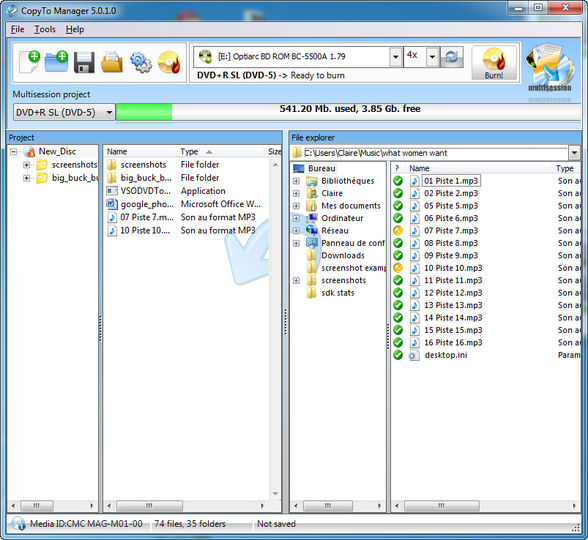
CopyTo is a software to manage all your backup needs. Burn files, folders, music, photos, and videos to CD, DVD and Blu-ray disks. ISO files can also be created or modified. Other features include making exact disk copies, burning audio CDs, mp3 disks, DVDvideo or Blu-ray compatible disks. CopyTo also supports for BIN/CUE files, multisession disks, burning multiple copies at the same time, virtual drives and Unicode/ISO/Joliet/UDF file systems. CopyTo is integrated in Windows shell with burning and file depot actions.
CopyTo is a straight forward burning tool for users of any level. It is worth mentioning that CopyTo is light burning suite (being only 21 MB).
This download will provide a 21-day free trial of CopyTo.
CopyTo is a straight forward burning tool for users of any level. It is worth mentioning that CopyTo is light burning suite (being only 21 MB).
This download will provide a 21-day free trial of CopyTo.
Screenshots:

HTML code for linking to this page:
Keywords:
copytocd
copy
to
cd
shell
intergrated
simple
License type
Shareware1
Author's homepage
Visit the author's site
Date added
09 Mar 2013
Downloads
69,409
File size
50.30 MB
(< 7min @ 1Mbps)
Operating systems
Vista / Win7 / WinXP1
1License and operating system information is based on latest version of the software.
VSO CopyTo v5.1.1.3(Latest stable version) 09 Mar 2013
VSO CopyTo v5.1.1.2 02 Mar 2013
VSO CopyTo v5.1.1.1 27 Feb 2013
VSO CopyTo v5.1.1.0 14 Feb 2013
VSO CopyTo v5.1.0.6 13 Jun 2012
VSO CopyTo v5.1.0.5 10 Jun 2012
VSO CopyTo v5.1.0.2 24 Apr 2012
VSO CopyTo v5.1.0.1 10 Apr 2012
VSO CopyTo v4.3.1.12 22 Nov 2010
VSO CopyTo v4.3.1.11 23 Mar 2010
VSO CopyTo v4.3.1.10 27 Jan 2010
VSO CopyTo v4.3.1.8 17 Dec 2009
VSO CopyTo v4.3.1.5 03 Nov 2009
VSO CopyTo v4.3.1.3 20 Oct 2009
VSO CopyTo v4.3.1.1 27 Sep 2009
VSO CopyTo v4.2.2.25 29 Jun 2009
VSO CopyTo v4.2.2.23 02 May 2009
VSO CopyTo v4.2.2.19 13 Apr 2009
VSO CopyTo v4.2.2.18 30 Mar 2009
VSO CopyTo v4.2.2.17 24 Mar 2009
VSO CopyTo v4.2.2.15 12 Mar 2009
VSO CopyTo v4.2.2.10 02 Feb 2009
VSO CopyTo v4.2.2.8 23 Jan 2009
VSO CopyTo v4.2.2.6 15 Jan 2009
VSO CopyTo v4.1.9 09 Dec 2008
VSO CopyTo v4.1.8 18 Nov 2008
VSO CopyTo v4.1.5 07 Nov 2008
VSO CopyTo v4.1.2 18 Oct 2008
VSO CopyTo v4.1.1 07 Oct 2008
VSO CopyTo v4.1.0 26 Sep 2008
VSO CopyTo v4.0.14 31 Aug 2008
VSO CopyTo v4.0.4b 22 May 2007
VSO CopyTo v4.0.3 03 Feb 2007
VSO CopyTo v4.0.1 19 Dec 2006
VSO CopyTo v4.0.0.38 22 Sep 2006



Otherwise the program works ok.
this is the third update to this program this week ...i get the feeling the paying customer is the new alpha/beta guinea-pig tester for the software market (hey it´s cheaper than paying people to test it for them...get the customer to pay and then make them test it)
this program still has no data verification program after the burn...essential for checking dvd recordings.
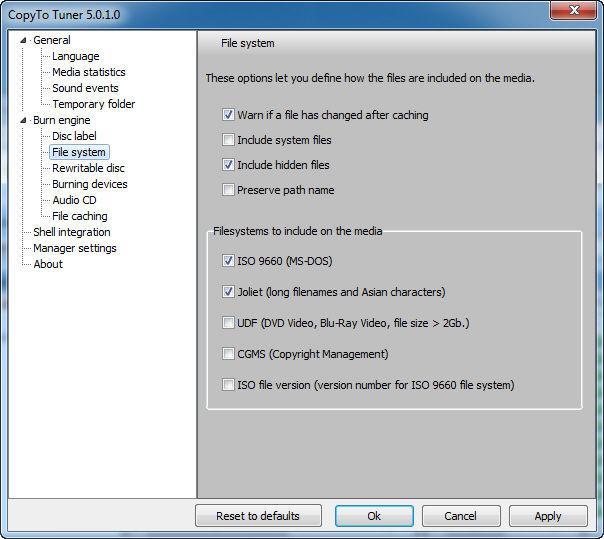
Neat thing – via the separate ‘settings’ interface you can manually set the default writing speed for CD and (separately) DVD media – important if you want to slow down the recording speed. Another cool feature – it can be set up to automatically label the disk based on source folder.
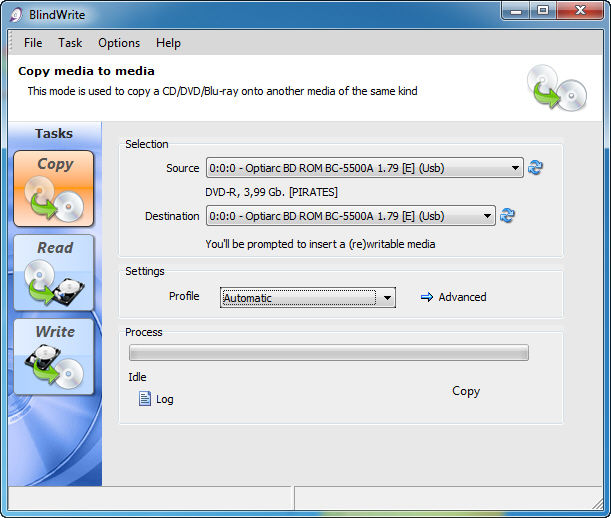
Last but not least, it comes free with BlindWrite (CD duplication and imaging software) and with Patin-Couffin drivers.
While I have Nero 6 Ultra (and have been using it heavily since ver 5.0), when it comes to streamlined way of burning DVD-Video disks, nothing comes close to slam-dunk approach of CopyToDVD.