
DVtool v0.61a
Freeware
Vista / Win7 / Win8 / WinXP
Vista / Win7 / Win8 / WinXP
A brilliant toolkit for all your digital video needs. Features in this version include:
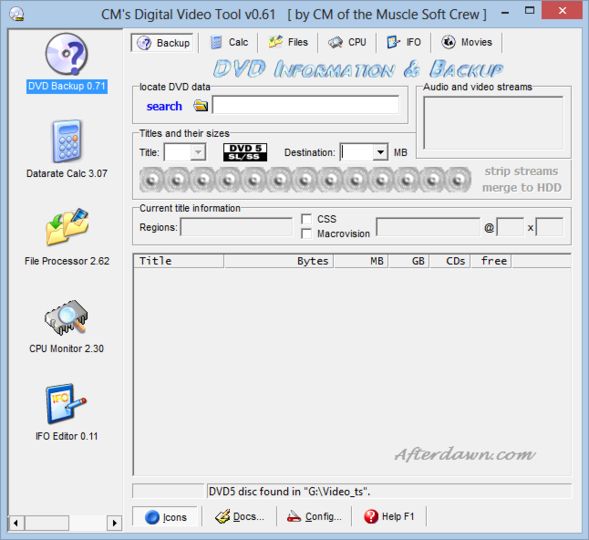
·DVD (and VOB) scanning. Shows the size of the files and chapters of a DVD and how many CDs you would need if you wanted to rip them.
·Bitrate calculator. You can input certain parameters like movie length and the size of your storage media and the program will calculate the necessary data rates for capturing or encoding the video to AVI or MPEG1.
·Truncate, clone, split and merge files. All these functions are DVD aware, and process files at legal places.
This is the freeware version of the software. The latest version is available to registered VIP customers via the software homepage.
·DVD (and VOB) scanning. Shows the size of the files and chapters of a DVD and how many CDs you would need if you wanted to rip them.
·Bitrate calculator. You can input certain parameters like movie length and the size of your storage media and the program will calculate the necessary data rates for capturing or encoding the video to AVI or MPEG1.
·Truncate, clone, split and merge files. All these functions are DVD aware, and process files at legal places.
This is the freeware version of the software. The latest version is available to registered VIP customers via the software homepage.
Screenshots:

HTML code for linking to this page:
Keywords:
digital
video
dv
tool
dvd
calculate
truncate
License type
Freeware1
Author's homepage
Visit the author's site
Date added
09 Dec 2012
Downloads
147,274
File size
563.83 kB
(<1min @ 1Mbps)
Supported languages
English
Swedish
Spanish
Dutch
Operating systems
Vista / Win7 / Win8 / WinXP1
1License and operating system information is based on latest version of the software.



Vinnie