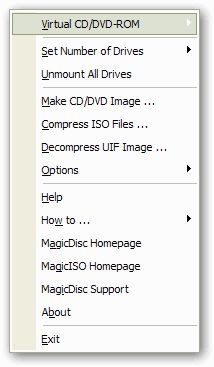
MagicDisc v2.7 Build 106
Win2k / Win95 / Win98 / WinME / WinXP
Following cd/dvd-image types are supported for virtual CD/DVD drives:
ISO, BIN, IMA/IMG, CIF, NRG, IMG/CCD, MDF/MDS, VCD, VaporCD, P01/MD1/XA, VC4/000, VDI, C2D, BWI/BWT, CDI, TAO/DAO, PDI
Following image types are supported for CD/DVD image making:
ISO, BIN/CUE, NRG, UIF
Share this
HTML code for linking to this page:
Keywords:
magicdisc
image
cd
dvd
virtual
drive
virtual drive
1License and operating system information is based on latest version of the software.

format hard drive (4 posts)
Latest post: 03/21/2010
Forum room: Software, operating systems and more / Windows - General discussionRipping DVD results in tall bars on top and bottom of screen (6 posts)
Latest post: 03/20/2010
Forum room: Software specific discussion / DVD Shrink forumE71 after installing xexmenu to xbox hard drive (10 posts)
Latest post: 03/20/2010
Forum room: Consoles / Xbox 360 - General discussionPlayback of video files burned into a DVD (12 posts)
Latest post: 03/20/2010
Forum room: Digital video discussion / Playback problemsCounter on DVD screen (8 posts)
Latest post: 03/19/2010
Forum room: DVD±R discussion / DVD±R for newbiesMovies on hard drive (3 posts)
Latest post: 03/19/2010
Forum room: Consoles / Nintendo Wii - General discussionUnBurn CD or DVD image (9 posts)
Latest post: 03/19/2010
Forum room: Software, operating systems and more / Windows - Software discussionPlays in WMP but not DVD player (4 posts)
Latest post: 03/19/2010
Forum room: Software specific discussion / DVD Shrink forumDVD Shrink flickering / flashing dvd (4 posts)
Latest post: 03/17/2010
Forum room: DVD±R discussion / DVD±R - One-click transcoding toolsDo firmware & driver updates exist for my DVD drive and if so may i have the links for the same (5 posts)
Latest post: 03/17/2010
Forum room: PC hardware / DVD±R drives


Sounds good - I used similar with Windows 98, but this one seems to need some kind kind of instructions. Until now, I can create virtual DVDs, but not load any content. Tried also MagicISO, and it seems to create ISO image, which Magic disk mounts using command line command MagicDisk.exe -mnt f: "PathImagefilename", but still no content in the virtual drive.