User User name Password  
   
Tuesday 24.11.2009 / 01:08 AM
Search AfterDawn.com:        In English   Suomeksi   På svenska
afterdawn.com > news > intervideo upgrades dvd copy
Show topics
News
News

InterVideo upgrades DVD Copy

4 July 2003 14:19 by Jari Ketola | 21 comments

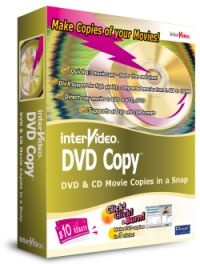
InterVideo upgrades DVD Copy InterVideo has juiced up their DVD backup software DVD Copy. It is now capable of compressing a DVD-9 on a single DVD-5. With Intervideo's Bitrate Balance Profile the bitrate of the backup follows the original bitrate, so you'll get the highest bitrates in the places it's most needed.

Of course the product still has support for other formats as well, so you can do DVD to DVD, DVD to (S)VCD, DVD to DivX CD or DVD to MPEG-1/2 or DivX on hard drive backups.

More information available on the InterVideo web-site.


Permalink to this article

Get AfterDawn's news to your favourite feed reader! Share this story with your friends!
 
« Previous news article
AfterDawn.com weekly charts
Next news article »
Playstation Portable ships in 2004, PS3 doesn't
 Post your comment
Discuss this article! 
Euro (Inactive) 4 July 2003 18:53 Send private message to this user   
Looks like DVDXCOPY has serious competition. Can't wait to see how good this encoder is. DVDXCOPY Platinum is supposed to have an encoder that gives "no perceptible loss in video quality." Maybe InterVideo DVD Copy can already do that.
domie (Member) 5 July 2003 2:30 Send private message to this user   
No idea mate but i do know that version 1.0 and 1.0B of this program were absolute disasters..very disappointing especially coming from the company that comes out with win dvd, the best dvd player .
Tomm| (Junior Member) 5 July 2003 4:30 Send private message to this user   
What version in is this? 1.x?
domie (Member) 5 July 2003 5:44 Send private message to this user   
this is version 1.1. Haven't tried this one yet.
DVDDemon (Junior Member) 5 July 2003 16:50 Send private message to this user   
DVDXCopy Xpress puts that unwanted disclaimer in the beginning. I wonder if this program will do the same. Someone let me know.
fretters (Newbie) 6 July 2003 9:41 Send private message to this user   
On the intervideo website it says that the software cannot be used to copy CSS encrypted disks. Sorry if this is a silly question but what does that mean? Would I be able to use it to make backup copies of DVD's such as Shrek and Disney?
Thanks for any help you can give
markyrich (Inactive) 6 July 2003 21:08 Send private message to this user   
The program does the same as multiple others out there. It WILL NOT copy anything "copy protected."

Marko
grobemaus (Newbie) 7 July 2003 5:23 Send private message to this user   
It means that they are covering their rears just like everyone else. If their program does not decrypt the DVDs then they cant be sued for it.
carlitob (Member) 7 July 2003 5:58 Send private message to this user   
I have never used this or DVD Xcopy, my question is to make a backup you still have to use dvd decrypter or smart ripper?

Don't ask a question that has been asked a million times already don't be lazy all the info you need is here: http://www.afterdawn.com/articles/

Pioneer A05
Xbox
PS2- Magic 3.1
Over 50 Movies so far to know what I got PM me.
carlitob (Member) 7 July 2003 5:59 Send private message to this user   
and do you get a stupid nag screen like on xcopy

Don't ask a question that has been asked a million times already don't be lazy all the info you need is here: http://www.afterdawn.com/articles/

Pioneer A05
Xbox
PS2- Magic 3.1
Over 50 Movies so far to know what I got PM me.
DellBoy (Inactive) 8 July 2003 22:23 Send private message to this user   
I've yet to find anything that I can use to try the trial program on. All the DVDs that I would like to back up seem to be copyrighted.
This product looks a useful as a chocolate teapot - great to look at but falls apart when U come to use it.
lompocdoc (Newbie) 29 July 2003 10:10 Send private message to this user   
Not that I would do this, but it is my understanding that if you were to run DVDDecrypter in file mode, for example, and then point intervideo dvd copy to that folder, then it will make perfect dvd "backups" of your DVD's. Version 1.0 doesn't support "crunching" dual layer to single layer. Version 1.1 does support it but it always crashes. The DIVX encoder is pre set to 350X240 resolution with no ability to change or check. But it works OK. The SVCD option works fine and looks great on a computer but I'm 0/1 on a commercial dvd players working. haven't bothered messing with the vcd option. Overall, it seems to work pretty well. I just wish they'd fix the "crunching."
pantomime (Newbie) 20 August 2003 19:32 Send private message to this user   
To lompocdoc

A little bit more detail would be appreciated that after DVDDecrypter and having the IFO and VOB files in the hard disk folder, say, D:MONSTERS_INCVIDEO_TS, I did ever try to point the Source of InterVideo DVD Copy to both D:MONSTER_INCVIDEO_TS and D:MONSTER_INC. Yet it kept prompting the error message of something lik "No supported file found. Try another location." Was that something wrong? Thanks!
lompocdoc (Newbie) 20 August 2003 21:08 Send private message to this user   
Mmmmm. That's wierd. Be sure to select ALL FILES in DVD Decrypter. Then All files are in the same folder. THen point the folders. You should have VOB, bup, and IFO files in the folder...
pantomime (Newbie) 20 August 2003 22:22 Send private message to this user   
O... I might get it now as the DVDDecrypter automatically selects the longest clip in the DVD when it initially starts and I just clicked and go without doing anything else. So you mean that I need to select not only the clip hightlighted by DVDDecrypter itself, but also the others altogether. I'll figure out how to do it in a single click then. 'can't remember if I've ever tried to do that select-all thing in DVDDecrypter though. Many thanks.
lompocdoc (Newbie) 21 August 2003 16:33 Send private message to this user   
By the way, they are continually improving it and if you download it off of the web, you can download upgrades to your hearts content. The DIVX mode now has three modes "Multimedia, Single CD, and handheld." A nice addition. Other additions too. However, the 9 t 5 crucher still seems to crash. But for making perfect DVD backups with no loss in video or audio quality, it's great.
pantomime (Newbie) 21 August 2003 19:14 Send private message to this user   
Bad news. By ripping everything using the File Mode of DVD Decrypter, my WinDVD 3 did play the movie that behaved as if it was on the original DVD. However, my DVD Copy still didn't treat those IFO, BUP and VOB files on the hard disk as supported files! So I wondered if that was a version problem. I'd been following the links on this site for the DVD Decrypter v3.1.6.0 and the DVD Copy trial. Was it the trail version's problem? BTW, where in the InterVideo website would those upgrades be? Totally agree that DVD Copy IS GREAT after all. I've never seen so far in other rippers for those SVCD MPGs to be generated so fast in the favourable variable bit rate form.
lompocdoc (Newbie) 22 August 2003 8:46 Send private message to this user   
No magic place on the websit. To upgrade, you simply download the latest trial. Then you go in and get a new activation code using your purchase information... It's nicely done, IMHO. The only problem is if you purchase a retail copy, you don't get this ability...
pantomime (Newbie) 28 November 2003 17:44 Send private message to this user   
To Iompocdoc

A silly question which sould'd been asked before everything:
Are you using Windows 2000 or XP to run DVDCopy?
DocIsEvil (Inactive) 23 February 2004 17:57 Send private message to this user   
Does this DVD Copy fron Intervideo copy menu's too? i dont feel like screwing with it if it can't at least give me advanced features like DVD Shrink and CloneDVD do. when u can remove language audio layers and such.
idsd (Newbie) 27 September 2007 20:59 Send private message to this user   
I ust bought InterVideo DVD Copy 5 Platinum. After installing it on Windows vista ultimate (32 bit), it will not start up. Only the animated startup logo is fixed on the screen nothing else...I tried looking-up on intervideo's website, tried thier version of solution...nothing helps.
My advise to all those out there planning to install it on Vista,
do some reserch first...don't waste ur money on this product.
 Post your comment
 

Subscribe to our newsfeed

Get the latest headlines delivered directly to your favourite RSS reader or content aggregation service by using the links below.

AfterDawn.com: News - RSS feed
Add to Google
Add to My Yahoo!
Add to MyMSN

Search for headlines

Search through our news archive.

Last week's most popular software downloads

Digital video: AfterDawn.com | AfterDawn Forums
Music: MP3Lizard.com
Gaming: Blasteroids.com | Blasteroids Forums | Compare game prices
Software: Software downloads
Blogs: User profile pages
RSS feeds: AfterDawn.com News | Software updates | AfterDawn Forums
International: AfterDawn in Finnish | AfterDawn in Swedish | download.fi
Navigate: Search | Site map
About us: About AfterDawn Ltd | Advertise on our sites | Rules, Restrictions, Legal disclaimer & Privacy policy
Contact us: Send feedback | Contact our media sales team
 
  © 1999-2009 by AfterDawn Ltd.