
Burn CD/DVD Images (ISO, BIN etc.) with ImgBurn
 In this guide we will see how to use an excellent freeware burning tool called ImgBurn to burn CD and DVD images to blank discs. ImgBurn has a wide variety of image formats such as ISO, BIN/CUE, NRG, MDS etc. in its list of supported formats. It's a simple program to use beyond its first use, which you will see below.
Introduction & Requirements
 | Software you must download and install |
 | ImgBurn |
| Required: We will be using ImgBurn in this guide to burn our DVD Image (ISO, BIN/CUE, MDS, NRG etc.) to a blank CD or DVD depending on the capacity. |
Download and install ImgBurn. When it is installed, run the program and follow the steps below.
Burn Image with ImgBurn
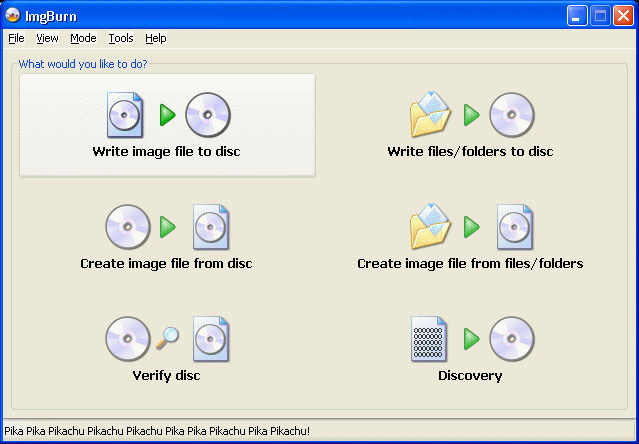
Once you have installed ImgBurn on your computer, run it. You will get a start screen like the one shown above. The option we are looking for is in the top left: "Write image file to disc". Click it.
ImgBurn Interface
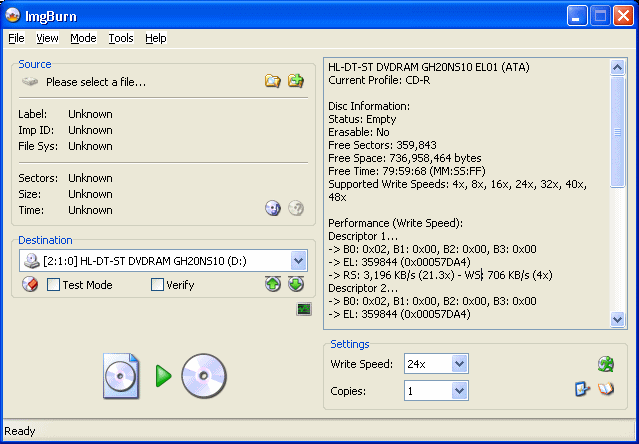
ImgBurn is a pretty simple application. The main window shown above is split into different sections. On the left (top) is the Source section. Here is where you select the ISO file you want to burn and see information on it. Below the Source section is the Destination settings (and the Start button). Make sure your correct DVD burner is selected here.
On the right hand side of the program is one box of information on DVD/CD media you have in your drive. Pay particular attention to "Supported Write Speed" after you put in a blank, as you will need to set this in the Settings section just below this box. The first thing we need to do however is open the ISO we want to burn.
ImgBurn - Open ISO
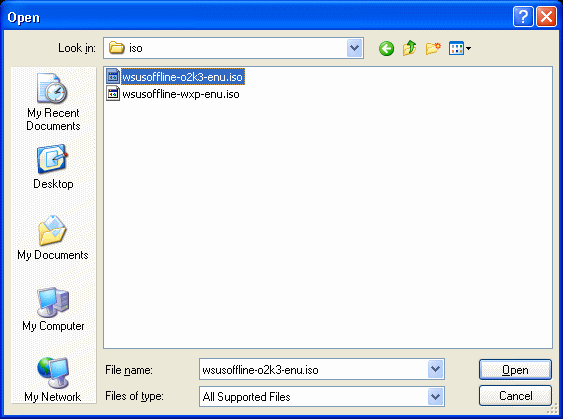
In the Source section of ImgBurn, you will notice two small folder icons. One has a magnifying glass over it, and the other has a +. Click the first one (magnifying glass) and a File Browser, like the one shown above, will pop up (will look different under Vista). Now navigate to the folder with the image in it that you would like to burn. Like shown above, you should now see your ISO(s). Select one and click Open.
ImgBurn - Write Speed
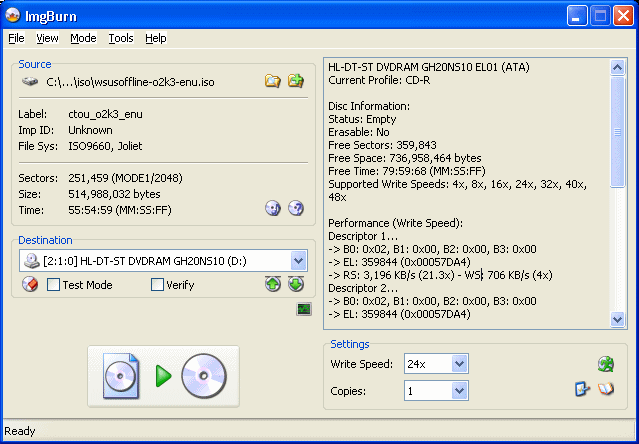
Put in a blank CD or DVD (DVD will be required for over 700MB, but that doesn't mean you have to choose a CD for less than 700MB either. Going over 4.36GB will require a dual layer DVD). Now in the Information section of the program, you will see a lot of new information come up. Take note of the "Supported Write Speeds". Those are the speeds at which you can burn with the combination of your burner and the blank disc that you have chosen. Now below the Information box, in the Write Speed setting, choose what speed you want to burn at.
Faster speeds will obviously get the job done quickly, but some people advise that you keep it lower (not too low) for a better burn. This is completely up to you. When you are done, you can start the process by clicking the "Burn" button, which is located in the lower-left corner (Image pointing at a Disc).
ImgBurn - Burn Process
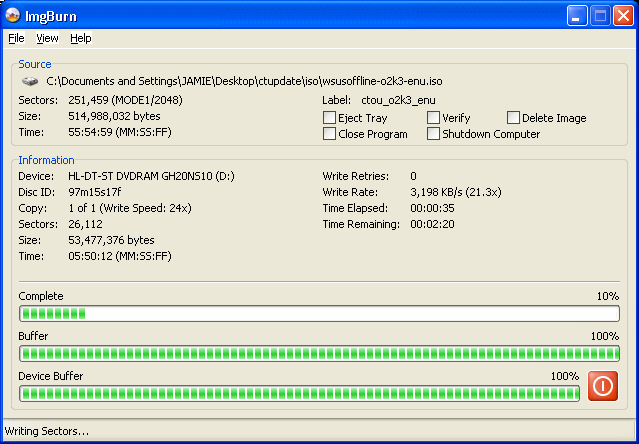
The amount of time the process will take depends on the size of the ISO and the Write Speed that you have chosen.
Success?
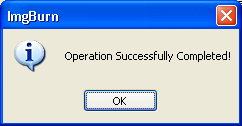
If everything went well, then ImgBurn will inform you so by alerting you (as shown above). Once ImgBurn is complete you can remove the disc and keep it for whenever you will need it. Below is an example of what the disc does.
Finally
If all went well then you should be able to burn CD/DVD images regularly without having to consult any guide. If you have any questions or comments on ImgBurn, please visit our Discussion Forums
Written by: Andre Yoskowitz


