
 The (bad) April Fool's scare caused by the widely spread Conficker variety of malware has been followed by a spring to life by the Conficker worm, according to security firm Trend Micro. The firm has tracked Conficker updates to infected machines over the past few days, hinting that the authors are trying to cash in on their global botnet. Rather than instruct the worm to cause global chaos, it has started downloading fake anti-virus tools to nag users about phony infections and scam them into buying the "product".
It is estimated that as many as 12 million PCs worldwide are infected. The use of bogus software to extort money from uninformed users is nothing new at all, but it can be very profitable to the individuals behind the scam and a total nightmare for anyone who falls into the trap and pays for a clean-up that never happens. The spread of Conficker emphasizes just how many Windows machines are running without Automatic Updates enabled or adequate security software.
DETECTION & REMOVAL
To figure out whether you are infected with the Conficker worm is to try the usual tricks. Firstly, check the websites of common security tools like Symantec, AVG and Avira. If none of those would load, you may be infected, as Conficker blocks access to the sites. Another good test is to check the status of several services (Start -> Run -> services.msc). If Automatic Updates, Background Intelligent Transfer Service, Error Reporting Service or Windows Defender (or other security services you did not disable yourself) have been disabled without your knowledge, or cannot be started, this could be another sign of infection.
If you have any concerns after these checks, then downloading and running a removal tool might be a good idea.
Removal Tools
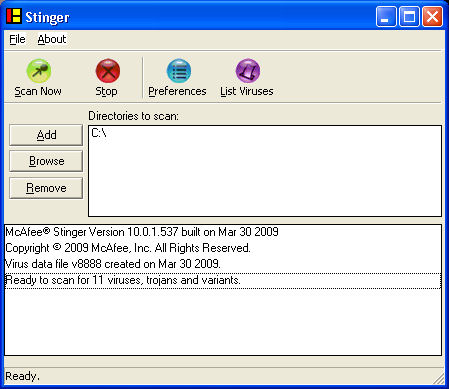
McAfee AVERT W32/Conficker Stinger - Download!
Symantec W32.Downadup Removal Tool 1 - Download!
Sophos Conficker Cleanup Tool (Stand-Alone Computer) - Download!
Sophos Conficker Cleanup Tool (Network Removal) - Download!
Eset Win32/Conficker Worm Removal Tool - Download!
Anti-Virus
Avira AntiVir Personal - Download!
AVG Free Edition - Download!
Microsoft Patch
MS08-067 - addresses a vulnerability in Microsoft Windows (KB 958644) - Download!
DETECTION & REMOVAL
To figure out whether you are infected with the Conficker worm is to try the usual tricks. Firstly, check the websites of common security tools like Symantec, AVG and Avira. If none of those would load, you may be infected, as Conficker blocks access to the sites. Another good test is to check the status of several services (Start -> Run -> services.msc). If Automatic Updates, Background Intelligent Transfer Service, Error Reporting Service or Windows Defender (or other security services you did not disable yourself) have been disabled without your knowledge, or cannot be started, this could be another sign of infection.
If you have any concerns after these checks, then downloading and running a removal tool might be a good idea.
Removal Tools
McAfee AVERT W32/Conficker Stinger - Download!
Symantec W32.Downadup Removal Tool 1 - Download!
Sophos Conficker Cleanup Tool (Stand-Alone Computer) - Download!
Sophos Conficker Cleanup Tool (Network Removal) - Download!
Eset Win32/Conficker Worm Removal Tool - Download!
Anti-Virus
Avira AntiVir Personal - Download!
AVG Free Edition - Download!
Microsoft Patch
MS08-067 - addresses a vulnerability in Microsoft Windows (KB 958644) - Download!




