
User User name Password  
   
Monday 9.11.2009 / 04:44 AM
Search AfterDawn.com:        In English   Suomeksi   På svenska
afterdawn.com > news > musicmatch: remove your itunes
Show topics
News
News

MusicMatch: remove your iTunes

4 November 2003 8:05 by Jari Ketola | 2 comments

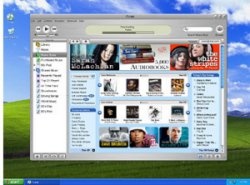
MusicMatch: remove your iTunes MusicMatch, the makers of MusicMatch Jukebox, have instructed their users to remove Apple iTunes software completely.

iTunes makes itself the default application to use with Apple iPod, the portable music player. So far Apple has bundled MusicMatch's software with iPod for Windows users to use. That will probably change in the near future, after Apple has ironed out all the major glitches from the iTunes software, and is able to provide a Windows 9x -version as well.

MusicMatch justifies the instructions to remove iTunes by saying that "If you install iTunes, you will not be given a choice between Musicmatch Jukebox and iTunes - Apple makes this choice for you." MusicMatch also launched its own MP3 download service in September, and is in direct competition with Apple.

Apparently both MusicMatch and iTunes work on the same computer, but iTunes makes itself the default (and only) application for iPod.

Source:
The Register


Permalink to this article

Get AfterDawn's news to your favourite feed reader! Share this story with your friends!


Related articles:

  • MusicMatch launched its iTunes-clone (29 September 2003)
  • MusicMatch joins the online music sales race (28 July 2003)
  • MusicMatch plans to launch a subscription service (13 November 2002)
  •  

    « Previous news article
    IBM to power next generation Xbox
    Next news article »
    Yet another PS2 price cut
     Post your comment
    Discuss this article! 
    BURNSCLAR (Junior Member) 4 November 2003 11:51 Send private message to this user   
    what is apple playing at? 3 times i have gone into an intel website, a pop-up comes telling me to download quick time player 6.4 (i allready have that) and itunes to-gether if i say no all the screen freezes,have to use task manager to rescue myself.

    JOE
    alxdotnet (Inactive) 5 November 2003 12:37 Send private message to this user   
    Well the iPod is theirs, but you should be able to use either piece of software. As for the problem with screen freezes, sounds like your browser...I've never had any trouble with popups.

    Comp 1: Dell Inspiron P4 2.4Ghz / 512 MB RAM with 24x CD-RW and Firewire In, SVideo Out running XP Pro
    Comp 2: Dell Dimension P3 550Mhz / 384MB RAM with old 2x CD-RW running XP Home.
     Post your comment
     

    Subscribe to our newsfeed

    Get the latest headlines delivered directly to your favourite RSS reader or content aggregation service by using the links below.

    AfterDawn.com: News - RSS feed
    Add to Google
    Add to My Yahoo!
    Add to MyMSN

    Search for headlines

    Search through our news archive.

    Last week's most popular software downloads

    Digital video: AfterDawn.com | AfterDawn Forums
    Music: MP3Lizard.com
    Gaming: Blasteroids.com | Blasteroids Forums | Compare game prices
    Software: Software downloads
    Blogs: User profile pages
    RSS feeds: AfterDawn.com News | Software updates | AfterDawn Forums
    International: AfterDawn in Finnish | AfterDawn in Swedish | download.fi
    Navigate: Search | Site map
    About us: About AfterDawn Ltd | Advertise on our sites | Rules, Restrictions, Legal disclaimer & Privacy policy
    Contact us: Send feedback | Contact our media sales team
     
      © 1999-2009 by AfterDawn Ltd.

