
Nero Burning ROM 2019 v1.12.0.1

Shareware
Vista / Win7 / Win8 / WinNT / WinXP
Vista / Win7 / Win8 / WinNT / WinXP
Nero Burning ROM is probably the best all-in-one CDR / DVDR / Blu-ray application on the market.
Nero combines huge amounts of features in a compact and easy to use package. It handles disc duplicating and pre-mastering with ease, supported by a cover designer and even an audio file editor. The excellent GUI desing keeps all the functions handy and guarantees that simple tasks can be done quickly.
If you have to settle with just one CDR / DVDR / Blu-ray burning software, then Nero would be it.
Download plugins for Nero from Neroplugins.
In case you're not interested to download the full version of Nero, but just want to have some parts of the software, such as the burning part, you can download one of the unofficial Nero "mini builds":
Nero Micro
Nero Lite
If you have questions related to Nero, please visit our unofficial Nero support forums!
To support our site, buy Nero from here! (10% discount for AfterDawn.com users)
The trial version of Nero requires a serial number to run. Click here to request a serial number.
Nero combines huge amounts of features in a compact and easy to use package. It handles disc duplicating and pre-mastering with ease, supported by a cover designer and even an audio file editor. The excellent GUI desing keeps all the functions handy and guarantees that simple tasks can be done quickly.
If you have to settle with just one CDR / DVDR / Blu-ray burning software, then Nero would be it.
Download plugins for Nero from Neroplugins.
In case you're not interested to download the full version of Nero, but just want to have some parts of the software, such as the burning part, you can download one of the unofficial Nero "mini builds":
Nero Micro
Nero Lite
If you have questions related to Nero, please visit our unofficial Nero support forums!
To support our site, buy Nero from here! (10% discount for AfterDawn.com users)
The trial version of Nero requires a serial number to run. Click here to request a serial number.
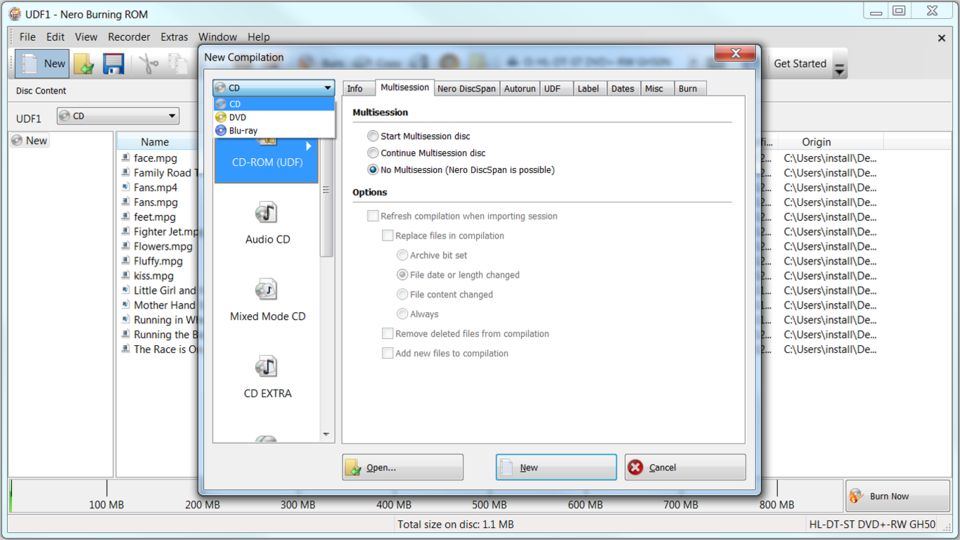
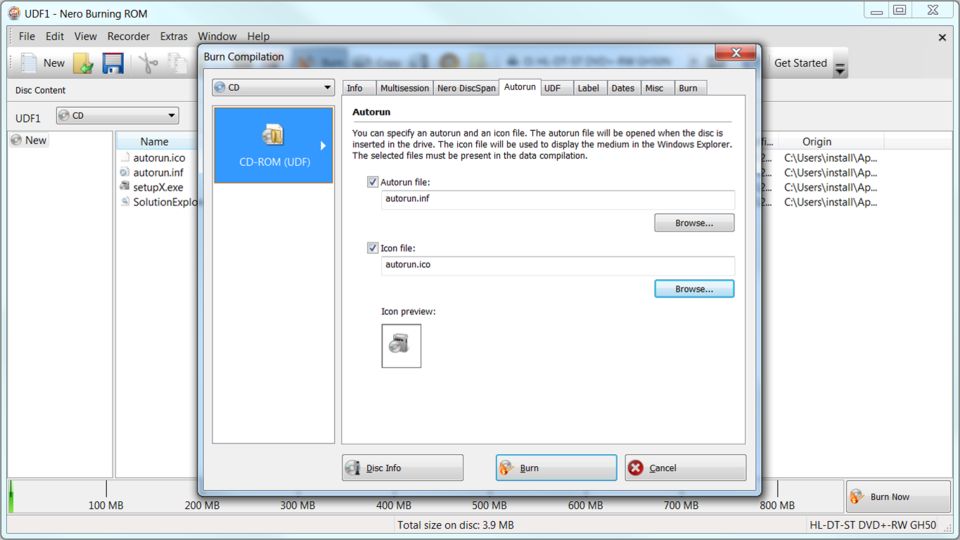
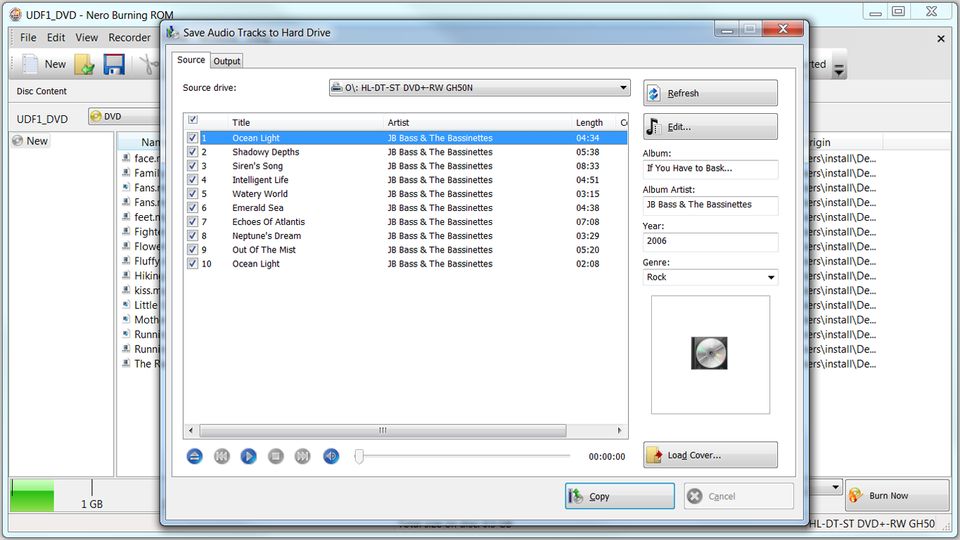
Screenshots:
Other editions:
HTML code for linking to this page:
Keywords:
ahead
software
nero
cd-r
encode
copy
cdr
License type
Shareware1
Author's homepage
Visit the author's site
Date added
18 Mar 2019
Downloads
6,422,363
File size
3.12 MB
(<1min @ 1Mbps)
Supported languages
English
Finnish
Swedish
Norwegian
Spanish
Dutch
Danish
Operating systems
Vista / Win7 / Win8 / WinNT / WinXP1
1License and operating system information is based on latest version of the software.
Nero Burning ROM 2019 v1.12.0.1(Latest stable version) 18 Mar 2019
Nero Burning ROM v16.0.05000 06 May 2015
Nero Burning ROM v15.0.07700 07 Feb 2014
Nero Burning ROM v15.0.07100 18 Dec 2013
Nero Burning ROM 2014 v15.0.03500 28 Nov 2013
Nero Burning ROM 2014 v15.0.02500 27 Sep 2013
Nero Burning ROM 2014 v15.0.01300 20 Sep 2013
Nero Burning ROM v12.5.01900 05 Aug 2013
Nero Burning ROM v12.5.01200 06 Mar 2013
Nero Burning ROM v12.0.03400 02 Feb 2013
Nero Burning ROM v12.0.02900 19 Nov 2012
Nero Burning ROM v11.0.10700 07 Oct 2011
Nero Burning ROM v10.0.13100 12 Apr 2010
Nero Burning ROM v9.4.26.0 11 Oct 2009
Nero Burning ROM v9.4.13.2d 30 Aug 2009
Nero Burning ROM v9.4.13.2b 30 Jun 2009
Nero Burning ROM v9.4.13.2 02 Jun 2009
Nero Burning ROM v9.2.6.0 18 Dec 2008
Nero Burning ROM v9.0.9.4c 17 Oct 2008
Nero Burning ROM v9.0.9.4b 29 Sep 2008
Nero Burning ROM v8.3.6.0 14 Jul 2008
Nero Burning ROM v8.3.2.1 12 Mar 2008
Nero Burning ROM v8.2.8.0 20 Dec 2007
Nero Burning ROM v8.1.1.4 21 Nov 2007
Nero Burning ROM v8.1.1.0b 10 Oct 2007
Nero Burning ROM v8.1.1.0 01 Oct 2007
Nero Burning ROM v7.10.1.0 05 Jul 2007
Nero Burning ROM v7.9.6.0 22 May 2007
Nero Burning ROM v7.8.5.0 20 Mar 2007
Nero Burning ROM v7.7.5.1 20 Jan 2007
Nero Burning ROM v7.5.9.0A 29 Nov 2006
Nero Burning ROM v7.5.9.0 24 Nov 2006
Nero Burning ROM v7.5.7.0 16 Oct 2006
Nero Burning ROM v7.5.1.1 14 Nov 2006
Nero Burning ROM v7.2.7.0 14 Nov 2006
Nero Burning ROM v7.2.0.3 14 Nov 2006
Nero Burning ROM v7.0.5.4 14 Nov 2006
Nero Burning ROM v7.0.1.2 14 Nov 2006
Nero Burning ROM v6.6.1.4 14 Nov 2006
Nero Burning ROM v6.6.0.16 14 Nov 2006
Nero Burning ROM v6.6.0.15 14 Nov 2006
Nero Burning ROM v6.6.0.14 14 Nov 2006
Nero Burning ROM v6.6.0.13 14 Nov 2006
Nero Burning ROM v6.6.0.12 14 Nov 2006
Nero Burning ROM v6.6.0.8 14 Nov 2006
Nero Burning ROM v6.6.0.6 14 Nov 2006
Nero Burning ROM v6.6.0.5 14 Nov 2006
Nero Burning ROM v6.6.0.3 14 Nov 2006
Nero Burning ROM v6.6.0.1 14 Nov 2006
Nero Burning ROM v6.3.1.25 14 Nov 2006



Avoid this crapware!
he
he
he
In their defense I did manage to download a huge (197MB) update (V7.5.9.0) and fix most of the problems I had. Those of you with major problems should consider doing the same, but my point is I should not have had to completely download a whole new version.
Nero AG you need to listen to your customers and fix your software problems, more importantly don't mass produce garbage software and 'stick it' to your customers. Try reading your users comments.
I still like and prefer using Nero for burning discs, but I'm now using the Micro version - only 12.6 MB.
P.S.
These problems have not been going on for days, weeks, months, but over a year now!!!!! If you are new to Nero or thinking about buying Nero, "WOE UNTO YOU". You had better be a technical guru. But, there in lays the problem, Nero is designed for the None-Technical person.
DONT BUY NERO
I have been trying to get Nero vision to work for several weeks now, on various types of PC's....and havent managed to burn 1 DVD project...and I wasnt even trying to burn to DVD disk...only to save the project to the HardDrive in a format that could be burned later...always various types of errors, re-code problems, freezing, crashing and corruption of source media...the errors arent even consistant
I have been trying to get Nero vision to work for several weeks now, on various types of PC's....and havent managed to burn 1 DVD project...and I wasnt even trying to burn to DVD disk...only to save the project to the HardDrive in a format that could be burned later...always various types of errors, re-code problems, freezing, crashing and corruption of source media...the errors arent even consistant
Need Proof - Nero Scout, Nero Mobile(for Smartphones, which pops up everytime I connect my Smartpohne to my computert even though I tell it to ignore it), and Nero Home
They need to refocus what people buy Nero for - to burn Cds and DVD, and quit trying to be all things to all people.
I say this as I uninstall the latest install of Ver 7 which keeps crashing on install and read elsewhere that the new version has issues(which is something you think they could have working correctly).
I have trialed and reviewed a lot of burning software over the years , rangeing in price from £15.00 to over
£1000.00 , and i stand by what i said.
A lot of people only use nero because it comes bundled
with the majority of cd/dvd writers.
You only have to look on all the nero forums , official
and unofficial , to see the large number of people who
have problems with nero.
The advice given , by some outlets , to purchasers of PCs with nero pre-installed is to un-install.
The main trouble with nero is that it try's to do everything and ends up a mish-mash of programs.
Out of curiosity i tried 7.5.9.0A and i see that nothing has changed-still rubbish.
Why people use nero , when there is a wealth of good software out there , is beyond me.
I have encountered just a few Nero ShowTime problems which I have described on the Nero Unofficial Forum on this site.
However this URL/page says:
"Operating Systems: Win2k/ Win95/ Win98/ WinME/ WinNT/ WinXP"
However Nero Burning ROM v7.0.1.2 through to Nero Burning ROM v7.5.9.0A do NOT run on Win95/Win98/WinME, as far as I'm aware?
Anyhow I just tried Nero Burning ROM v7.0.1.2 on Windows ME and the install hung.
I just tried Nero Burning ROM v7.5.9.0A on Windows ME and the Nero installer said
"Nero Product Setup: This version doesn't support Windows 95/98/ME"
Admins please fix this URL/page to detail correctly what versions of Nero run on what operating systems.
Thank you in advance.
As far as the software goes, I've always used it and it works great. No problems here.
with out a doubt the best.
Also it should be noted that this release should be compatible with Windows Vista.
I have Vista installed and have not encountered any problems with it as it seems to be compatble. I am using Windows Vista RC2 Build 5744 Beta 2, on a AMD Athlon 2400, MSI mobo, 1 gb ramm and 2 western digital drives.
That's all for now folks!
Mattmin
Anyway, tried burning 2 other dvds this morning and Recode works fine! It's just the one dvd. Computing drives me nuts. Anyone know how to network and secure connections?
The backbone of it is where it has the experience for being the best media burner/reader/ripper for over a decade. Nero Burning Rom and Nero Express are and have been that standard of excellence fo compare all other products of their kind.
They also have improved and tightened Nero recode II and Nero Vision that they are now the top for equivelent video products. All of these keep being upgraded, debugged and passed on free to all Nero 7 Ultra Edition users. Even the latest upgrade to Nero 7 Ultra Edition Enhanced is a free upgrade to verson 7 users.
No one come close to packing all of their useful software, which continually improves and adds functionality.
With Nero, it is always true that they are commited to continuous improvement. The never products of their incredibly large suite keep being enhanced and becoming more and more stable and useful.
Working with Multimedia keeps requiring more expertise. Especially with the poison that Sony/BMG, Apple and Microsoft has added to increase complexity and lower quality.
Unfortunately there are many that don't understand the fact that "they don't understand" and fly off the handle with posting complaints before they don't have the expertise, experience and patience to properly diagose problems.
It is amnazing that someone complains that Nero has grown with the industry and offers so much functionality in their suite that it bothers them. If you don't want to learn or use some part of the suite, THEN DON'T. To complain publically really makes one look so foolish.
It is NOT too complex for anyone. Just don't use what you don't want to use. For example, most of the time when ripping/burning, I choose the incredibly simple Nero Express interface. When I need some come complexity, I then will go to Nero Rom, which can do everything that anyone can dream of.
Nero Recod II, someone can bring in a file, make a couple of clicks and off it goes. No complexity unless one needs it or wants it.
Backitup, use the Wizards if you want.
It is the user's choice on complexity. everyone doesn't need to be a high end user.
The most amazing comment is bluemoon. I would bet my house that bluemoon's problem is NOT because of Nero, but ignorance, media, PC issues, hardware issues. Probably is he reboots he will be fine. OR, don't use that cheap media that has a retail stores name on it. Taiyo Yuden or Verbatim (not the chinese made Verbatim), and media issues will go away. Memorex, HP, "Store labeled", are all made in mainland China in the cheapest possible way, by CMC.
Now, my computer is 1/3 faster than it was and my crashing in Oblivion has totally stopped. Guess I found out what was causing all my gaming problems.
Only thing now is I need a new cd/dvd burning program that ISNT like this one.
Nero v7.2.3.2b is a program one loads onto your computer if you wish to stuff up your computer. It takes over EVERYTHING and then you find you have crashes repeatedly.
It took me 10 hours to delete almost everything (I say almost, because I am still finding bits here and there all over the computer and in regedit.} of Nero off this computer. To do this I had to start the computer in safe mode, It was the only way XP would load.
This is not the first time I have had trouble with Nero but it is definitely the LAST time I will try Nero.
I know I will never remove all of Nero 7 until I format the drive, which I intend to do once again shortly.
I wish Nero well as they try to work out a better way on how they can control your computer totally, as Windows does, but at least Windows allows you some choices of your own.
Moonslane.
Burning Rom works really great. I bet that at least 99% of the problems blamed on Nero are hardware, media and software problems that are NOT Nero's fault. One of the main burning problems is Media that the burner does not "like." After LG recommended some media I chose Verbatim and have had 400 out of 400 successful burns at 16x. You don't realize how great a simple burning app like this is until you try to use other burning apps.
Nero Vision works great and the latest versions utilize all of the space allocated. The only problem I've had with Nero Vision is getting Automatic bookmarks to work. I just don't use it. Perhaps there could be more options for the Menu Interface, but considering that Nero Vision is only one program in a suite of apps it is well worth the money. Note that Dolby Digital should be chosen over LPCM to increase the amount of Video space unless your DVD player is very, very old and can't play Dolby Digital.
Nero Recode works very well. I believe Nero Digital AVC is currently number one (by a small margin) compared to the other available codecs for encoding H. 264 files. You can even convert to Divx compatible format using MP4CAM2AVI most files. The "Main Movie" DVD-9 to DVD-5 option is the easiest I have seen. If your movie will fit the DVD-5 or encodes at 90% I recommend Nero Recode. If you have a HDTV or the compression needs to be fairly high, I tend towards DVD Rebuilder Pro. On a Standard Definition TV, Nero Recode does such a great job it would be almost impossible to tell the difference between programs such as DVD Shrink, Nero Recode and DVD Rebuilder Pro unless the compression (long movie) was really high (ie 60%).
Nero Showtime works well, but on my HDTV seems to have a constant black bar at the top. I use WMP11, Zoomplayr Pro WMV and VLC with the latest K-Lite codec pack and NVidia's PureVideo for DVD's.
Nero Home is difficult to use and needs to be redesigned. I don't see anyone really using this until it is.
As a Suite, if you use two or three of the main apps Nero is well worth the money and the interface while initially daunting to some just makes sense once you've used it a few times and the product is amazingly stable despite all the blaming to the contrary. I believe that Nero Burning ROM should be a standalone product that costs $25-$30 for people that only need to burn.
I bought Nero 7 Premium. after installing I faced some technical issues - some of the features didn't work. I asked for a technical support - they reply me after a week with no help. I asked again but with no reply. I appealed to the consumer support but instead of helping me they wrote: "Please be advised that we are unable to offer a refund, as defined by our terms of trade. These terms were accepted with the purchase of Nero from our website ..." they didn't even helped me!!!!!!!
The current situation is that I payed money for a software that doesn't work and they won't help me!!!!
I'm still having to use other software that I had to buy to do that single task.
I have not seen anything in this latest release to convince me to buy any later version..
than 90% peoples using nero burning software inthe world.
I though I would give Roxio another try and installed v7.5 which seemed OK but was awkward and advanced features where hidden or didn't exist. I upgraded to v8.0 and things got even worst I liked v7.5 much better. I then found that Roxio was tagging all of my files with this string, ":Roxio EMC Stream:$DATA", which I have yet to purge and when I uninstalled Roxio I found that I still had 1500 registry entries causing havoc to my system. Not only that but it seems to still have some hidden threads running which CONTINUE to tag my new files. I would suggest to all, NEVER install or buy Easy Media Creator unless you don't care about your system being corrupted by this poorly written program, which is intentional on their part.
With that said I pretty much disagree with Jon L. Jacobi from PC World he did make some good points but misses the mark over all, you can tell which side of the bread his butters on and this is often the case with PC magazines unfortunately.
Nero is by far the best all-in-one package out there. It's not perfect but it does a pretty good job at most things it does. I've been using it for a decade now and have had very little problems with it. There really isn't much difference between v6 to v7 but one note about v7 DO NOT install the Scout crap'Ola as it runs several processes in the back ground all the time, this is were the bloat comes in not because the program is a 100MB plus. The old programs all together add up close to the size of the new package so the program has not bloated in that sense. As to Nero not being simple, to some degree that is true but how do you make something powerful and provide options without adding complexity to the program. I didn't find Roxio easy unless I was just doing a simple burn and in fact it was somewhat frustrating when I found it wouldn't do certain stuff I could do in Nero.
bj
Matt Mattero Ministries
I upgraded from 6.6 to 7.0.1.4b and had nothing but problems. not only did nero fail to work properly, but it also causedsome other burning programs to mess up.
I uninstalled it and reinstalled 6.6 and its smoothing sailing again.
Yes, Nero 6 will work, then so would Nero 5. Things change and products move on. I'm using Nero 7 and don't find any problems with it. There was a few minor bugs at the outset, but there is a new update and the problems appear to be ironed out. That was the standard procedure with Nero 6; update, bugs, fix, update...
People speak of Nero 6 being bloated, so that is a lame argument against Nero 7. The suite is intended to be comprehensive. How much space would it take to load separate apps for all the things the apps in Nero 7 can do? If the difference in space is a problem from Nero 6 to 7, then the user shouldn't be working with Video files, which are notoriously large.
Nero has guides to assist those who haven't learned to utilize the different functions in the suite. If the user has problems with the number of functions, the possibly they should try Sonic's Creator suite (Roxio), which is intended to be more user friendly. Nero was intended to be more for the power user and didn't "dumb down" the interface.
My impression of Nero 7: It's a comprehensive burning suite intended for the power user. Most of the needs a user will encounter are served by this suite. "Big", but I like one stop shopping. It's a good suite of apps and I like it.
I installed Nero 7 (without reading: shareware, trial) and guess what? it overwrote my good version with some nonsense, trial 30-day offer, a mess!
Nero 7.xx is bloated, OK!
There are two trends in the software business today:
- Work hard at it to come up with newer versions, more bloat and confusion, because of the greed, and,
- Sell some junk, then make money on "subscriptions", which is more greed...
Never subscribe if you don't have to, and "if ain't broke, don't fix it" !
If you wish to just make copies of existing DVD's and CD's then just use Alchohol 120%- as that program makes an exact dupe of the oroginal and does not remove the pooprotection, thereby the program has not been made illegal yet. I have seen a few errors in the copy process with Alchohol, but if you run DVD Region + CSS Free, which is the primary piece of crap that keeps a direct copy from happening, it will allow the copy to go through.
DVD Region + CSS Free is legal, cos it does not remove the protection... It simply turns it off. No DVD products are affected by it. It is a great tool, you can find it by searching for it, it is available all over the place.
NVE4 produced excellent slideshow - animated icons, equalise feature works (at last!) and fixes the poor image better than I could manually
I LOVE U RABIA MY CLASSMATE FRIEND.
I LOVE U RABIA MY CLASSMATE FRIEND.
6.6.0.16 has.
best wishes
Been using it for years. Easy detailed settings to get the exact performance I need (from error correction, or not...).
Never had problems... except when original is messed up (but can't blame nero for that).
A+
I guess there is always room for improvement.
Works w/ Shrink, works w/ my serial from previous versions.
If it too complicated to operate, try switching from advanced mode to standard? I prefer std mode myself.
I have been using Nero for over a year now. It has excellent DVD burning functions (if you follow the instructions).
I am also familiar with other programs such as CloneDVD2, DVD2one etc. They are all great, especially for getting the DVD files to the point where I choose to use "Nero" for the actual burning.
Also, in Nero, the "create data DVD/CD feature is expecially handy for fast backing up/copying files to DVD/CD that are then completely portable and compatible with any other computer.
In addition, the Nero "Backitup" is great for backing up your entire computer or any part of the data base with several choices in method.
Nero is the program I trust the most for consistant reliability.
robert, trying to use my OEM nero 6.6.0.14.
QUOTE FROM LOG
SCSI Exec, HA 2, TA 0, LUN 0, buffer 0x033C0000
Status: 0x02 (0x03, SCSI_ABORTED)
HA-Status 0x10 (0x0A, SCSI_HASTAT_REQUEST_SENSE_FAILED)
TA-Status 0x00 (0x00, OK)
Sense Key: 0x05 (KEY_ILLEGAL_REQUEST)
Sense Code: 0x26
Sense Qual: 0x02
CDB Data: 0x2A 0x00 0x00 0x00 0x00 0x00 0x00 0x00 0x20 0x00 0x00 0x00
Sense Data: 0xF0 0x00 0x05 0x00 0x00 0x00 0x00 0x00
0x00 0x00 0x00 0x00 0x26 0x02
UNQUOTE FROM FAIL LOG
hehehe....
;-])
For some reason, NERO stopped working correctly when writing "no-multisession" data DVD+Rs; the problem is in 6.6.0.8 and 6.6.0.12 and perhaps also in 6.6.0.6; uninstalling, using the clean tools, and re-installing 6.6.0.3 solves the problem so it isn't the media nor a bad firmware.
The problem is that somehow the track doesn't get closed; diagnostic tools indicate a closing problem (the track isn't closed hence the session can't be closed hence the disc can't be finalized).
6.6.0.8 and 6.6.0.12 both write DVD+RW correctly, even writing a DVD+RW and then using the same compilation on a DVD+R causes the problem.
6.6.0.12 works absolutely brilliantly on a LG burner, it's just an issue with regression testing on the Pioneer.
I therefore voted "Poor".
***** For me
I give it 2 thumbs up in a BIG BIG way
IT DOES NOT DECRYPT COPY-PROTECTED DVDs. So all the fancy-smancy DVD Video features are pretty useless unless you use a companion 3rd party program like DVD Decrypter. But then, you might as well just use the free DVDShrink program.
But for all other stuff, Nero is the best of the best. Don't even THINK about Adaptec/Roxio or that "Easy CD Creator" crap.
Other than that Nero is great. I have not encountered any problems with it.
this the best...
All I can say is EXCELLENT.
We have been fortunate to have Craig from Nero here at AD giving folk a hand.
Cheers,
Frank
Best to All!
Rodgers