
| How to Sync Subtitles | You are viewing Page 3 of 4 -- Go to page 1 , 2 , 3 , 4 |
Cropping the Beginning and End
You may have a video file that you've edited to remove the beginning or end (or both). You'll also need to cut your subtitles to match. Fortunately it's both quick and easy to do with VobSub.
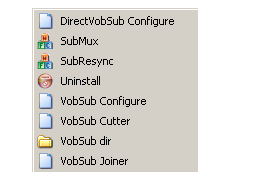
Start VobSub
Not surprisingly, removing the beginning or end requires selecting VobSub Cutter from the Start menu.
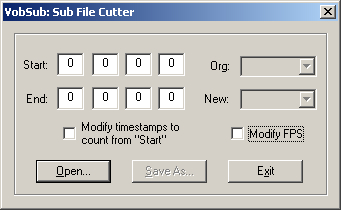 |
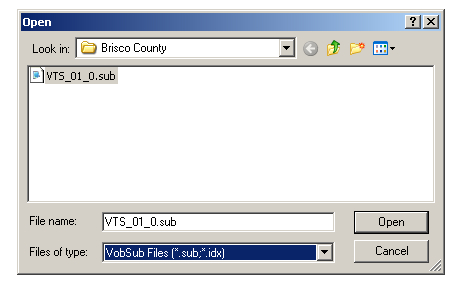
Open Subtitle File
Use the Open button to select your file.
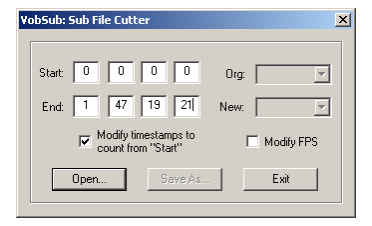
Adjust Start/End Times
Once your subtitles are loaded you'll see the beginning and ending timecodes displayed. This will normally be all 0's for the start timecode, but may occasionally be higher. To remove subtitles from the beginning add the amount of time you want to remove to what's already displayed. For example, to remove the first 2 seconds you would change it from 0 : 0 : 0 : 0 to 0 : 0 : 2 : 0. In most cases you'll also want to make sure the box next to Modify timestamps to count from "Start" is checked.
If you want to trim from the end, subtract the time you want to remove from the end timecode.
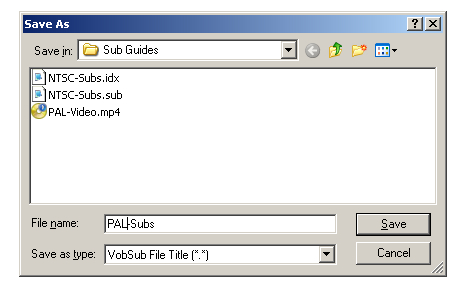
Save New Subtitle Files
Once you have the framerates selected you can create your new subtitle files. Use the Save As button to select the destination folder and name the output files. It generally only takes a few seconds to create the new subtitle files.
Continued On Page 4In the final section we'll look at how to adjust the start time for subtitles without removing anything. Page 4 - Adding Delay to Subtitles | |
| How to Sync Subtitles | You are viewing Page 3 of 4 -- Go to page 1 , 2 , 3 , 4 |
Convert to SRTSome programs don't accept image based subtitles like VobSub rips from DVDs. If your application requires text based subtitles the best solution may be to use our guide for Converting Subtitles from SUB / IDX to SRT.Convert to SSASubStation Alpha, or SSA, is another common subtitle format commonly used for anime fansubs. If you prefer to work in this format you should check out our guide for Converting Subtitles from SRT to SSA. |
Written by: Rich Fiscus


