Feedback
 
AfterDawn.com

Site update - March 16th 2010

AfterDawn.com has been updated! In addition to renewing the layout of the site we have also speeded up things considerably. The new version has been tested on our Finnish site for several months, and during the testing we have managed to improve the new version even further.

You can now enjoy this new layout at English AfterDawn.com and English Discussion Forums as well! We have also introduced new sections to the site, and re-arranged things a bit.

Read more about the update and let us know what you think!

Close this message

Notepad++ v5.6.8

Open source
Win2k / Win98 / WinME / WinXP

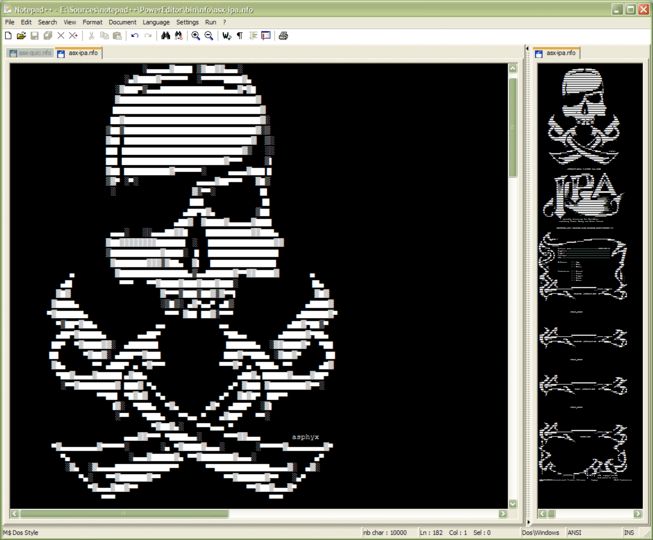
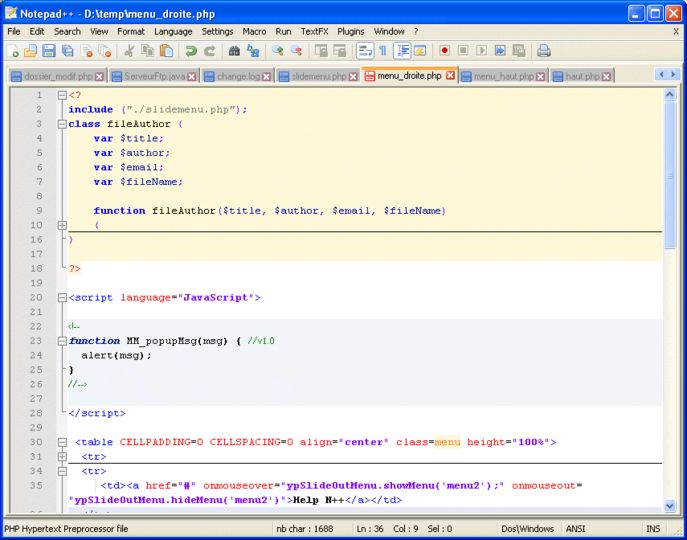
Notepad++ is a free source code editor which supports several programming languages running under the MS Windows environment. The supported languages by Notepad++ are: C, C++, Java, C#, XML, HTML, PHP, Javascript, RC file, makefile, nfo, doxygen, ini file, batch file, ASP, VB/VBS, SQL, Objective-C, CSS, Pascal, Perl, Python, Lua, Unix Shell Script, Fortran, NSIS and Flash action script.

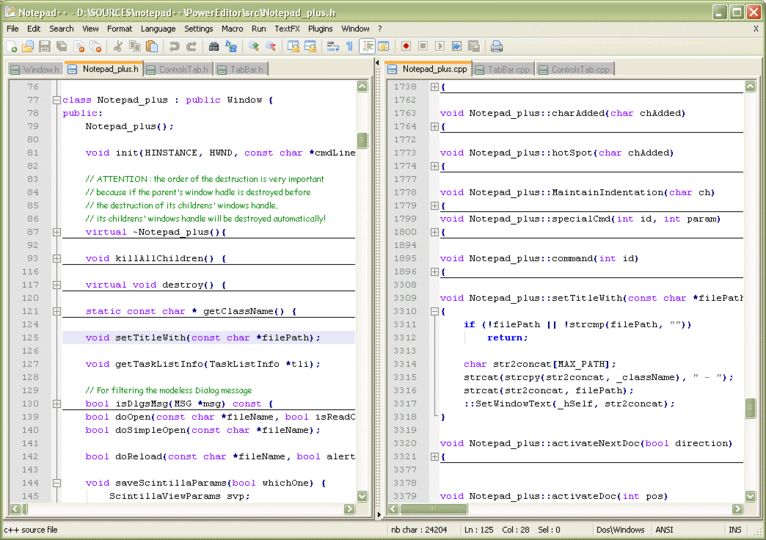
Notepad++ main features include: Syntax Highlighting and Syntax Folding, User Language Define System, Regular Expression Search, WYSIWYG, Unicode support, Full Drag & Drop supported, Brace and Indent guideline Highlighting, 2 edits and synchronized view of the same document.

Notepad++ is based on Scintilla edit component are written in C++ with pure win32 api and STL, is under the GPL Licence.

Screenshots:

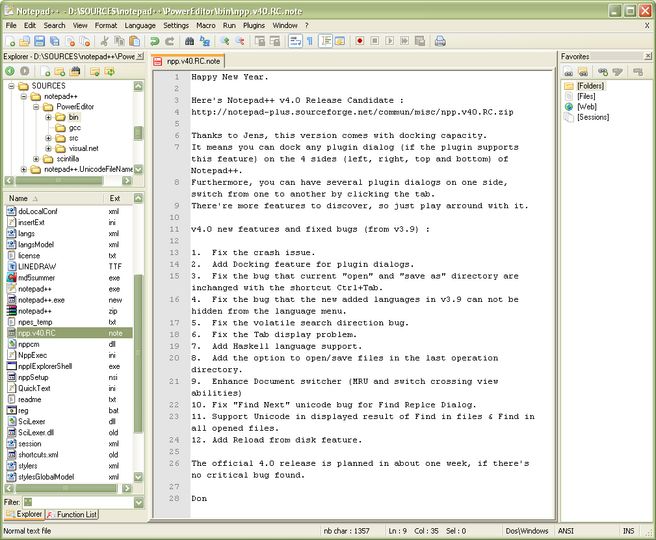
Notepad++ v4.0 RC2 Notepad++ v4.0 RC2 Notepad++ v4.0 RC2 Notepad++ v4.0 RC2

Other editions:

Share this

Keywords:
notepad source code text text editor editop xml sql

License type Open source1
Author's homepage Visit the author's site
Date added 30 Sep 2005
Latest update 05 Mar 2010
Downloads 6,760
File size 3.18 MB (<1min @ 1Mbps)
Operating systems Win2k / Win98 / WinME / WinXP1

1License and operating system information is based on latest version of the software.

05 Mar 2010Notepad++ v5.6.8(Latest stable version) 22 Feb 2010Notepad++ v5.6.7 26 Jan 2010Notepad++ v5.6.6 25 Jan 2010Notepad++ v5.6.5 28 Dec 2009Notepad++ v5.6.4 19 Dec 2009Notepad++ v5.6.3 13 Dec 2009Notepad++ v5.6.2 05 Dec 2009Notepad++ v5.6.1 01 Dec 2009Notepad++ v5.6 25 Nov 2009Notepad++ v5.6 RC 09 Oct 2009Notepad++ v5.5.1 25 Sep 2009Notepad++ v5.5.0 15 Jul 2009Notepad++ v5.4.5 06 Jul 2009Notepad++ v5.4.4 08 Jun 2009Notepad++ v5.4.3 01 Jun 2009Notepad++ v5.4.2 29 May 2009Notepad++ v5.4.1 26 May 2009Notepad++ v5.4 14 May 2009Notepad++ v5.4 RC2 30 Mar 2009Notepad++ v5.3.1 21 Mar 2009Notepad++ v5.3 08 Feb 2009Notepad++ v5.2 12 Jan 2009Notepad++ v5.1.4 30 Dec 2008Notepad++ v5.1.3 14 Dec 2008Notepad++ v5.1.2 12 Nov 2008Notepad++ v5.1.1 26 Oct 2008Notepad++ v5.1 05 Aug 2008Notepad++ v5.0.3 24 Jul 2008Notepad++ v5.0.2 15 Jul 2008Notepad++ v5.0.1 06 Jul 2008Notepad++ v5.0 03 Jul 2008Notepad++ v5.0 RC 16 Jun 2008Notepad++ v5.0 Beta 12 May 2008Notepad++ v4.9.2 04 May 2008Notepad++ v4.9.1 04 May 2008Notepad++ v4.9 27 Apr 2008Notepad++ v4.9 Unstable 14 Apr 2008Notepad++ v4.8.5 08 Apr 2008Notepad++ v4.8.5 RC 10 Mar 2008Notepad++ v4.8.2 03 Mar 2008Notepad++ v4.8.1 27 Feb 2008Notepad++ v4.8 23 Feb 2008Notepad++ v4.8 RC 14 Jan 2008Notepad++ v4.7.5 06 Jan 2008Notepad++ v4.7.3 03 Jan 2008Notepad++ v4.7.2 02 Jan 2008Notepad++ v4.7.1 01 Jan 2008Notepad++ v4.7 22 Nov 2007Notepad++ v4.6 26 Oct 2007Notepad++ v4.5 14 Oct 2007Notepad++ v4.4 23 Sep 2007Notepad++ v4.3 17 Sep 2007Notepad++ v4.3 RC 15 Aug 2007Notepad++ v4.2.2 13 Aug 2007Notepad++ v4.21 12 Aug 2007Notepad++ v4.2 20 May 2007Notepad++ v4.1.2 13 May 2007Notepad++ v4.1.1 01 May 2007Notepad++ v4.1 12 Feb 2007Notepad++ v4.0.2 05 Feb 2007Notepad++ v4.0.1 28 Jan 2007Notepad++ v4.0 25 Jan 2007Notepad++ v4.0 RC2 03 Oct 2006Notepad++ v3.9
If you do not have an AfterDawn.com account yet, please enter your nickname and email address below. An activation link will be emailed to you.

If you already have an AfterDawn.com account, please login using the next tab.


Login by using your Afterdawn.com -username or your email address.

tatsh Member
  Notepad++ v5.6.7

I love this but it has no Vim mode. I compare it to Kate on KDE (Linux). You can get Kate for Windows (but it is a bit slow on Windows). If I want something like Kate on Windows, Notepad++ is probably the closest things and of course it has some features that Kate has and vice versa. I hardly use Windows nowadays but when I do I gotta have Notepad++ (hence why portable version is on my flash drive, but also gVim is). I hate IDEs so advanced text editors are for me.

22 Feb 2010
yman Inactive
  Notepad++ v5.0.3

I use for editing Notepad++ because is a very complex program and support languages like C; C++; Java; C#; XML; HTML; PHP; CSS; makefile ASCII art (.nfo); doxygen ini file and other. Olso you can edit several documents at the same time. I got it from here: <a rel="nofollow" href="http://www.rosoftdownload.com/download/Windows/Notepad" target="_blank">http://www.rosoftdownload.com/download/Windows/Notepad</a>

14 Oct 2008
dangermse Junior Member
  Notepad++ v4.8.5

I started using Notepad++ a couple of months ago and I cant recommend it highly enough. Its a fantastic general purpose text file editor which supports syntax highlighting for most common progamming languages like c, c++, java, python etc. as well as common text formats like html and xml. <br/> <br/>Its got all the features which make a text editor really stand out like column selection, built in hex editor regex and many more. Some of the extensions allow things like delete blank lines, sort, total selected numbers just make things so much easier. <br/> <br/>Its a great addition to your set of software tools for anyone and the more you use it the better it gets. <br/> <br/>10/10

14 Apr 2008
dangermse Junior Member
  Notepad++ v4.8.5

I started using Notepad++ a couple of months ago and I cant recommend it highly enough. Its a fantastic general purpose text file editor which supports syntax highlighting for most common progamming languages like c, c++, java, python etc. as well as common text formats like html and xml. <br/> <br/>Its got all the features which make a text editor really stand out like column selection, built in hex editor regex and many more. Some of the extensions allow things like delete blank lines, sort, total selected numbers just make things so much easier. <br/> <br/>Its a great addition to your set of software tools for anyone and the more you use it the better it gets. <br/> <br/>10/10

14 Apr 2008