
Startup Delayer v3.0 build 366
Freeware
Vista / Win10 / Win7 / Win8 / WinXP
Vista / Win10 / Win7 / Win8 / WinXP
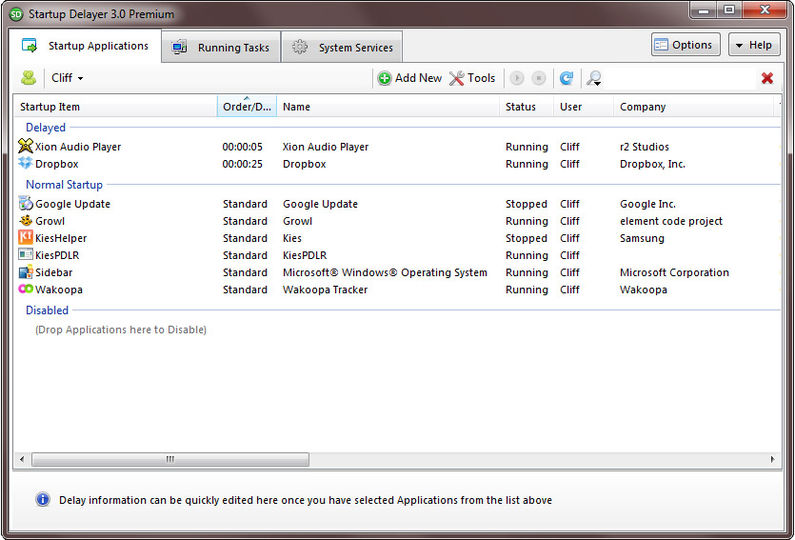
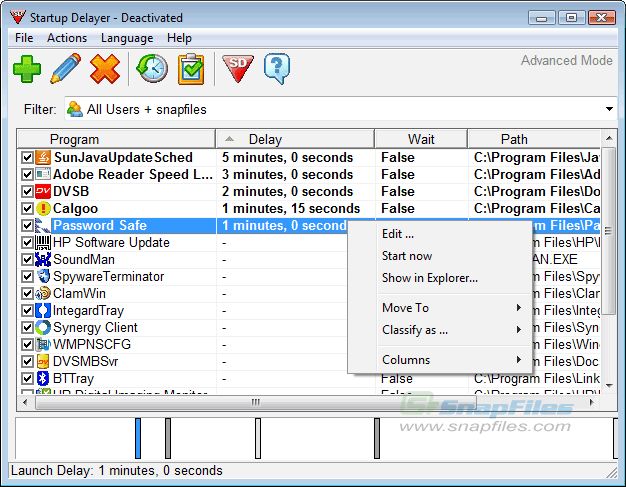
Startup Delayer allows you to speed up your computer's startup process by allowing you to set when each program will be started.
When Windows loads it's startup file, it attempts to load every program in there at the same time. Therefore if you have quite a lot of programs starting when Windows starts, each program will try and grab CPU time so that it can load. If each program tries to do this at the same time, you soon notice the slow down that occurs, due to your CPU trying to help all the programs to load, and your hard disk accessing multiple files.
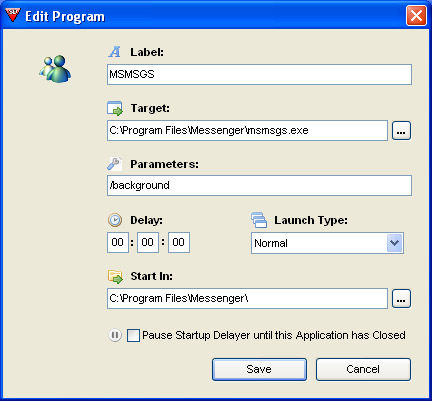
Startup Delayer allows you to setup how many seconds after Windows has started to load each program. For example: If you have your mail program and a special clock starting up, then you can make your mail start say 10 seconds after Windows has loaded, and then the special clock start 20 seconds after Windows Starts.
When Windows loads it's startup file, it attempts to load every program in there at the same time. Therefore if you have quite a lot of programs starting when Windows starts, each program will try and grab CPU time so that it can load. If each program tries to do this at the same time, you soon notice the slow down that occurs, due to your CPU trying to help all the programs to load, and your hard disk accessing multiple files.
Startup Delayer allows you to setup how many seconds after Windows has started to load each program. For example: If you have your mail program and a special clock starting up, then you can make your mail start say 10 seconds after Windows has loaded, and then the special clock start 20 seconds after Windows Starts.
Screenshots:
HTML code for linking to this page:
Keywords:
startup
delayer
startup
delay
cpu
windows
microsoft
License type
Freeware1
Author's homepage
Visit the author's site
Date added
20 Dec 2015
Downloads
10,402
File size
5.64 MB
(<1min @ 1Mbps)
Supported languages
English
Norwegian
Dutch
Operating systems
Vista / Win10 / Win7 / Win8 / WinXP1
1License and operating system information is based on latest version of the software.
Startup Delayer v3.0 build 366(Latest stable version) 20 Dec 2015
Startup Delayer v3.0 build 365 26 Nov 2015
Startup Delayer v3.0 build 364 20 Aug 2015
Startup Delayer v3.0 build 363 14 Dec 2014
Startup Delayer v3.0.362 13 Oct 2014
Startup Delayer v3.0.360 21 Jul 2014
Startup Delayer v3.0.359 18 Feb 2014
Startup Delayer v3.0.357 22 Dec 2013
Startup Delayer v3.0.356 21 Dec 2013
Startup Delayer v3.0.333 01 Jun 2013
Startup Delayer v3.0.331 08 Mar 2013
Startup Delayer v3.0.330 05 Mar 2013
Startup Delayer v3.0.329 10 Feb 2013
Startup Delayer v3.0 build 327 02 Feb 2013
Startup Delayer v3.0 build 326 25 Aug 2012
Startup Delayer v3.0 Build 319 13 Dec 2011
Startup Delayer v3.0 Build 318 20 Nov 2011
Startup Delayer v3.0 Build 315 16 Aug 2011
Startup Delayer v3.0 Build 314 29 Jul 2011
Startup Delayer v3.0 build 312 27 Jul 2011
Startup Delayer v3.0 build 309 10 Jul 2011
Startup Delayer v3.0 build 307 05 Jul 2011
Startup Delayer v3.0 build 305 10 Jun 2011
Startup Delayer v3.0 build 304 31 May 2011
Startup Delayer v3.0 build 303 30 May 2011
Startup Delayer v3.0 build 300 25 May 2011
Startup Delayer v3.0 build 299 22 May 2011
Startup Delayer v3.0 build 296 19 May 2011
Startup Delayer v2.5.138 09 Mar 2009
Startup Delayer v2.5.136 08 Mar 2009
Startup Delayer v2.4.135 01 Mar 2009
Startup Delayer v2.3.134 01 Dec 2008
Startup Delayer v2.3.133 02 Nov 2008
Startup Delayer v2.3.130 08 Jan 2008
Startup Delayer v2.3.125 31 Oct 2007
(No user ratings yet)


