
User User name Password  
   
Friday 5.12.2008 / 05:38 AM
Search:        In English   Suomeksi   På svenska
afterdawn.com > news > nero debuts nero 9 suite, tivo pc
Show topics
News
News

Nero debuts Nero 9 suite, TiVo PC

29 September 2008 14:03 by Andre "DVDBack23" Yoskowitz | 36 comments

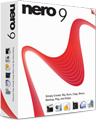
Nero debuts Nero 9 suite, TiVo PC This morning, the popular software maker Nero AG announced the launch of three new exciting products, Nero TiVo PC, Move it and an updated media suite, now known as Nero 9

If you are interested in purchasing Nero, please visit their site while supporting AfterDawn by using this link: Download Nero 9

If you have any questions about Nero or need help, please visit our unofficial forums here: Nero discussion forums


Nero TiVo PC


TiVo PC brings users the capabilities of TiVo without the need for a set-top box and comes in two varieties. For $199 USD you can purchase the software along with a TiVo PC remote and a TV tuner card. A $99 USD software download is available from their site as well if you already have a TV tuner card. Both versions come with 12 months free of TiVo service, which is a considerable savings considering the plan normally costs $129 USD annually.

The software has all the standard DVR features like pausing of live TV, recording shows right to your HDD and the ability to skip commercials. Other notable features include "Season Pass" recordings which allows users to type in the name of a certain show and have it recorded every week for the entire season, and TiVo Suggestions. Even more importantly, the software allows for HD viewing as well as recording and allows you to transfer the recordings to portable devices, namely iPods, iPhones and Sony PSPs. You also have the option to convert the recordings to MPEG-2 and burn them to DVD-Rs.

Order the program here: Nero.com

Nero Move it


Nero Move it, available for $49.99 USD as a retail buy or as a $39.99 download-only from Nero, allows users to move content between all the electronic devices in your house or network, with a simple and easy to use interface to boot.

The interface will show all PCs, digital cameras, camcorders, MP3 players, the Sony PSP, and PDAs and all content that can be moved in the center. Arrows will point at where the content can be transferred to. Any file format conversion is invisible to the user. Other features include the ability for one-click downloading and uploading from popular sites such as YouTube or MySpace.

Order the program here: Nero.com

Nero 9 media suite


Nero 9 media suite, the next evolution of the always improving Nero line, adds a few notable features, the most important of which is Blu-ray burning which comes for free in this installment.

Nero Showtime, the TV viewing application of the suite, has added a Vista sidebar gadget and integrates into Windows Media Center 2005 and on. The new Ad Spotter feature will attempt to strip and commercials from your TV viewing experience.

Nero has also added Gracenote support, which will allow users to search for and find song and artist information using Gracenote's extensive catalog. Another interesting feature is that of Music Grabber which will rip the soundtrack from your video streams and add it to your MP3 libraries.

Permalink to this article | Topic:

Get AfterDawn's news to your favourite feed reader! Share this story with your friends!


Related articles:

  • Hungry? Order Domino's through TiVo (18 November 2008)
  • Sony drops PSP-3000 bundle (28 October 2008)
  • Vista SP2 goes beta (27 October 2008)
  • TiVo adds to on-demand video library (26 October 2008)
  • YouTube to play full TV episodes with ads (11 October 2008)
  • Amazon, iTunes download links added to YouTube (8 October 2008)
  • Sony officially drops Blu-ray player prices (2 October 2008)
  • 'Dark Knight' goes BD-Live (30 September 2008)
  • Nero passes 5 million downloads on AfterDawn (7 July 2008)
  • AfterDawn delivers its 100,000,000th software download (11 March 2008)
  • CES 2008: Nero showcasing Nero 8 features at Microsoft booth (8 January 2008)
  • TiVo to finally make its debut on PCs (28 November 2007)
  • Nero Burning ROM v8.1.1.0 available for download (1 October 2007)
  •  

    « Previous news article
    Hitachi to show off new upconversion technology
    Next news article »
    Norway to sue Apple in hopes of opening up FairPlay DRM
     Post your comment
    Discuss this article!  There are more user comments available, read them here
    Xplorer4 (Member) 29 September 2008 21:13 Send private message to this user   
    Just go into windows services and disable nero's indexing service(it can be disabled). Now the MMIndex service or whatever it is called doesnt run on start up or even with nero open.
    Ragnarok8 (Junior Member) 29 September 2008 22:21 Send private message to this user   
    Yeah, from my limited timing using 8, I also remember it to be totally inferior to 7. Judging from what people are saying, 9 isn't any better so I'll stick to 7 for now.
    JRude (Junior Member) 29 September 2008 22:52 Send private message to this user   
    Hell, I'm still on Nero 6! lol! I cap, but I don't use Nero to do it. It's good for burning or recoding the discs...that's IT! Any editing program that comes with a cap box will suffice nicely. And NOT gorge on your CPU. Every time I ever attempted to update Nero ALL I ever got was issues and patches. Like M$, they usually had patches for the patches. Index all my files? Poop. INCd cured me of that. I know where my STUFF is and can work nicely on my own.
    ogryzek (Member) 29 September 2008 23:43 Send private message to this user   
    I do not see support of Windows 2000 on the Requirements page... that's no go for me...

    I've been using all versions starting with 5.0 (have multiple copies as a matter of fact) ~ I was re-installing XP recently and decided to downgrade back to ver 6.6 <-- it has all I need with minimum fluff
    1bonehead (Senior Member) 30 September 2008 0:04 Send private message to this user   
    Sounds like nero 7 it is !

    The BPI Are: SONY, UNIVERSAL, WARNER GROUP, EMI.
    The RIAA Soundexchange Are: SONY, UNIVERSAL, WARNER GROUP, EMI.
    The IFPI Are: The same anti consumer lot as listed above!
    The MPAA Are: SONY, UNIVERSAL, WARNER GROUP, DISNEY, PARAMOUNT, FOX.
    pcaddict (Junior Member) 30 September 2008 1:59 Send private message to this user   
    Probably same as Nero 8 but without the HD-DVD features.
    1Adonis4u (Member) 30 September 2008 2:28 Send private message to this user   
    BLOATWARE!!!!

    I'll wait for the "Micro" version to come out before giving it a try.
    borhan9 (AfterDawn Addict) 4 October 2008 5:59 Send private message to this user   
    I tell youi will give this version ago but if its as crap as version 8 i will permanatly go to cyberlink for good.
    B33rdrnkr (Newbie) 4 October 2008 10:29 Send private message to this user   
    Not that my opinion matters being a n00b and all, but I love it, same UI as 8 and even faster at burning, or rather less of a resource hog than 8 so it seemed to burn smoother, banged out 5 data dvds in 15 min.. Love it and will not use anything else for certain projects...


    This message has been edited since posting. Last time this message was edited on 4 October 2008 10:31

    ZippyDSM (AfterDawn Addict) 4 October 2008 10:34 Send private message to this user   
    Originally posted by borhan9:
    I tell youi will give this version ago but if its as crap as version 8 i will permanatly go to cyberlink for good.

    I'd still trust Nero 7 more than Cyberlink 0-o
    mspurloc (Member) 4 October 2008 13:01 Send private message to this user   
    Originally posted by Xplorer4:
    Just go into windows services and disable nero's indexing service(it can be disabled). Now the MMIndex service or whatever it is called doesnt run on start up or even with nero open.
    Yeah, that's true.

    If you don't need the media server and streaming features and just want to burn, it's totally unnecessary.

    Not an option when you're a beta tester, though. :-)
    Jemborg (Junior Member) 5 October 2008 12:43 Send private message to this user   
    Originally posted by Xplorer4:
    Just go into windows services and disable nero's indexing service(it can be disabled). Now the MMIndex service or whatever it is called doesnt run on start up or even with nero open.
    Listen to this guy. This is the only way to effectively deal with the problem. 100% works. It doesn't involve tooling with your register, and it is safe and simple.

    50% of my cpu was sucked up by this "service" that I don't need, and I do the same thing for the windows one too. I only use Nero for the easy video editing. Burn with ImgBurn- free and importantly RELIABLE.
    mspurloc (Member) 5 October 2008 19:28 Send private message to this user   
    Originally posted by Jemborg:
    Originally posted by Xplorer4:
    Just go into windows services and disable nero's indexing service(it can be disabled). Now the MMIndex service or whatever it is called doesnt run on start up or even with nero open.
    Listen to this guy. This is the only way to effectively deal with the problem. 100% works. It doesn't involve tooling with your register, and it is safe and simple.

    50% of my cpu was sucked up by this "service" that I don't need, and I do the same thing for the windows one too. I only use Nero for the easy video editing. Burn with ImgBurn- free and importantly RELIABLE.
    Yeah, that's what I did with version 8, but as I said, when you're a beta tester, you can't do that.
    If everyone did, the guys at Nero would never know they had a problem.

    Let's face it; unless you've got a small number of files on your system, ALL indexing services do more harm than good. They never finish, for one thing.
    varnull (AfterDawn Addict) 5 October 2008 19:39 Send private message to this user   
    See all them little round bruises?.. That's from the 12 foot bargepoles that is ;)

    Far better freeware applications are available.. Nero is a dinosaur, and apart from all the locked in n00bs who don't know any better it would be extinct too.

    Offhand I can't think of anything nero does which can't be done with freeware, though the cover designer is quite nice.


    Free open source software = made by end users who want an application to work. The flower of carnage-shura no hana
    ZippyDSM (AfterDawn Addict) 5 October 2008 19:52 Send private message to this user   
    Originally posted by varnull:
    See all them little round bruises?.. That's from the 12 foot bargepoles that is ;)

    Far better freeware applications are available.. Nero is a dinosaur, and apart from all the locked in n00bs who don't know any better it would be extinct too.

    Offhand I can't think of anything nero does which can't be done with freeware, though the cover designer is quite nice.
    No Roxio is the dinosaur, Nero 7 is still one of the best DVD/CD apps out there, Brun img dose an ok job but I have made a few coasters with it and its GUI is not the best for making file/archive discs.

    For all the console/game fanboys out their.
    http://www.escapistmagazine.com/articles...Console-Rundown
    Oh god I can't stop laughing!!!
    ---
    And for the format nazi's I bring you HHD DVVD BVD's!!
    Jemborg (Junior Member) 6 October 2008 3:05 Send private message to this user   
    @ mspurloc, I in no way was alluding to your posts mate. Just seconding Xplorers4's advice.

    Shocked to find out about it happening with Nero 9 still- I believe I had the prob with 7 too.

    Regards to anybody willing to beta test anything on their comp.

    I think you're referring to ImgBurn Zippy? Meh, I agree that it's GUI is not great or flashy, but it's perfectly functional. I personally have never had a dud burn from it. Unlike Nero 8 or even Nero 7 which spun me out 4 Frisbees in a row once. At least I can easily set up a definite tray cycled verify with ImgBurn and choose my burn speed, in all cases, unlike Nero. I always burn one step below the highest rating, to ensure discs will be read on poor readers. It doesn't make much difference to the overall time since all burners gradually accelerate to that max speed anyway.

    It's a lot easier being righteous than right.
    ZippyDSM (AfterDawn Addict) 6 October 2008 12:56 Send private message to this user   
    Originally posted by Jemborg:
    @ mspurloc, I in no way was alluding to your posts mate. Just seconding Xplorers4's advice.

    Shocked to find out about it happening with Nero 9 still- I believe I had the prob with 7 too.

    Regards to anybody willing to beta test anything on their comp.

    I think you're referring to ImgBurn Zippy? Meh, I agree that it's GUI is not great or flashy, but it's perfectly functional. I personally have never had a dud burn from it. Unlike Nero 8 or even Nero 7 which spun me out 4 Frisbees in a row once. At least I can easily set up a definite tray cycled verify with ImgBurn and choose my burn speed, in all cases, unlike Nero. I always burn one step below the highest rating, to ensure discs will be read on poor readers. It doesn't make much difference to the overall time since all burners gradually accelerate to that max speed anyway.
    Ya imgburn, altho you need nero to unlock some of its features.

    For all the console/game fanboys out their.
    http://www.escapistmagazine.com/articles...Console-Rundown
    Oh god I can't stop laughing!!!
    ---
    And for the format nazi's I bring you HHD DVVD BVD's!!
    Jemborg (Junior Member) 6 October 2008 14:16 Send private message to this user   
    Originally posted by ZippyDSM:
    Ya imgburn, altho you need nero to unlock some of its features.
    ?????????

    Could you go into a bit more detail mate?

    It's a lot easier being righteous than right.
    ZippyDSM (AfterDawn Addict) 6 October 2008 14:30 Send private message to this user   
    Originally posted by Jemborg:
    Originally posted by ZippyDSM:
    Ya imgburn, altho you need nero to unlock some of its features.
    ?????????

    Could you go into a bit more detail mate?
    When you install nero you acouple mroe features I forgot what they were, but Imgburn is pretty feature rich by itself, the only thing I do not like is making a ISO to burn it to burn files to a DVD.

    For all the console/game fanboys out their.
    http://www.escapistmagazine.com/articles...Console-Rundown
    Oh god I can't stop laughing!!!
    ---
    And for the format nazi's I bring you HHD DVVD BVD's!!
    ThePastor (Junior Member) 6 October 2008 19:03 Send private message to this user   
    So, hows the Tivo Software?

    I use Media Portal but it's getting buggy. I'd like to try out some new Media Software.
    Jemborg (Junior Member) 6 October 2008 20:23 Send private message to this user   
    Quote:
    Originally posted by Jemborg:
    Originally posted by ZippyDSM:
    Ya imgburn, altho you need nero to unlock some of its features.
    ?????????

    Could you go into a bit more detail mate?
    When you install nero you acouple mroe features I forgot what they were, but Imgburn is pretty feature rich by itself, the only thing I do not like is making a ISO to burn it to burn files to a DVD.
    Sure you're not talking about DVDShrink?
    varnull (AfterDawn Addict) 6 October 2008 21:23 Send private message to this user   
    I think the last nero version worth shouting about was 6.6.18... since then they have been a bug filled nightmare of hijacking software and control freakery.

    I install XP systems for people.. and guess what.. They don't get nero in any form, because it's not needed.. I have serious suspicions that there are hidden drm features built in to nero7 upwards which collude with fista to stop you burning certain things..
    Why else would dvd flick/imgburn combination succeed in making and burning a dvd from an avi where nero recode etc fail?

    Throw away your crutches and walk.. just because you have always used something is no reason to continue doing so. That's just the road to drm restriction loserville. What adds insult to injury is they make you pay to deny yourself your rights.. now that's food for thought.

    If I may I would like to throw in a few thoughts and observations about the nero suite of tools as a non nero user.. just somebody who has to use it once in a while.

    What is with that "start smart" file association thief? Why is this front end needed? I'm quite happy to access the nero toolkit in the familiar way from the start menu.

    Why does nero showtime think it's the only player you want on your system and every video and audio file belongs to it?.. especially as it's a rubbish player. Why does a burning engine need a player anyway?

    Whats with nero recode.. buggy and slow hunk of junk which has IMHO no redeeming features whatsoever. It mystifies me.. it's completely counter intuitive and again lacking in some very vital settings (or I couldn't find them in the mess they call a menu).

    Nero burning rom.. Does anybody ever use it? It strikes me that what most sensible people will do is prepare their files in advance and then use nero express to burn the resulting whatever to a disk. I don't see the need for both.. one or the other will be fine.

    Some other stuff that I can't find a use for..

    The audio cd burning engine is pretty nice, but they haven't changed that since v4 it seems. Very familiar.. an old friend, but it's still buggy when it comes to getting the 2 second gap out from between tracks on a live recording.. Always leaves an audible click even in dao mode. Again tho.. plenty of freeware will do exactly the same job.

    nero cover designer... I actually really like this part. It's a great tool, but as you can easily make your own sleeve templates in gimpshop or whatever it doesn't justify the price of nero on it's own. One nasty wasteful little bug in this as well. If you just want the front and back of a cd cover unless you are careful every damn time it will print blanks and disk label outlines by default. Can't the devs make it intelligent enough to only print the parts you have added to or modified? I dunno.. but it's annoying watching expensive shiny paper scrolling through with garbage printed on it because you missed the very not obvious print fields tab.

    Rant over.. but I'm sure you get my drift.. they aren't trying to make a better application that does what end users want.. they are selling you what they want to charge you for.. and keep bloating it out with more and more pointlessness to justify the cost.

    As for tvb or whatever it is... never heard of it.. don't think it's in Europe and don't really care either..


    Free open source software = made by end users who want an application to work. The flower of carnage-shura no hana

    This message has been edited since posting. Last time this message was edited on 6 October 2008 21:46

    Jemborg (Junior Member) 6 October 2008 21:40 Send private message to this user   
    Originally posted by varnull:
    Throw away your crutches and walk.. just because you have always used something is no reason to continue doing so. That's just the road to drm restriction loserville. What adds insult to injury is they make you pay to deny yourself your rights.. now that's food for thought.
    Testify !!

    :D

    Its a lot easier being righteous than right.
    btfjf (Newbie) 8 October 2008 11:45 Send private message to this user   
    Varnull: Could you expand a little bit about freeware that can be used in place of Nero?..I have Nero 6.0(?)..Saw a demonstation of Ulead 7(?-came out 2 years ago)..liked the extra editing options, so I now edit in Ulead, and from recommendations made by the fine folks at AD, burn with Nero. I have not upgraded my Nero because of the problems listed here at AD.I am starting to consider moving to a newer version of Ulead, but have read other posts about problems with that program as well.Any comments are much appreciated. Thanks.
    JRude (Junior Member) 8 October 2008 17:18 Send private message to this user   
    Unless ya going to do HD, stick with 6! Keep the install and your serial on a DISC. Just an opinion. I only use Nero for the final burn. Sometimes do a recode from funky M$ formats.
    DavidJ321 (Newbie) 21 October 2008 16:57 Send private message to this user   
    (IMHO) Nero 9 is garbage.
    I bought Nero 9 full version at retail price.
    Nero 9 will not install on any 64-Bit operating system.
    Nero 9 does not even want to install on Vista 32-Bit.
    Download and try it. Do not, under any circumstances, buy Nero 9.
     Post your comment
     

    Subscribe to our newsfeed

    Get the latest headlines delivered directly to your favourite RSS reader or content aggregation service by using the links below.

    AfterDawn.com: News - RSS feed
    Add to Google
    Add to My Yahoo!
    Add to MyMSN

    Search for headlines

    Search through our news archive.

    Last week's most popular software downloads

    Digital video: AfterDawn.com | AfterDawn Forums | DVD X Copy Forums
    Music: MP3Lizard.com
    Gaming: Blasteroids.com | Blasteroids Forums
    Software: Software downloads
    Blogs: User profile pages
    RSS feeds: AfterDawn.com News | Software updates | AfterDawn Forums
    International: AfterDawn in Finnish | AfterDawn in Swedish | download.fi | fin.MP3Lizard.com
    Navigate: Search | Site map
    About us: About AfterDawn Ltd | Advertise on our sites | Rules, Restrictions, Legal disclaimer & Privacy policy
    Contact us: Send feedback | Contact our media sales team
     
      © 1999-2008 by AfterDawn Ltd.

