|
15 December 2008 11:43 by Matti "Siggy" Vähäkainu
| 20 comments
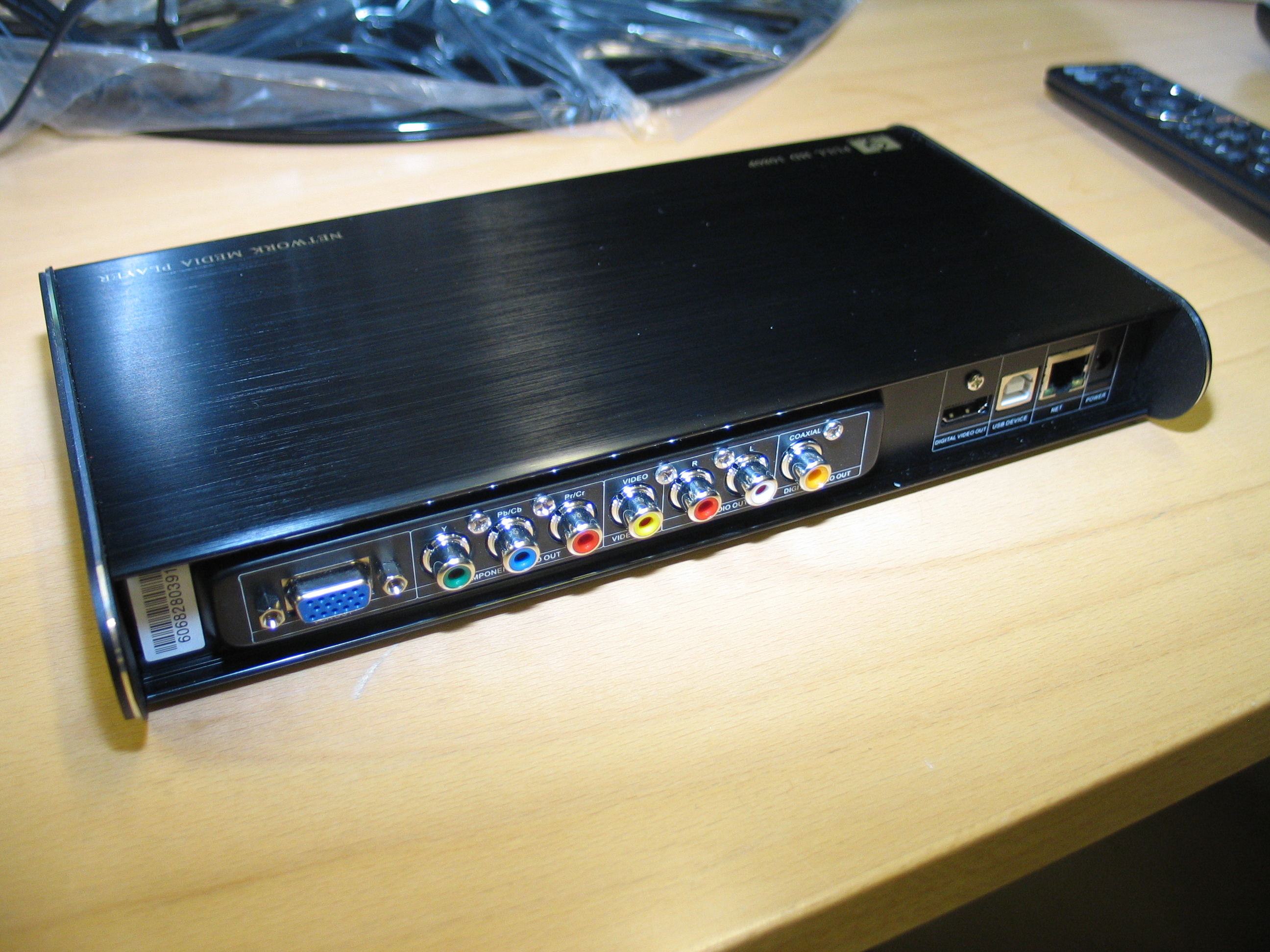
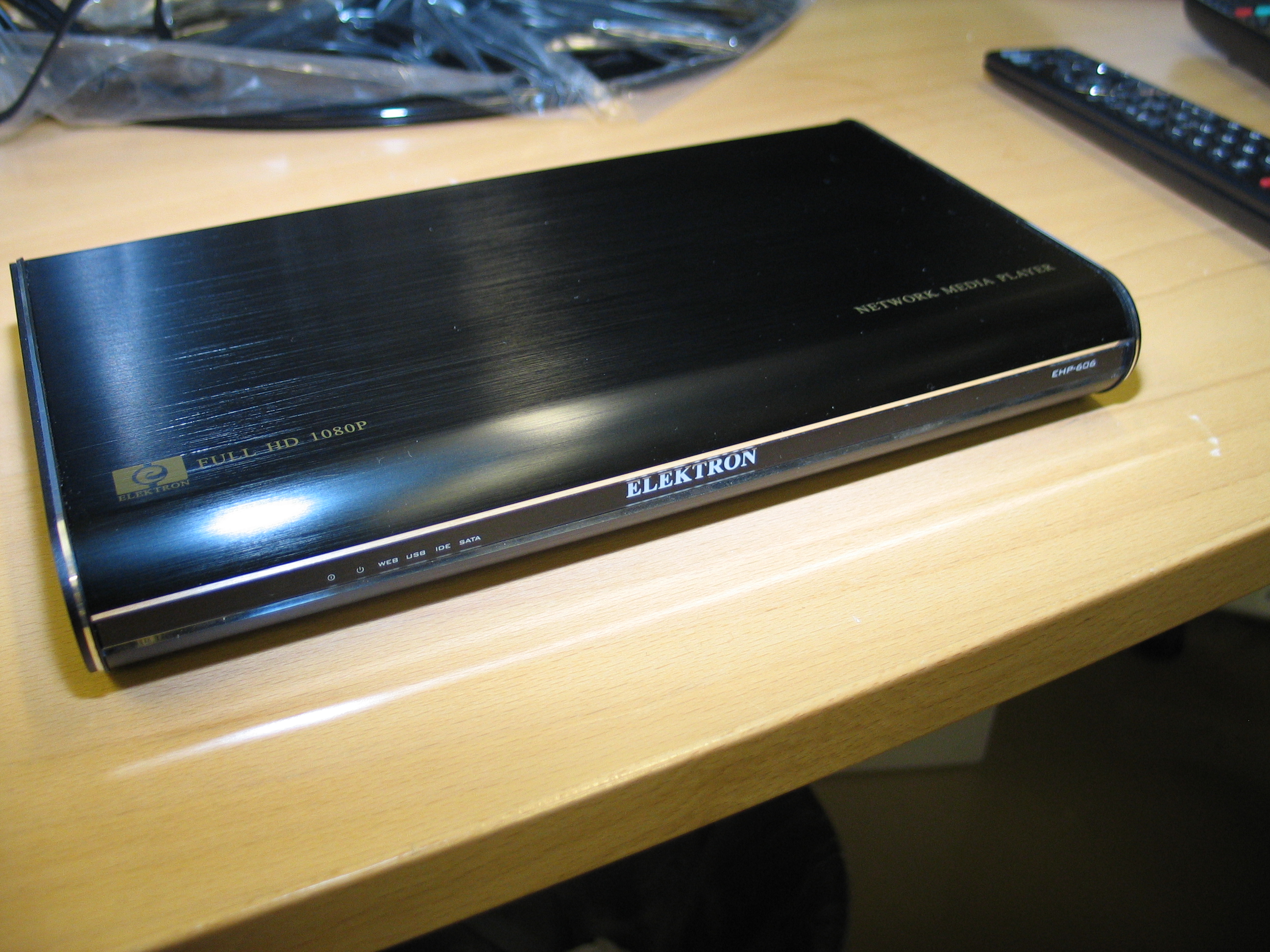
Elektron EHP-606 is the re-branded sister of network media player Popcorn Hour A-110 which is also based on the same Networked Media Tank platform. With identical file support and user interface, what does EHP-606 offer that Popcorn Hour doesn't? Well, first of all the EHP-606 has a VGA output. It also has support for NMT (also familiar from the Popcorn Hour) applications such as FTP, Samba and NFS servers and most importantly a built-in BitTorrent client - or actually two different BitTorrent clients.
The box included:
Elektron EHP-606 Networked Media Player
Remote control
AC adapter, USB A-B, A/V cable (composite video, stereo audio) and an HDMI cable
User manual
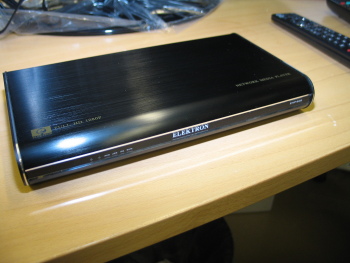
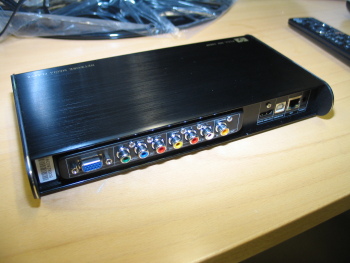
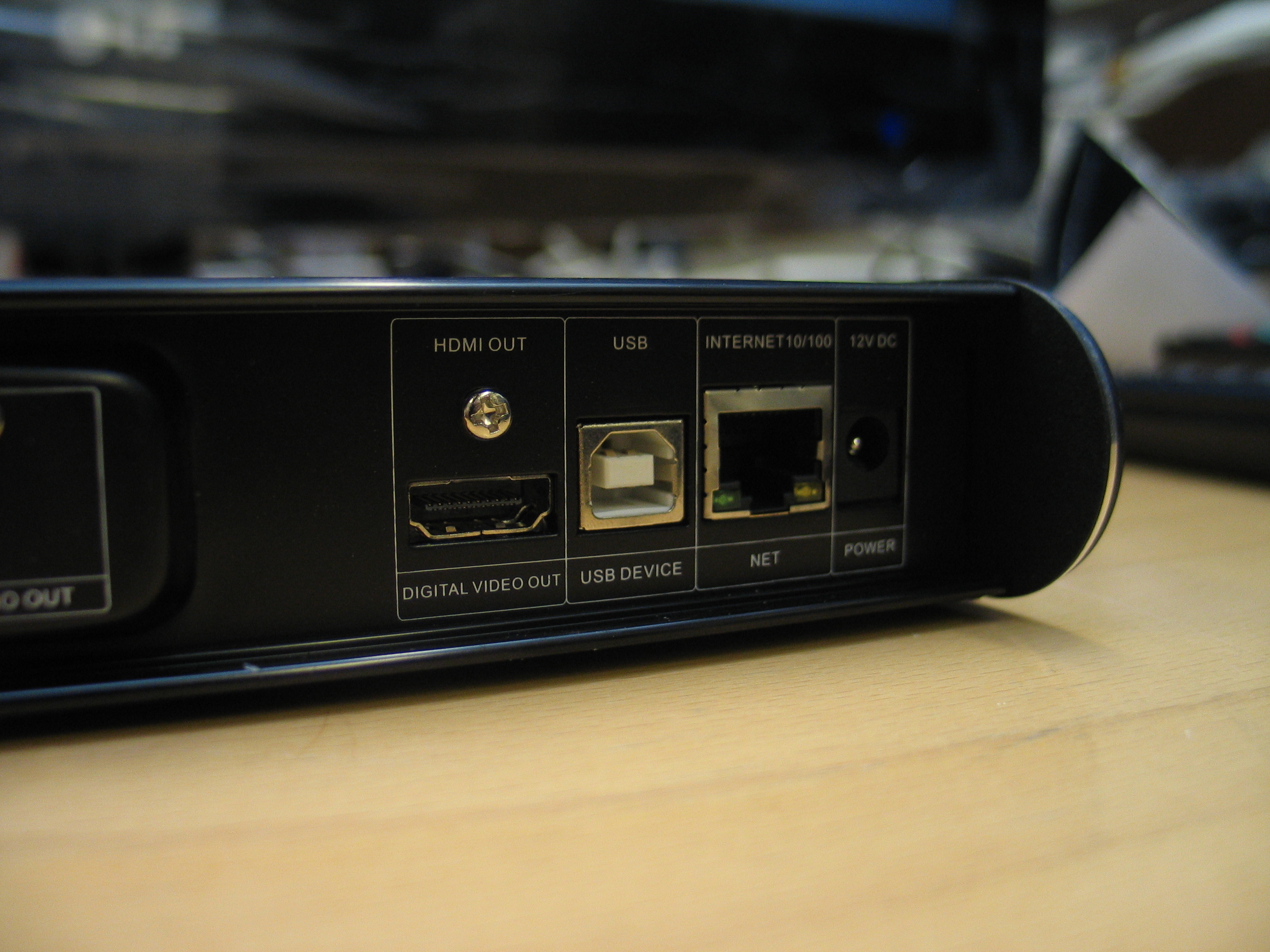
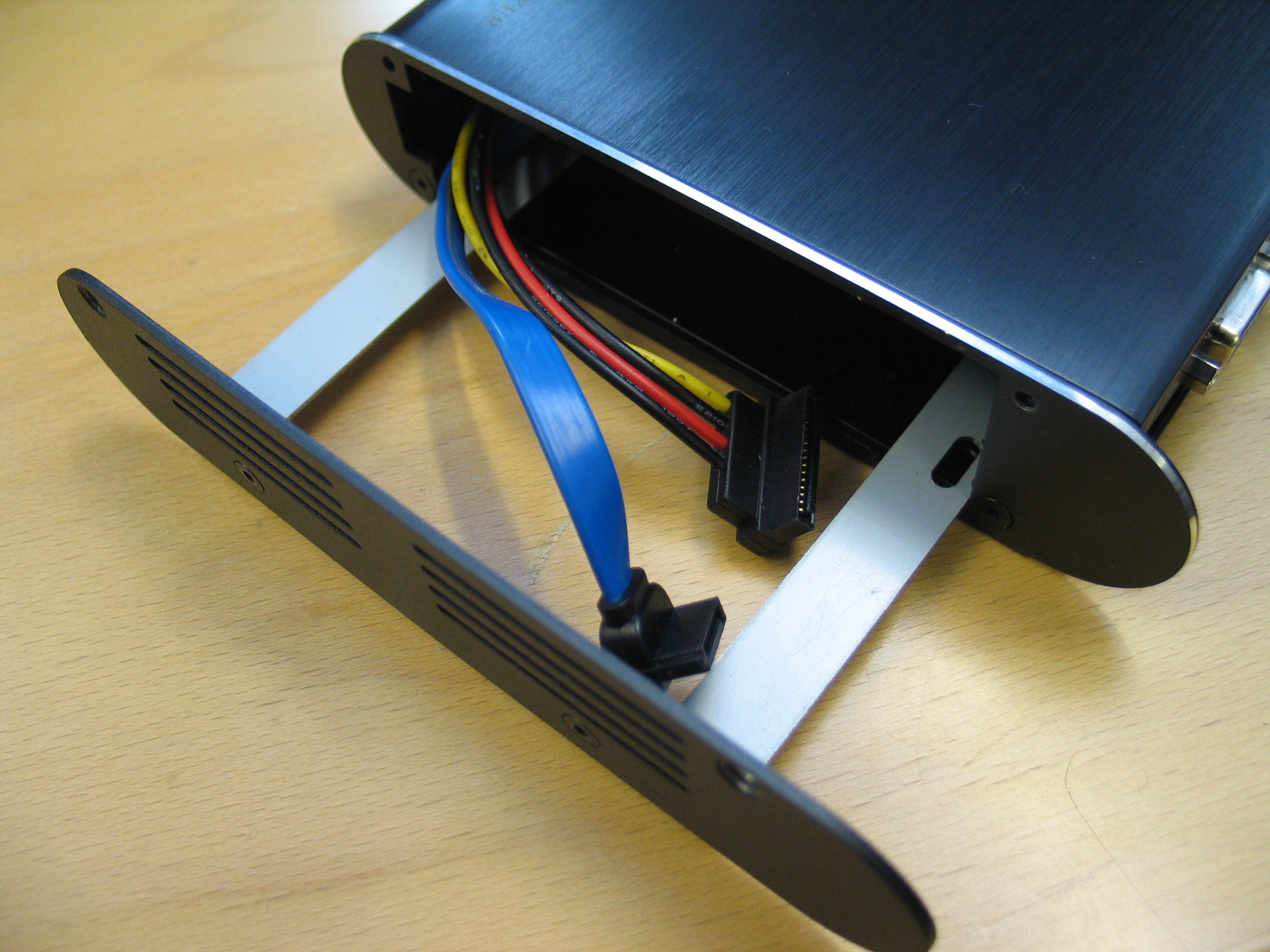
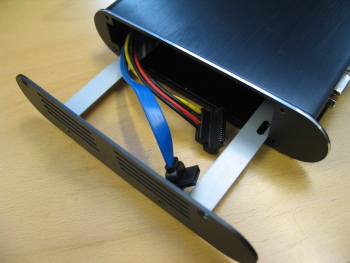
So basicly what you get for under $280 is a network media player with HDMI 1.3, VGA and component outputs, 3 USB-ports (one for a connection to a PC, two for external hard disk, flash and optical drives), 100mbit ethernet connection and support for Internet video and audio. The device doesn't come with an HDD but it does have an internal tray slot for a SATA hard disk drive.
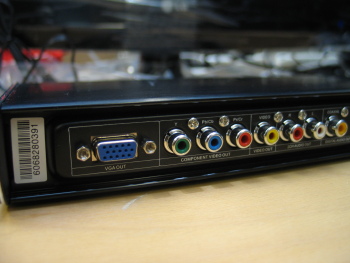
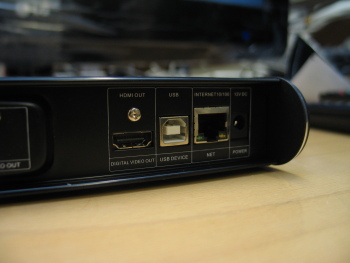
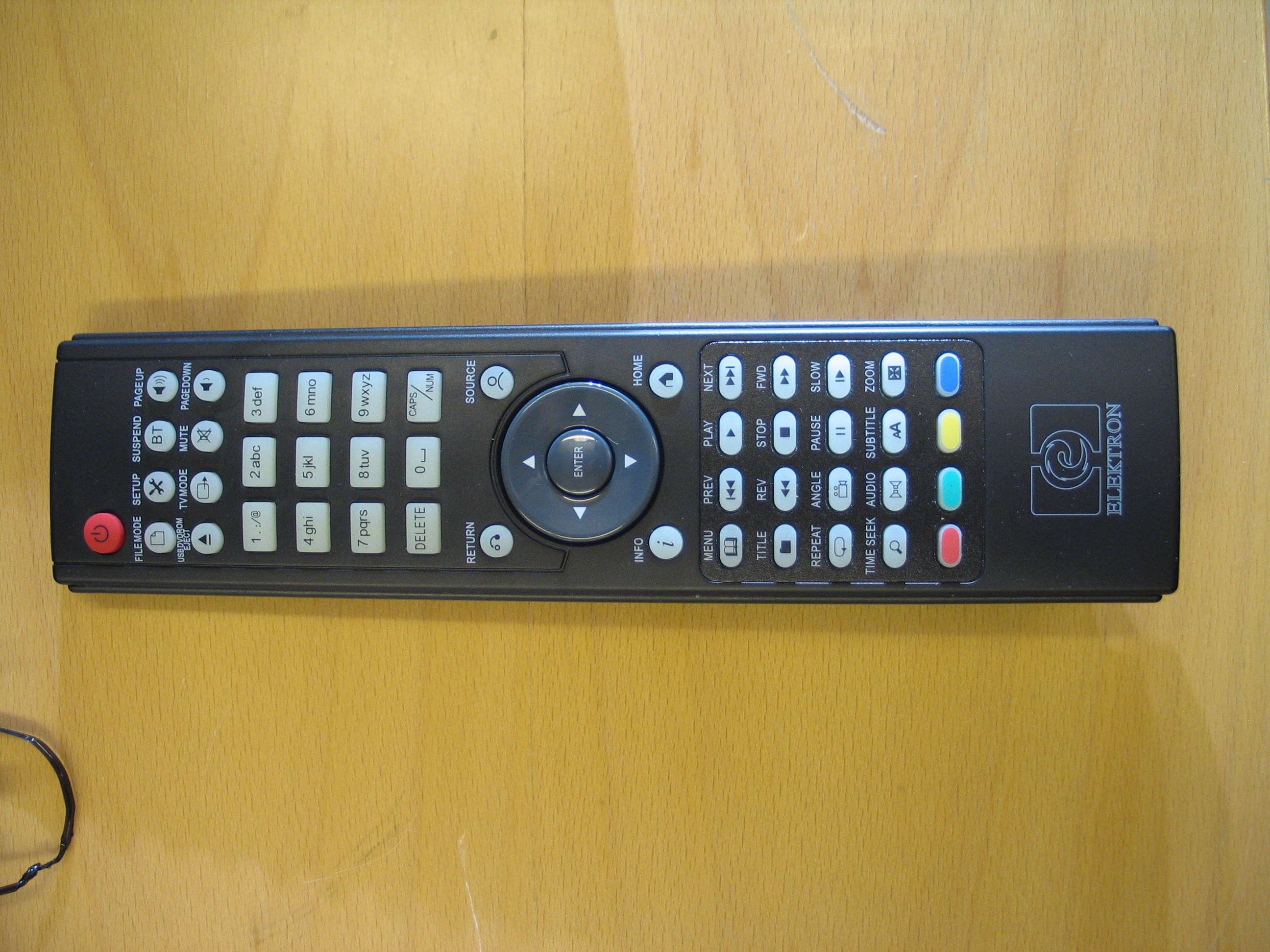
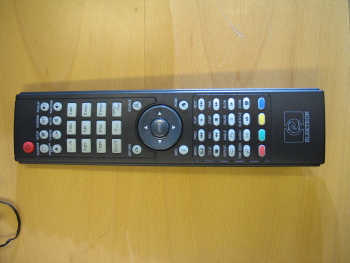
The first impression about the device is pretty good. The player is small and the sleek metal casing gives it a quality feel. The remote is nothing to write home about but isn't by any means the worst we've seen. Button placement could be better though if you've used the Popcorn Hour remote and liked it you won't be disappointed with this either - both Elektron and Popcorn Hour share the same remote controller layout.
Unlike Popcorn Hour A-110 the Elektron EHP-606 has an actual, physical power switch, so you don't have to pull the plug shut the device. With a USB ports on the side of it you don't have to reach for the rear panel to attach a USB drive. As an addition to USB drives you can attach an USB keyboard to the device.
More about the device, file support and especially the user interface later on. Stay tuned.
Technical specifications:
Sigma Design SMP8635 c CPU
256MB DDR RAM, 32MB Flash ROM
Video: HDMI 1.3, VGA, Component (YPbPr), and Composite output
Audio: Coaxial SPDIF output, analog stereo output
Network: 10/100Mbps wired Ethernet
USB host: 1 USB host port
USB: 2 USB ports supporting removable media and keyboards
HDD: internal SATA HDD support (HDD not included)
Supported video, audio, image and subtitle formats:
MPEG1/2/4, MPEG2 Transport Stream, MKV, XVID SD/HD, H.264 and VC-1 video
AAC, M4A, MPEG audio, WAV, WMA, FLAC, OGG audio, DTS, DTS-HD, AC3, Dolby True HD and Dolby Digital audio
JPEG, BMP, PNG and GIF images
SRT, SMI, SUB and SSA subtitles
Permalink to this article
| Topic: Home Theater
| |
Related articles:
Popcorn 4 adds AVCHD, Flash support (13 October 2009)
Australia to block all P2P? (23 December 2008)
|
|
|
| Discuss this article! |
| emugamer (Member) 15 December 2008 11:52 |
|
|
Wow...more choice! I love my PCH A-100, but this device would be a nice upgrade. The lack of a power switch on the PCH has always been a sore spot for me. I'd like to see the user interface, because the PCH interface leaves more to be desired. I'll wait a while. My PCH A-100 does everything I need it to do. Anything more would be a luxury, and I can't afford luxury right now.
|
| david89 (Inactive) 15 December 2008 12:11 |
|
|
this is not the only one with a power switch the HDX900 and HDX1000 allso have one anyways i like how this Elektron EHP-606 looks nice.
This message has been edited since posting. Last time this message was edited on 15 December 2008 12:12
|
| wdtv (Newbie) 15 December 2008 12:30 |
|
|
How does this compare to the WDTV for $99? I see this device doesn't support .MKV?
|
| Pop_Smith (Senior Member) 15 December 2008 13:57 |
|
|
|
| wdtv (Newbie) 15 December 2008 14:33 |
|
MKV support that is really nice, the only reason i got the wdtv. With bittorent support this thing is heaven for any pirate out there. No more HTPC, very cool.
|
| Pop_Smith (Senior Member) 15 December 2008 16:49 |
|
Originally posted by wdtv: With bittorent support this thing is heaven for any pirate out there. No more HTPC, very cool.
Yes, but I wouldn't use the built-in BT to download anything illegal, too much risk of getting caught since you can't use PG2 on this.
Since it has networking capabilities you could probably use it as an external hard drive and have your PC (with PG2) download a movie directly to the devices HDD.
On the HTPC comment, I almost built my parents a HTPC for their theater room but then I found out about Popcorn hour and am going to hook them up with one real soon.
Considering I have seen 1+ TB internal HDDs for ~$100, space won't be a problem either.
|
| DXR88 (Senior Member) 15 December 2008 20:18 |
|
There is no replacement for a good HTPC, but this popcorn hour and what not can come pretty close. for me however not close enough.
|
| PeaInAPod (AfterDawn Addict) 15 December 2008 21:41 |
|
Best HTPC in my opinion is still the tried and true XBMC on the original xbox. It handedly beats every competitor on the market in terms of Audio/Video compatibility. You can run it on everything, from Mac/Windows/Linux PC's to a $40 Xbox.
|
| Siggy (Staff Member) 16 December 2008 5:32 |
|
Originally posted by wdtv: How does this compare to the WDTV for $99? I see this device doesn't support .MKV?
Seems that I forgot to add MKV to the list. Anyway, Elektron EHP-606 does support MKV files.
|
| emugamer (Member) 16 December 2008 8:07 |
|
The popcornhour is really a great device. And this Elektron device is on the same playing field. It's a great solution for playing all forms of media if you are on a budget and can't justify the funding for a HTPC. The 1st gen A-100 popcornhour is still being sold, and is only $175. These devices play everything, and although leave out a couple of convenient options, are an incredible value for your dollar. I'm putting this Elektron device on my wish list. After having the popcornhour for 9 months now, the next device will only be better.
A friend of mine has the WDTV. It's a stripped down NMT, and really only plays movies off a USB. No network functionality. It had some trouble handling 1080p that his popcornhour handles smoothly. Also some 720p. It really depends on the quality of the rip. For the most part, the WDTV is decent at best.
|
| Dobyx (Newbie) 16 December 2008 10:00 |
|
I can't help but think that this is just another box wrapped around windows media. Here's what I wish it had (in a perfect world)
1) The interface should be clean and easy such that of "Front Row" that comes with all Mac computers. With search modes like genre, Actor/Artist etc.
2) Cover art! cover art! cover art! please allow the ability for us to search through the files via a nicely laid out display of cover art. Even if we supply our own art it would be so sweet.
3) Network from a RJ45 that can handle 10/100/1000 connection so as we can attach to a NAS device or server to stream faster.
4) The ability to have a 1.5TB internal drive and still run fast enough to play back Blu-Ray sized files.
These are just a few items on my Christmas list!
|
| hermes_vb (Senior Member) 17 December 2008 4:28 |
|
|
Well $280 is not that bad, but I'm thinking. Don't you thing it would be better to invest a little more and build your own Media Center PC?
|
| theridges (AfterDawn Addict) 17 December 2008 5:26 |
|
i Think i might be finally getting one of these seems like they have pretty much gave me all i need now.
it can play my HD Rips and has HDMI 1.3 with dolby true hd and DTS HD...
if anybody can give me 3 logical reasons why building an HTPC would be better please be my guest.
and rememeber this is only $280.
This message has been edited since posting. Last time this message was edited on 17 December 2008 5:28
|
| emugamer (Member) 17 December 2008 8:08 |
|
Originally posted by hermes_vb: Well $280 is not that bad, but I'm thinking. Don't you thing it would be better to invest a little more and build your own Media Center PC?
It depends whether or not one has the money or space or time. What do you mean by a little more? I can't say I've ever tried spec'ing a Media Center PC. I'd rather save my money and build a killer PC for other things than to watch movies, play music and scroll through picures. Any talk I've ever heard about Media Center PC's usually came with a high pricetag. And the cheap ones just weren't worth building.
Pro's of getting a Networked Media Tank
1. Price - relatively cheap device that plays everything
2. Convenience - take out of box. Turn on. Plug in USB HDD. Play movies.
3. Portability - take it anywhere
4. Real estate - takes up very little space (see pro #2 above).
5. Upgradeability - downloadable firmware updates. New hardware not needed over time. At least for the foreseable future.
|
| SuperXL (Member) 20 December 2008 14:27 |
|
i think that building a media center pc is for pc building enthusiasts. having a slim box that handles all of your media would be better than constructing a whole computer just to look at movies. i have an unmodded xbox that i can use for a media center. i have a spare pc that i can refashion into a media center box. i'm just too lazy to make either of them work.
although, i did seriously think about rebuilding the pc when the cheap dvd player i bought didnt play some of the dvds. i think it was the media i burned them on. but at the end of the day, depending on your financial situation, you will chose what is best for you. for me, it could be the xbox, or the pc. not this nice device though. simply because i can't afford it right now. the only thing i need for my pc is an RCA to S-video connector.
|
| yundf (Newbie) 22 December 2008 22:27 |
|
|
Nice device!
It has ethernet port, WD hasn't!
HDMI1.3! Not bad!
|
| wdtv (Newbie) 29 December 2008 11:19 |
|
The wdtv is nice but I am waiting for a firmware update or a nice hack to fix the problems.
|
| yundf (Newbie) 30 December 2008 3:26 |
|
|
WD is good, but EHP-606 is much better I think with nice design and beautiful looking!
|
| pacendrix (Newbie) 16 February 2009 4:12 |
|
|
Hardware Media Player + Bitorrent client ... and the dream of all film producers becomes true.
|
| DXR88 (Senior Member) 16 February 2009 9:37 |
|
Originally posted by pacendrix: Hardware Media Player + Bitorrent client ... and the dream of all film producers becomes true.
Yeah,Right.
|
|
|
Latest newsLatest news from AfterDawn.com. Verizon doubles early termination fee for smartphones 8 Nov, 2009 | 6 comments What does Google know about you? Try 'Dashboard' 8 Nov, 2009 | 4 comments Blu-ray 'Managed Copy' to start in December, lacking hardware support 8 Nov, 2009 | 7 comments Myka introduces ION media center set-top 8 Nov, 2009 American texters send 4.1 billion per day 8 Nov, 2009 | 4 comments Skype is finally free to be independent 8 Nov, 2009 Technology leads to enhanced social worlds, says study 8 Nov, 2009 | 1 comment iPhone app developer sued for 'stealing' user's numbers 7 Nov, 2009 | 5 comments Amazon, Disney, Pixar start deep Blu-ray promotion 7 Nov, 2009 | 10 comments BlackBerry passes iPhone in market share again 7 Nov, 2009 | 1 comment Digital stores will not sell Modern Warfare 2 due to Steamworks 7 Nov, 2009 | 11 comments Boxee beta coming December 7th 7 Nov, 2009
More news... 
Search for headlinesSearch through our news archive. 
Latest threadsRecently updated discussion threads. More... 
Last week's most popular software downloads
Most popular devicesLast week's most popular products in our product comparison service. More products... 
Top linksMost popular links - Blasteroids.com
Download game trailers, demos and more - TorrentReactor.Net
The most active torrents on the web - Digital-Digest
Latest DivX, XviD, DVD, Blu-Ray, HD DVD News - OpenSubtitles.org
download DivX subtitles from the biggest open database - CDRInfo.com
The Hardware Authority - DVDHelp.us
DVD help, tutorials, FAQ, and very popular free help forum! - Torrentreactor.TO
The most active torrents on the web - dvd ripper
rip DVD to VCD, DivX, MPEG, SVCD, AVI easily and quickly.

|