Apple's iPhone AI updates won't be seen in Europe, possibly ever
 Apple unveiled a massive pile of AI features for all of its devices, from iPhones to Macs, at the WWDC 2026 event.
But not a single one of the updates shown at the event will be seen on iPhones or iPads sold in the European Union.
Apple blames the European Union and the fact that both the iPhone and iPad are defined as so-called core platform services under the EU's Digital Markets Act legislation.
The term means that they have such a significant market position in their own product category that they are subject to stricter rules to prevent restrictions on competition than smaller players are (Android and Windows are also classified as operating systems in a similar way).
Put simply, it means that no new significant functionalities may be added to these operating systems unless, at the same time, it is made possible for other companies to offer equivalent, competing solutions on the same platform.
The EU takes the view that Apple should offer AI assistants competing with Siri the same kind of access to the data stored on users' phones as Siri has. In addition, other AI assistants comparable to Siri should also be able to control other apps on the device - just as Siri can.
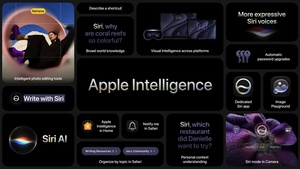 At its summer 2026 WWDC event, Apple finally began its attempt to catch up after several years of lagging behind in the field of artificial intelligence, unveiling a range of new AI-powered technologies aimed at narrowing the gap with its competitors.
 Apple has officially introduced its new iOS 27 operating system update, which brings significant underâ€'theâ€'hood performance improvements and broad device support.