CloneDVD v2.9.2.8
Shareware
Win2k / Win98 / WinME / WinNT / WinXP
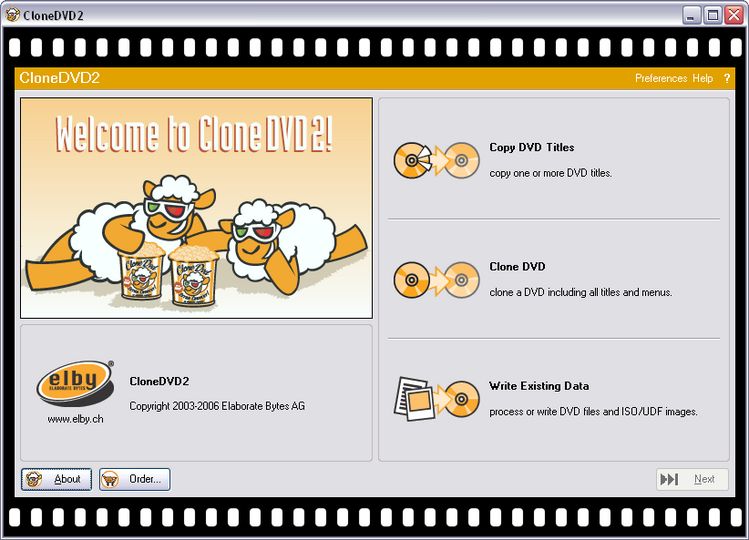
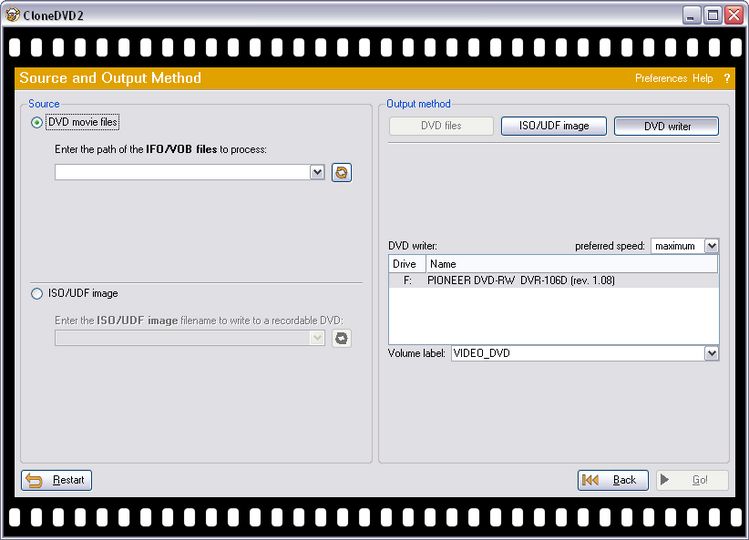
The software also includes a basic ISO/UDF and IFO/VOB writer, using which pre-authored DVD content can be burned on DVD.
You'd probably like to read our CloneDVD guide from here.
Share this
HTML code for linking to this page:
Keywords:
clonedvd
dvd
backup
software
dvd-9
movie
compress
License type
Shareware1
Author's homepage
Visit the author's site
Date added
02 Oct 2003
Latest update
24 Jun 2010
Downloads
442,154
File size
4.94 MB
(<1min @ 1Mbps)
Operating systems
Win2k / Win98 / WinME / WinNT / WinXP1
1License and operating system information is based on latest version of the software.
24 Jun 2010CloneDVD v2.9.2.8(Latest stable version)
29 Dec 2009CloneDVD v2.9.2.7
14 Aug 2009CloneDVD v2.9.2.5 Beta
17 Jul 2009CloneDVD v2.9.2.4 Beta
17 Mar 2009CloneDVD v2.9.2.2
12 Mar 2009CloneDVD v2.9.2.1
18 Oct 2008CloneDVD v2.9.2.0
15 Jun 2008CloneDVD v2.9.1.9
06 Jun 2008CloneDVD v2.9.1.8 Beta
11 Apr 2008CloneDVD v2.9.1.7
23 Jan 2008CloneDVD v2.9.1.5
14 Jan 2008CloneDVD v2.9.1.4 Beta
12 Aug 2007CloneDVD v2.9.1.2
02 Aug 2007CloneDVD v2.9.1.1
29 Jul 2007CloneDVD v2.9.1.0
01 Jun 2007CloneDVD v2.9.0.9
20 May 2007CloneDVD v2.9.0.8
20 May 2007CloneDVD v2.9.0.7 Beta
14 May 2007CloneDVD v2.9.0.6 Beta
13 Dec 2006CloneDVD v2.9.0.3
16 Aug 2006CloneDVD v2.9.0.1
CloneDvd Error Message (3 posts)
Latest post: 08/07/2010
Forum room: DVD±R discussion / DVD±R for newbiesCloneDVD Mobile to iTunes/iPhone (4 posts)
Latest post: 05/26/2010
Forum room: DVD±R discussion / DVD±R - One-click transcoding toolsError Report with CloneDVD Mobile - Please Help (3 posts)
Latest post: 03/04/2010
Forum room: Digital video discussion / DVD rippingUsing a reader AND writer drive with Clonedvd/anydvd. NOT WRITING (2 posts)
Latest post: 01/12/2010
Forum room: DVD±R discussion / DVD±R - One-click transcoding toolscloneDVD (2 posts)
Latest post: 01/12/2010
Forum room: Consoles / PS2 - DVD backup discussionout of sync video using CloneDVD mobile (2 posts)
Latest post: 08/02/2009
Forum room: Digital video discussion / User submitted guidesproblems with clonedvd (12 posts)
Latest post: 07/28/2009
Forum room: DVD±R discussion / DVD±R for advanced usersCloneDVD (2 posts)
Latest post: 04/30/2009
Forum room: Consoles / PS2 - DVD backup discussionclonedvd/dvd shrink (3 posts)
Latest post: 04/13/2009
Forum room: Digital video discussion / DVD rippingAnyDVD and CloneDVD Problem (36 posts)
Latest post: 02/04/2009
Forum room: DVD±R discussion / DVD±R - One-click transcoding tools


great software i have been useing for 4 or 5 years now slysoft great to deal with no problims with updates
as a computer illiterate, i have used a dvd backup software, which is very easy and with work pretty well. <br/>the download address is here. <br/><a href="http://www.aimersoft-mac.com/dvd-backup-mac.html#177> <br/><strong><u>How to Backup DVD for Mac</u></strong></a>. <br/>maybe you can hava a try.
I dont use this anymore because it cannot copy real DVD .. it keeps saying that the DVD is not good ??? <br/>Every DVD i try to copy get this message.
Extremely easy to use. Intuitive. One thing though, it will not warn you if it is going to overwrite data in the folder you choose as the destination. Works flawlessly with AnyDVD.
The Best There is! As said by another user: With AnyDVD , it is an unbeatable Combo! <br/>Note: This version has automatic booktype setting to DVD-Rom with compatible burners!
I've had it since it started, no problems yet. With AnyDVD they are an unbeatable combo.
I have Clone, it is so easy to use and simple... <br/>I am very pleased with this software
I just bought Clone as I refuse to pay One Click $20 every year for upgrades that you don't get but maybe 3 times a year. At first I thought I would but after paying them two years in a row I decided to try this. It's just as good or better.
is the best in the market.keep up the good work.
I have used this software for over a year. I have had no problems with it at all. It is the best I have tried and has a most sipmlpe interface. The key to this software is to use ANYdvd with it. These are available from elaborate bytes. They come in a 'try-before-you-buy' format. I suggest you try it. What can it hurt. Also, the Slysoft forums and AD.com work well with each other. Most of the user guides are available on AD.com.
Take it from someone who owns most of the dvd copying software out there. From AutoGordianknot, dvdnextcopy, dvdcloner5, decryter, dvdfabhddecrpter, dvd x copy platinum, imgburn, etc.... You get the idea. I've been a sucker for most of it. <br/> <br/>Don't get me wrong "some" of this software works "some" of the time. But CloneDVD2 coupled with AnyDVD is by far the best I have ever used. Had it about a month now and it has worked every time without exception. <br/> <br/>Don't waste your time, money or supplies ( I have too many drink coasters) buy this software first. You won't need anything else. <br/> <br/>shadownet
To the person that is using V4, you are not using the real CloneDVD2 by Elaborate Bytes. You are using an inferior program. When used in conjuction with AnyDVD this software is the best money can buy.
Firstly I like to point out that I am using the latest version of CloneDvd which is v4.01.2156 [can be found via google search]. By comparing this to previous versions CloneDvd now has ripping capabilities giving region free ISO/Dvd. You can also customize what features the Dvd holds i.e whether it is a 1:1 copy or modifying it to remove extras such as sub's and languages to improve quality. Some rippers need to change your DVD drive's region code in order to process the DVD e.g. Dvd shrink. However CloneDvd does not need to do this and can directly rip and compress files to a VIDEO_TS folder or an ISO file. It still holds it writing capabilities and speed has increased. However it does require a longer time to rip compared with freeware such as Dvd shrink. One minor problems stated by users on the net is that sometimes quality is inconsistent but I have personally used this for a while and have not experienced any difficulties. Overall The CloneDvd application is stable, it is easy to install and use,and gives you similar quality to Dvd shrink thus it is a good peice of software for copying Dvd's.
Terrific software!!!! <br/> <br/>I have used the entire Clone package for over three years and highly recommend it. The key to success is to use recommended burners and make sure you keep AnyDVD updated. I am a registered owner and recieve updates almost every week and I install them.
Great product, have backed up over 200 DVD's....
I have used CloneDVD/AnyDVD for over two years. Tried the rest, stuck with the best. Overall better encoder/decoder than DVDShrink. <br/> <br/>It isn't free, and there are better choices if you do a lot of disc editing, but if you are looking for the best to make back-ups, look no further than CloneDVD. <br/> <br/>Hands-down the best back-up software, period.
What a idotic statement to say it is junk. I don't understand why people say such harsh things about good software. Maybe its a power thing or they think it makes them look like they have great knowledge. In reality, it makes them look like the idiots that they are.
Since the demise of 321 Studios (wonder whatever happened to Mr. Moore??) I have used Slysoft and DVD FAB extensively. They are both great programs and do what they claim to. I rate DVD Fab No. 1 though, partly because it is less expensive when you first purchase and second because they seem to update far more often than Slysoft. Both great programs though and highly recommended.
Slysoft has it's own forum and there are plenty of posts about things wrong with CloneDVD.
Great program, I have been using it since version 1. something. For those who think this is not a great program, ask yourself, why is there no support forum specifically for CloneDVD or AnyDVD? You might see an occasional question or two pop up in One Click Transcoding, but never a major issue. A very user friendly, easy method to compress and burn your movies.
Firstly I rate slysoft very highly like afterdawn they are a professional outfit and take care of their customers however I do have a gripe withe them over the recent patches/updates for both clone dvd2 and any dvd these latest ones clonedvd2 2910 and any dvd 6166 6167 caused chkdisk to fail , pc to be rebuilt then voila a new version 2911 was introduced to fix the bugs in these earlier versions, i really do wish they would test these properley i get fed up of seeing improvements for vista compatibility etc which ultimately mean pc hell for me and other xp users why cant we have a version for xp alone and versions specifically for vista then we would all be happy , if not due to it being not possible better testing it would be appreciated , gripe over i still think slysoft are a great company but please please take note less buggy releases thanks
CloneDVD is junk. Dvd Shrink and ImgBurn are much better and free.
Clonedvd(2) has never gotten a bad review from me. and with good reason. <i>it</i> never causes any problems. its pretty much flawless. not to mention that it has one of the best compression/transcoders i have ever seen. <br/> <br/>unfortunately there is little room fro tweaking in this app. so users of dvd shrink may be a little disapointed
Of the available dvd copiers this is without a doubt the best. I bought mine about 2 years and continue to get free updates, unlike 1click. very seldom do I get a bad copy and then it is likely caused by the media. For the beginner to the slightly educated this is the best.
CloneDVD 2 is THE BEST compression software I have ever used. Period. I don't do "Beta", I wait till the bugs are out, but I don't see much way this can be improved, except 1 thing. I would like to see an option to change booktype settings for DVD+R, otherwise, THIS is my software of choice! 2.9.0.3 is the latest Stable version. In case any readers don't know, Slysoft does not write this software, Elby from Sweden does.Slysoft sells it only.
I've used this software never any bother think its great use region & cs free and any dvd too
this was an absolutely wonderful software and i used it for a very long time until one day something happened to it and it stopped working.so i was forced to rate it 3 stars only.
I dont know about this product, but a good program for me with no fees is Videora Ipod Converter. I have not had any problems with it so far
What are some of the side effectsof dvd burning software and if there is a free way to do it what is the best way to go
This software is excellent, just wanted to say that Version 2.9.0.1 is out!
Great software but the company operates from a remote island outside the jurisdiction of western law enforcement agencies. Are you really happy to send them your credit card details?
I don't have 5 different programs taking up space on my computer. I have one program to copy DVD's, and one program to copy Cd's, and one program to decrypt them all. They are excellent, easy to use programs, worth paying for so they can be improved continually and they can be yours if you go to <a href="http://www.slysoft.com/en/" class="korostus" target="_blank">http://www.slysoft.com/en/</a> and pay the small amount of money for these very powerful programs. They even let you use them free for several days.
I rely on Clone Dvd,more than any other program that I have of this type and I have (5) of them. In comparison,the others don`t compete.Franzwha
dnelson@neo.rr.com
CloneDVD2 combined with AnyDVD are as about certain as you can get. It can even burn a disc that is not perfect without the imperfections. FrBernard
All U need for Copy DVD´s !! they are outstanding and Any DVD make your computer much better even 2 look at protected dvd movies and listen 2 protected CD´s.
Slysoft & Elby rules, just face it !!
I think Clone DVD v 2 is a exceptional product,better than (DVDXCIOPY Platinum) and some of the others I have on my computer, I have a total of (5) And probably would get some argument on this statement,but is the equal of 1 Click DVD Copy 4.2 I use them all in different ways I have burned over 700 movies. so that is how I qualify myself, as to how the are used. dnelson@neo.rr.com Wm. F Nelson
this is excellent!
this software is good!
So Easy, even I can use it I tried a "newer" version of another brand and out of a score of 100, i would give it a 45, then they updated that and the score dropped to ZERO, it wouldn't work
I purchased CloneDVD along with ANYDVD and am a happy camper Now I can make copies of the movies the kids keep playing till their worn-out
2 thumbs up
tilain; you're right saying BEST. Using it with anydvd one can get most maybe all DVD clone jobs working.
But, this program is Author'd by ELBY pushed by Slysoft that authors anydvd.
This is one of the BEST software on the market for copying DVD's. Keep up the GOOD WORK Slysoft.
It's the best quality of DVDs on the market. Even when backing up two movies. However, when I tried to watch three or four movies on the same DVD, I noticed that the first DVD was excellent. The second one was "framey". The third gave up on me. And the fourth one had the worst quality of all. It skipped chapters automatically and there was no sound at all. DO NOT BACKUP MORE THAN THREE MOVIES AT ONCE! Other than that, using common sense had me mesmorized beyond description. Keep up the good work, SlySoft!
A nice feature is the quality meter. When stuff is added or removed (subtitles, other languages, for ex) it goes up and down to show just what kind of quality you will have before it even burns. It does exactly what it promises to, which is what makes it so great. I tried using DVD Rebuilder with various encoders, and I find that the quality from CloneDVD2 is about the same, and does the work about 12X faster (5 hours/26 minutes ~ave.) Very easy to use! Just pop in the disc you want copied, uncheck the stuff you dont want, hit it, and walk away for a snack. Come back in less than 1/2 an hour - a perfect copy is made. An excellent balance of quality and efficiency.
Greetings from South Africa. My experience has proven that ARccOS protected titles have been the most difficult to backup. Along with AnyDVD, DVD Srink and Nero have not been able to do the necessary. However, with AnyDVD and CloneDVD2, I have not experienced another title so far that cannot be backed up. AnyDVD and CloneDVD2 are the best to date!
hands down simply the best
After months of trying to find the best burning software that would work everything, I've found CloneDVD to be the leader of the pack.
I've been using it for a month or so now and I don't know how I ever got along without it.
I highly recommend everybody to try it and see for yourself.
Greetings All..From Australia..Clone DVD2 2.8.5.1 + anyDVD.5.8.2.1. A real winner.So good....never a miss.I use anyDVD also with Shrink,and DVD decrypter.You have to put the settings in DVD Decrypter right to run with anyDVD and CloneDVD2...Here they are..Open program--Then "Tools"--"Settings"---General Tab...Take tick out of box marked....Check for structure Protection...Then click I/O Tab....Place DOT in "Elby CDIO"....Will run like the wind..Hope I have been of help,I love this site,and have learned lots from you great people.
Have tried a few DVD backing up programs and I can say that DVDclone 2 is one of the best, easy to use, quick and perfect back-ups. Tried the free trial and bought it. Well recommended.
I am in the trial period for Clone DVD2 and Any DVD.
I found a couple of DVD's I could not back up, but for the most part, for the exception that the instructions are difficult to understand due to the technical verbage, it works well, and I will purchase it.
I found a couple of dvd it would not back up.
it is the best one in my book
Good stuff !
I have yet to find a dvd that these 2 programs cant copy. It's well worth the money. Just remember to back up you product key's ( each key for each program, I dont think Slysoft will refund this if it's lost !!! ) anydvd get's updated often as well.
As a newbie with a birthday present from my friendly "geek" of 2 dual layer disks - never had a DVD burner before, I had Nero and DVD43. They were ok, but I hit a few too many snags (and ran out of room for any more coasters), so I decided to shop around. AnyDVD and DVDClone2 were my eventual choice and WOW! Things that would not copy before just sailed through - I am way impressed. It's easy to use, and rips copies impressively. I'd really recommend it.
I agree! The Combination of AnyDVD & CloneDVD2 is Awesome! I have seen a few new sony releases that caused Nero to "hang", But CloneDVD2 worked like a Charm! I say, Buy it! Especially if you use AnyDVD! With these 2 together, there won't be a Movie you can't back-up with Great Quality & Fast!I Rate this Number 1 for what it is!I would gladly give it 10 Stars! Members of Afterdawn can still get 10 bucks off NOW! $29.00 for the best DVD tool to use with AnyDVD? Yes! Worth every penny! Even at $39.00!
this software is good but nero starsmart version six can compress alot better i have put 2 dvds on one it inly works with nero start smart its 100.00 but if you buy a sony dru-720a dvd burner its free better than roxio too
DVD Shrink may be FREE but it is no longer supported. I have had issues with some movies using Shrink when Clone handled them fine. AnyDVD+CloneDVD=Knockout!
ONE OF THE BEST SOFTWARE IN THE MARKET.I RATED NUMBER 1 THE BEST.
CloneDVD is ok but it's no better than most other transcoders, including DVD Shrink. They all more or less compress the same frames in much the same way. If you really want to get the best quality then use DVD Rebuilder with Cinema Craft Encoder. RB takes out subtitles, audio streams, and more, and you can do a movie only back up, but because of its overall quality when compared to that of transcoders you can keep more of the extras. If you want to have fun with editing then you can use DVD Remake to trim and even redo your menus. CloneDVD is what it claims to be, an easy to use backup system.
THE best software to back-up DVD's period. This is the only software that will let you take out titles, audio steams, subtitles, previews, etc. and still keep the menu. Believe me, i have used them all. Fast, great quality, constandly updated, easy to use! Can back-up DVD's to DVD-5, or make an .ISO file, or burn previously authored DVD's or .ISO's. I give it 6 stars!!! If you are into backing up your DVD's, get this software because it's a must have and the best ripper/burner for DVD's! The only reason I use DVD Decrypter is for AutoGK (DVD to Xvid), as soon as I tried this software, I ditched DVD shrink ( I like menus and taking out streams, etc.). Nero Recode is the same as Shrink, Copy to DVD has nothing on this, and all the other software out there still isn't near as cool as this program. I use in conjuction with AnyDVD, however, you can use DVD Decrypter to break CSS first, then use CloneDVD. Okay, I'll quit rambling now, download now.
I can`t see the point in using this software when you can get DVD Shrink for free!! I think DVD Shrink is the winner! It is also easier to use DVD Shrink.
Björn Lundahl, Göteborg SWEDEN
I'm going to change my vote from 4 stars to 5 stars. I just did an 8gb movie in 20 minutes. 15 minutes out of that 20 was the actual burning with 4x dvdr's. Super fast. I've actually noticed that the picture isn't any worse when using comparing Clonedvd/anydvd to DvdShrink. It looks identical to Shrink with the quality enhancement sharp. I noticed a couple of dvd's looked worse before because the original source had a little pixellation so the sharpness added to it. However, if the source is perfect then there won't be any problems. I'm going to buy a key for this. CLonedvd and ANydvd is a monster combo.
What is going on with the updates. I went to elby's home site and found nothing about a 2.8 update. The last update for them was listed as "2.7.5.1". I also did not receive an update notice from elby.
goed software
This is good software in conjunction with AnyDVD. Makes the process of making a dvd very simple and very fast. However, if you want the best quality then I'd go with DVDShrink. I just spent a couple hours comparing copies made with both programs. Shrink copies are identical at 70% reencode while Anydvd is slightly worse than the original source. It's a question of are you willing to sacrafice a little quality to make a dvd quicker. I've decided to go back to Shrink.
i have version 1.3.10.1
after a few months use this is my second choice for ripping dvds, the quality isnt as good as shrink, i dont know if this has improved on later versions but i did upgrade to the v 2.7.5.1 free trial and the processing time was the same so i doubt it.
anyway heres the good and the bad
good:
very fast -rips AND compresses dual layer dvds in about 25 minutes in file mode (~1 hour in iso mode- takes time to write the iso)
you can keep funtional menus after removing other bits you dont want - something that shrink cant do without losing menu function in the dvd.
the newer versions have the feature of letting you cut the film from either end although you cant take bits out from the middle.
if you want to check a film for protection (read errors) itll scan through it quickly at the start of processing and will stop early but shrink only does this when its along way in to the analysis. so it saves alot of time when looking for the newer sony arrcos unreadable sector protection.
easy to use, 1 year of free updates.
BAD:
its fast and qualities only passable on films where more than 75% compression is needed (eg you can see slight blockeyness if your close to the screen espically in areas of black), i wouldnt say im that fussy either. using shrink with deep analysis is better.
you cant change the amount of compression on a film which it calculates automatically, u can just take out audio etc to make it less compressed.
bottom line: very quick but of noticably lesser quality than shrink on deep analysis for films that need more than about 75% compression. but its good for light compression and single layer disks and quickly scanning through a dvd for read error protection.
This proggy is really amazing.
I just tried AnyDVD4572 + CloneDVD2751. My comment is:
Fast + Stable + High Quality + Great Features.
BTW, during copy process, the Web browsing won't be influenced. Not like most copy software will eat a lot of system resource.
Best Commercial DVD copy software so far.
I have used several different programs to backup DVD's. About a year ago started out with DvdXcopy. I had varying degrees of success with it. Then I discovered DVD Decryptor/DVD Shrink. I used it for several months but found problems with it also. For one, if want to split a long movie onto 2 DVD's using Re-author you lose the menu's. If you want to copy a TV series DVD you will get questionable quality due to the amouth of data to be coppied. Many publishers put ove 3 hours of material on each dvd. The same goes for DVD Decryptor/Nero 6. Then I tried DVD Decryptor/TMPGEnc DVD Author for TV series DVD's. It works great but it is labor intensive.
Then I discovered <b>CloneDVD 2</b>/AnyDVD. This is a very elegant piece of software. You can easily copy any DVD and get great quality. I have compared the results with DVD Shrink and I cannot see any difference on my 36 inch Toshiba TV. You can also easily do the following:
1. Copy any DVD
2. Split any DVD onto 2 DVD's
3. Copy a multi-episode(TV series) DVD onto 2 DVD AND retain the menu's on both DVD's.
<b>ClondDVD 2 is VERY fast! At least twice as fast as anything else I've tried!</b>
I have friends and relatives who have gone the DVD Decryptor/DVD Shrink route and have ALL switched to Clone DVD 2.
One thing I always do when burning the DVD is to set the burn speed one click lower than the DVD's rated speed. In other words if the blank DVD is rated at 8X, I burn it at 6X. For 4X I use 2-2.4X. This way I ensure that my DVD will play in any of my three DVD players. I have Sony, JVC and Philips. They also play in my Xbox.
The choice is yours. If you're looking for ease, simplicity and great quality CloneDVD 2 is the way to go.
I am always amazed how perfect this software performs. It is wonderful.
This is a very easy to use software that is suitable for the novice who wants to back up there movies.The software does not have a ripping fuction to put your movie on the hard drive.Smart ripper or dvd decrypter will work fine with this.Once you have the movie on your hard drive Clone will give you great results and will crush all files to a single layered disc including menus.
Works excellent with anydvd, makes for an easy and fast backup
The newer version of CloneDVD make a 1:1 copy of your DVD ie: if you have a DVD9, it will not Srink it to a DVD5 but will end-up with a copy with 2 DVD5