doPDF v6.0.258
This is an old version of this software. You can also download v6.1.276 (latest stable version).
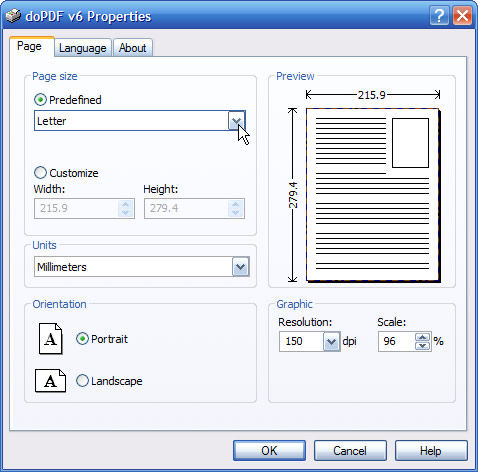
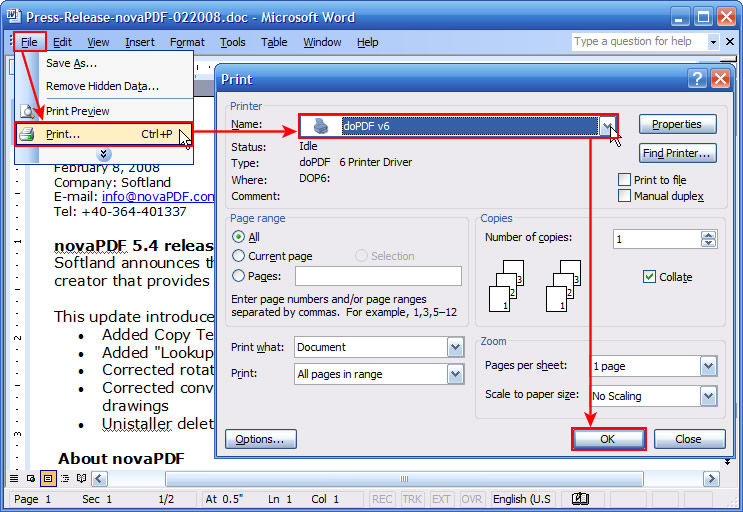
doPDF installs itself as a virtual PDF printer driver so after a successful installation will appear in your Printers and Faxes list. To create PDF files, you just have to print your documents to the doPDF free pdf converter. Open a document (with Microsoft Word, WordPad, NotePad or any other software), choose Print and select doPDF. It will ask you where to save the PDF file and when finished, the PDF file will be automatically opened in your default PDF viewer.
|
| doPDF |
| License: |
Freeware |
| Operating Systems: |
Vista/ Win2k/ WinXP |
| Date added: |
30.8.2007 |
| Last updated: |
10.10.2008 |
| Downloads: |
4,643 |
| Filesize: |
1.36 MB |
| Software homepage |
| Rating: |
![[average of user reviews]](http://i.afterdawn.com/v3/rating_5.gif)
4.50 (2 votes)
|
= Latest beta.
= Latest stable version.
= Older versio.
|
| User reviews |
Show all reviews
|
| DailyG 28 July 2008 20:36 for doPDF v6.1.269 |
|
|
doPDF saved me from having to "snail mail" paper copies of transcripts when my MSWord file of transcripts proved to be too large for uploading to an on-line faculty application! I easily saved the MSWord to doPDF, making the size of the file small enough for uploading. I could not have afforded to purchase Adobe Acrobat, and unlike other PDF creators, doPDF is self-contained, not requiring the installation of Ghostwriter. A good, "no-frills" program!
|
|
|
|
Last week's most popular software downloads
Most popular devicesLast week's most popular products in our product comparison service.
Latest newsLatest news from AfterDawn.com.
Latest threadsRecently updated discussion threads.
Top linksMost popular links
|